Umesh

What Are Microservices? How Does Microservices Architecture Work?

What Are Microservices How Does Microservices Architecture Work

In today's fast-changing tech world, software must be agile and scalable. This need has led to microservices architecture. This approach is popular with developers and enterprises. It can break complex apps into smaller, manageable services. Microservices are better than traditional monolithic architecture. They allow for faster development, easier scaling, and a more resilient system. But what exactly are microservices, and how does this architecture work? This article will explore microservices, their benefits, and how to use them. It will use real-world examples and practical insights.

Understanding Microservices: What Are They?

Microservices, or microservices architecture, is a design pattern. It structures an app as a collection of loosely coupled services. Each service handles a specific business function. It can be developed, deployed, and scaled independently. Unlike monolithic apps, where all parts are connected, microservices use APIs to communicate. This makes the system more modular and adaptable.

In an e-commerce app, user authentication, the product catalog, order processing, and payment processing can be separate microservices. Each service has its own database, logic, and UI. This allows for updating or scaling one service without affecting the others.

Importance of Microservices in Modern Development

The rise of cloud computing, DevOps, and CI/CD has made microservices architecture more relevant. Here’s why it is important:

  • Scalability: Microservices let you scale components independently. This improves resource use and performance.
  • Flexibility in Technology: Different microservices can use different technologies. This lets teams choose the best tools for each service.
  • Faster Development and Deployment: Teams can work on separate microservices at the same time. This speeds up development and allows for continuous deployment.
  • Resilience: The isolation of services means that if one fails, the app won't crash. This enhances system reliability.

A 2024 survey by the Cloud Native Computing Foundation (CNCF) found that over 70% of organizations have adopted micro services architecture as a key part of their cloud strategies. This shift reflects a growing need for speed in software delivery. This is especially true in e-commerce, finance, and telecom.

How Microservices Architecture Works

Microservices architecture breaks an app into smaller, independent services. They communicate using lightweight protocols like REST APIs or messaging queues. Let’s delve deeper into the core components of micro services architecture:

1. API Gateway

What Is It? An API gateway acts as a single entry point for all client requests in a micro services architecture. It routes incoming traffic to the right microservices. It aggregates responses and handles security, load balancing, and rate limiting.

How to Implement:

  • Use open-source tools like Kong, Traefik, or NGINX to set up an API gateway that can route requests and manage traffic between services.
  • Configure authentication and authorization protocols such as OAuth2 to secure API access.
  • Integrate the API gateway with load balancing mechanisms to ensure smooth traffic distribution.
  • Why It’s Important: An API gateway simplifies client-service communication. It hides the complexity of service interactions. It is a critical component in micro services architecture, ensuring that clients don’t need to manage multiple endpoints.

Best For:

  • Large-Scale Applications: Ideal for complex applications with multiple services and high traffic.
  • Secure Data Handling: Suitable for businesses that need to manage secure transactions and user data.

2. Service Discovery

What Is It? Service discovery enables automatic detection of services within a micro services architecture. It helps microservices find each other without manual work. This makes it easier to manage dynamic environments where services are often added or removed.

How to Implement:

  • Use tools like Consul, Eureka, or Kubernetes to register and discover services dynamically.
  • Configure health checks to ensure that only healthy instances of a service are discoverable.
  • Integrate service discovery with load balancers. This will route requests to the right service instances.
  • Why It’s Important: Service discovery is vital for the scalability and resilience of micro services architecture. It allows services to find and communicate with each other, despite changes in the environment. It does this without using hard-coded endpoints.

Best For:

  • Dynamic Environments: Ideal for cloud-native applications where services scale up and down automatically.
  • Microservices on Kubernetes: They work well in containerized environments. Services are often created and terminated.

3. Containers and Orchestration

What Is It? Containers package a microservice and its dependencies. They ensure it runs the same in different environments. Tools like Kubernetes manage container deployment, scaling, and operation in a microservices architecture. They're called container orchestration tools.

How to Implement:

  • Use Docker to containerize microservices, ensuring that each service can run in isolation.
  • Use Kubernetes to deploy and manage these containers. It automates scaling, load balancing, and failover.
  • Integrate Helm charts to simplify the deployment of complex microservices setups on Kubernetes.
  • Why It’s Important: Containers make microservices portable and lightweight. They can run anywhere, from local environments to cloud platforms. Orchestration tools make it easier to manage these services. They help scale and manage micro services architectures.

Best For:

  • Cloud-Native Applications: Ideal for applications that need to run on multiple cloud platforms.
  • High Availability Applications: They keep services running despite some instance failures.

4. Event-Driven Architecture

What Is It? Event-driven architecture is a type of microservices. In it, services communicate through events. They react to changes or actions. It decouples services. They can interact without direct API calls. This improves system responsiveness.

How to Implement:

  • Use message brokers like Apache Kafka, RabbitMQ, or AWS SNS/SQS to publish and subscribe to events.
  • Design microservices to react to events asynchronously. They should process them without blocking operations.
  • Use event sourcing and CQRS to separate read and write models.
  • Why It’s Important: Event-driven architecture enables real-time data processing. It also improves microservices by decoupling their services. It is particularly useful for systems that require real-time data updates or complex workflows.

Best For:

  • Financial Services: Ideal for applications that need to process transactions in real-time.
  • E-commerce Platforms: They are good for managing events, like order processing, inventory updates, and user notifications.

5. Circuit Breaker Pattern

What Is It? The circuit breaker pattern is a design strategy in microservices. It prevents a service from making repeated failed requests to another service. It acts like an electrical circuit breaker. It "trips" when a failure threshold is reached. This stops further requests temporarily.

How to Implement:

  • Use libraries like Hystrix (now succeeded by resilience4j) in Java apps to implement circuit breakers.
  • Define failure thresholds and timeouts to control when the circuit should trip.
  • Integrate the circuit breaker with monitoring tools. Track failure rates and ensure timely responses.
  • Why It’s Important: The circuit breaker pattern boosts the stability of microservices. It prevents cascading failures and improves resilience. It isolates faulty services, allowing the rest of the system to function without degradation.

Best For:

  • High-Traffic APIs: Useful in apps with many API calls. Downstream service failures can hurt performance.
  • Resilient Systems: Best for critical systems, like banking and healthcare. Uptime and reliability are vital.

6. Centralized Logging and Monitoring

What Is It? Centralized logging and monitoring show the performance and health of services in a micro services architecture. Aggregating logs and metrics from all services helps teams. They can quickly identify issues and understand system behavior.

How to Implement:

  • Use open-source tools like the ELK Stack. It includes Elasticsearch, Logstash, and Kibana. They can aggregate and visualize logs from multiple services.
  • Use distributed tracing tools like Jaeger or Zipkin. They track requests as they move through different micro services.
  • Integrate monitoring solutions like Prometheus and Grafana for real-time metrics and alerts.
  • Importance: Centralized logging and monitoring provide a full view of how services interact. They help troubleshoot issues faster. This is crucial in microservices. Debugging issues can be hard due to distributed components.

Best For:

  • Applications with Complex Workflows: They help trace performance issues in environments with multiple, interacting services.
  • DevOps Teams: Essential for maintaining system health and optimizing resource usage.

7. Data Management and Decentralized Databases

What Is It? In micro services architecture, each microservice typically manages its own database. This pattern, called decentralized data management, keeps services loosely coupled. It allows them to scale independently.

How to Implement:

  • Use NoSQL databases like MongoDB for services that require flexibility in data models.
  • Implement relational databases like PostgreSQL where data consistency is critical.
  • Use data sync and messaging queues, like Kafka. They ensure data consistency between services without tight coupling.
  • Importance: Decentralized data management lets microservices run independently. It reduces the risk of a single point of failure. This microservices architecture is good for apps needing high scalability and flexible data models.

Best For:

  • E-commerce and Marketplaces: Services like inventory, user data, and payment processing can use different databases. This optimizes for each use case.
  • Enterprises with Varied Data Needs: Ideal for large firms with services that need different database types and models.

8. Security Best Practices for Microservices

What Is It? Securing a micro services architecture requires three things. First, implement authentication. Second, use authorization. Third, encrypt communication between services. This ensures data integrity and protects against attacks.

How to Implement:

  • Use OAuth2 and OpenID Connect for user authentication and access control between services.
  • Implement mTLS (mutual TLS) for encrypting communication between microservices.
  • Use API gateways to enforce security policies like rate limiting, IP whitelisting, and input validation.
  • Why It’s Important: Security is critical in micro services architecture due to the distributed nature of the system. Each service interaction can be a vulnerability. So, we must have strong security practices.

Best For:

  • Financial Services: Services that handle sensitive transactions require strong authentication and encryption.
  • Healthcare Apps: Apps that manage patient data must follow strict data privacy rules. So, security is a top priority.

9. Testing Strategies for Microservices

What Is It? Testing in microservices architecture involves different tests. They are unit, integration, and end-to-end tests. The goal is to ensure each service functions correctly on its own and within the overall system.

How to Implement:

  • Use unit testing frameworks like JUnit for testing individual components of a microservice.
  • Use contract testing tools like Pact. They ensure services follow agreed protocols in their interactions.
  • Use tools like Postman or RestAssured for API testing. They verify that each service responds correctly to requests.
  • Why It’s Important: Testing ensures that services work correctly, both in isolation and when integrated. This is essential in micro services architecture, where a failure in one service can impact others. Thorough testing helps identify issues early and reduces the risk of system-wide failures.

Best For:

  • Agile Teams: Frequent testing helps agile teams deploy updates with confidence. It ensures that new changes don't break existing functionality.
  • Complex Service Interactions: Useful where multiple services must closely interact and keep data consistent.

10. DevOps and CI/CD Integration

What Is It? It's essential to integrate DevOps and CI/CD. It automates microservices deployment. This method automates building, testing, and deploying code changes into a microservices environment. It makes the process faster and more reliable.

How to Implement:

  • Use CI/CD tools like Jenkins, GitLab CI, or CircleCI to automate the build and deployment of microservices.
  • Integrate testing frameworks to run unit and API tests in CI. This will validate each service before deployment.
  • Use blue-green or canary deployments to release new microservice versions. This will minimize the risk of disruptions in production.
  • Why It’s Important: CI/CD integration is vital in microservices. It enables continuous updates and improvements without manual work. Automating deployment can speed up new feature releases. It also keeps services up-to-date.

Best For:

  • Agile Development Teams: Teams that often iterate on features benefit from CI/CD's ability to automate deployments.
  • Large-Scale Microservices Deployments: For firms with many microservices, CI/CD helps. It ensures consistency and cuts deployment errors.

Utho's Role: Utho is a developer-friendly cloud platform. It supports the integration of CI/CD pipelines with popular tools like Jenkins and GitLab. This helps developers streamline their deployments. It makes it easier to manage complex cloud microservices. Utho's support for flexible deployment makes it ideal for teams using CI/CD in their microservices.

Building Resilient Systems with Microservices Architecture

Microservices architecture is a great way to design apps. It makes them scalable, flexible, and easier to maintain. Dividing large monolithic systems into smaller, deployable services makes businesses more agile and resilient. Key components ensure that services communicate and stay stable as new features are deployed. They are: API gateways, service discovery, container orchestration, and automated testing.

For organizations looking to adopt or improve their microservices, it's vital to choose the right tools and practices. Each practice helps make a cloud environment more robust and efficient. They manage service interactions with API gateways and automate deployments with CI/CD.

A reliable cloud platform can make a big difference in implementing these solutions. Utho supports open-source tech and integrates with DevOps tools. It provides a secure, scalable base for deploying microservices. Utho lets dev teams focus on building new solutions. They won't worry about the complex infrastructure.

With the right tools and a cloud platform like Utho, businesses can harness micro services. They can deliver continuous value to customers while ensuring high performance and security.

What is a Multi-Cloud Strategy? Benefits, Pros, and Cons

What is a Multi-Cloud Strategy Benefits, Pros, and Cons

With the rise of cloud computing, many businesses are using a multicloud strategy to manage their IT. But what exactly does this term mean, and how can it benefit organizations? A multicloud strategy uses cloud services from multiple providers. It avoids reliance on a single vendor. This approach lets companies use the best of different cloud platforms. It meets various business needs, cuts costs, and boosts resilience.

Why Use a Multi-Cloud Strategy?

As cloud computing becomes key to IT, a risk arises. Relying on a single cloud provider is like putting all eggs in one basket. A multicloud strategy helps mitigate these risks by distributing workloads across different platforms. This is vital for firms that must ensure uptime, avoid vendor lock-in, and meet various regulations. This approach lets businesses pick the best cloud service for each workload. That includes storage, computing power, and advanced analytics.

Key Factors to Consider in a Multi-Cloud Strategy

Before using a multicloud strategy, businesses should consider these factors. They must ensure it aligns with their goals:

  • Interoperability: Ensure the cloud providers allow seamless integration. They should let data and apps move smoothly between environments.
  • Cost Management: A multicloud strategy can optimize costs. It can choose the cheapest provider for each service. But, it can complicate billing and management. Consider using cloud cost management tools to track expenses across different providers.
  • A multicloud setup needs strong security to manage data across platforms.
  • Businesses must ensure their multicloud strategy includes:
  1. Encryption
  2. Identity management
  3. Compliance with regional regulations
  • Vendor Management: Using multiple cloud providers can make it hard to manage relationships and SLAs with each. A clear vendor management strategy is essential to maintain consistency and reliability.

Pros of a Multi-Cloud Strategy

A multicloud strategy has challenges but offers big benefits. It can give businesses flexibility, cut costs, and boost resilience. Here’s a detailed look at the key benefits:

1. Avoiding Vendor Lock-In

  • What It Means: Vendor lock-in happens when a business relies on a single cloud provider. It makes switching or diversifying services hard and costly.
  • Benefit: A multicloud strategy lets organizations spread workloads across multiple providers. This avoids the risk of becoming too dependent on a single vendor. This lets them switch providers for better pricing, features, or performance.
  • Example: A company could store critical data on AWS but run analytics on Google Cloud. If AWS raises prices or changes its terms, the company can move some workloads to other providers. This won't disrupt its operations.

2. Cost Optimization

  • What It Means: Cloud providers have different pricing and discounts for storage, compute, and bandwidth.
  • Benefit: A multicloud strategy lets businesses use the cheapest services from each provider. For instance, they can choose a cheaper storage provider. Then, they can use another for its superior data processing.
  • An e-commerce company might use Google Cloud's BigQuery for cheap analytics. But, it would rely on Microsoft Azure for cheaper storage. This would optimize its cloud costs. By distributing resources strategically, the company can significantly reduce its operational costs.

3. Enhanced Resilience and Reliability

  • What It Means: A single cloud provider can have outages. If a business depends on that provider, it can face serious impacts.
  • Benefit: A multicloud strategy boosts resilience. It spreads workloads and data across multiple clouds. This setup minimizes the risk of a total shutdown during an outage, as critical systems can continue to operate on other platforms.
  • Example: A fintech company might run its primary database on AWS but keep a replica on Microsoft Azure. If AWS goes down, the company can swiftly switch to a backup instance on Azure. This will ensure its customers have uninterrupted service.

4. Access to Best-of-Breed Services

  • What It Means: Each cloud provider excels in specific areas, such as AI capabilities, advanced data analytics, or IoT services.
  • Benefit: A multicloud strategy allows businesses to select the best cloud services for their needs. This means they can use a cloud provider’s strengths. They won't be tied to a single ecosystem. This will lead to better, more tailored solutions.
  • A media company might use Google Cloud for its AI video tools. It would use IBM Cloud for secure data management. This approach ensures that they get the most out of each provider's unique offerings.

5. Increased Bargaining Power

  • What It Means: By working with multiple cloud vendors, businesses can avoid being at the mercy of a single provider’s pricing and terms.
  • Benefit: Engaging with several providers gives businesses more leverage in negotiations. They can secure better rates, discounts, or custom contracts by showing that they have other options.
  • A manufacturing company using AWS, Google Cloud, and Azure might leverage its AWS agreements to negotiate better terms with Google Cloud. The ability to shift workloads or data to another provider can be a strong bargaining tool in securing competitive rates.

Cons of a Multi-Cloud Strategy

A multicloud strategy offers flexibility and a wide range of services. But, it also poses challenges that businesses must manage. Here are some of the most significant disadvantages, explained in detail:

1. Increased Complexity in Management

  • What It Means: Managing multiple cloud providers is more complex than using one. This is due to differences in interfaces, APIs, and services.
  • Challenge: IT teams must know the nuances of each cloud provider, from AWS to Google Cloud to Azure. This can require extra training and expertise. This complexity can extend to managing resources, too. Each platform may have different tools for tracking performance, usage, and billing.
  • A company using AWS for compute, Google Cloud for ML, and Azure for storage must manage three sets of APIs, billing systems, and dashboards. This can increase the workload for IT teams, leading to potential inefficiencies or errors if not managed properly.

2. Data Security and Compliance Challenges

  • What It Means: With data on different platforms, it's harder to keep a consistent security framework. Each cloud provider has its own security protocols, certifications, and encryption methods.
  • Challenge: Using multiple providers complicates data privacy and compliance with GDPR, HIPAA, and CCPA. Inconsistent security settings can create vulnerabilities. This makes breaches easier.
  • A healthcare company using multiple cloud providers must encrypt patient data. It must also ensure compliance with HIPAA on all platforms. If a provider's encryption or access controls aren't set up right, it could cause a serious data breach. This would harm both finances and reputation.

3. Higher Costs if Not Managed Carefully

  • What It Means: A multicloud strategy can cut costs. It does this by choosing the cheapest services for specific needs. But, it can also lead to unexpected expenses.
  • Challenge: Without a solid cost management strategy, businesses may face high egress fees for transferring data between providers. They may also incur charges for underused resources. Monitoring and predicting costs across multiple platforms requires specialized tools and continuous oversight.
  • Example: An e-commerce company might host its website on AWS but store backups on Google Cloud. If there is a need to frequently transfer data between these providers, the resulting data transfer fees (egress costs) can quickly add up. Without monitoring these transactions, the company could face a much larger bill than anticipated.

4. Inconsistent Performance Across Providers

  • What It Means: Different cloud providers have varying strengths. This can cause inconsistent performance when workloads are spread across multiple platforms.
  • Challenge: A multicloud environment's performance can suffer from differences in service capabilities, like data transfer speeds, server response times, and regional data center availability. This inconsistency can cause a poor user experience. It may slow some applications.
  • A financial services firm might find that data analytics runs faster on Google Cloud. But, it may have slower response times when accessing data on Azure. These variations can cause inefficiencies in data processing and analytics. They hurt productivity.

5. Complex Vendor Management

  • What It Means: Using multiple cloud providers can be a burden. It requires managing relationships and SLAs with each one.
  • Challenge: Vendor management means tracking contracts and service agreements. It also involves negotiating terms and ensuring providers meet service levels. This process can become time-consuming and can require dedicated resources to manage effectively.
  • Example: A multinational company might use AWS, Azure, and Google Cloud to host different parts of its infrastructure. Managing SLAs for uptime, negotiating prices, and handling support tickets on multiple platforms can require a vendor management team. This raises costs.

Best Practices for Managing a Multi-Cloud Strategy

  • Implementing a multicloud strategy can be highly beneficial when done correctly. Here are some best practices to help businesses navigate the complexities:
  • Centralized Management Tools: Use tools like Terraform, Kubernetes, or cloud management platforms. They let businesses manage multiple clouds from a single interface. This helps in maintaining consistency in deployments and managing resources more efficiently.
  • Regular Security Audits: Conduct frequent security assessments of each cloud provider. Ensure they meet compliance standards and have consistent security practices across all environments.
  • Optimize Data Flow: Strategically plan data storage and transfer to minimize egress costs. Consider using CDNs or data caching. They can reduce frequent data transfers between providers.

Is a Multi-Cloud Strategy Right for Your Business?

A multicloud strategy diversifies cloud resources and boosts resilience. It also leverages the best features of various cloud platforms. However, it’s not a one-size-fits-all solution. Businesses must weigh the trade-offs of flexibility and risk. They must balance the benefits against the costs, complexity, and security risks. With the right tools and a solid plan, organizations can excel with a multicloud strategy. This will keep them agile and competitive in 2024's changing cloud landscape.

For a multicloud strategy, choose the right providers. Also, manage the integration. This is key to balancing cost, performance, and security.

CI/CD Pipelines Explained: What You Need to Know

CICD Pipelines Explained What You Need to Know

In software development, speed, efficiency, and reliability are vital. Companies must stay competitive and deliver high-quality products. The need for fast delivery of features and fixes has grown. So, we need to streamline software releases while minimizing risks. This is where CI/CD pipelines—short for Continuous Integration and Continuous Delivery—become vital. These pipelines are the backbone of modern DevOps. They automate the process of integrating, testing, and deploying code changes. This bridges the gap between development and operations teams.

Continuous Integration (CI) means developers frequently merge their code into a shared repository. Each integration triggers an automated build and test sequence to detect potential issues early in the process. This practice reduces "integration hell." There, changes from multiple developers collide and conflict. By addressing integration issues right away, CI keeps the codebase stable. It allows adding new features and fixes without disrupting existing functionality.

Continuous Deployment/Delivery (CD) goes further. It automates releasing code changes to testing or production environments. In Continuous Delivery, the code is always deployable. After passing tests, you can manually trigger deployments. In Continuous Deployment, the process is fully automated. Code changes are pushed directly to production as soon as they pass testing. This enables rapid delivery to users.

CI/CD pipelines validate every change with automated tests. This reduces the chance of bugs reaching production. It speeds up the release cycle and makes deployments more reliable. This ensures end-users get a stable, high-quality product. So, businesses can iterate faster and respond to feedback quickly. They can stay competitive in an industry where agility is key to success.

Why Are CI/CD Pipelines Important?

As software development evolves, the demand for faster releases and updates has increased. CI/CD pipelines meet this need. They let dev teams integrate code into a shared repo. They automatically test the changes and deploy them to production with little manual work.

  • Increased Speed: CI/CD pipelines automate many repetitive tasks in software releases. They test and deploy code. This reduces the time to release new features or bug fixes.
  • Enhanced Code Quality: CI/CD automates testing in the pipeline. This catches bugs early and results in more stable software.
  • Reduced Human Error: Automation cuts the risk of mistakes in deploying changes. It makes releases more predictable and less likely to fail.

What is a CI/CD Pipeline?

A CI/CD pipeline is a series of automated steps that take code changes from the development environment to production. It starts with Continuous Integration (CI). Code changes are automatically tested and integrated into the main codebase. This is followed by Continuous Delivery (CD) or Continuous Deployment (CD). In these, changes are automatically deployed to a staging environment or directly to production.

The pipeline typically includes several stages:

  • Source Control: Developers commit code changes to a version control system like Git, which triggers the pipeline.
  • Build Stage: The pipeline compiles the code and builds executable artifacts.
  • Testing: Automated tests, such as unit tests, integration tests, and end-to-end tests, are run to verify the integrity of the new code.
  • Deployment: The final step is to deploy the tested code to a staging environment or directly to production.

Factors to Consider When Implementing CI/CD Pipelines

Implementing CI/CD pipelines requires careful planning to ensure that they align with your team’s needs and workflows:

  • Tool Selection: Choose tools that integrate well with your existing stack, such as Jenkins, GitLab CI, or GitHub Actions.
  • Scalability: Consider whether the pipeline can scale as your team grows and as your project complexity increases.
  • Security: Secure your CI/CD pipelines to prevent vulnerabilities when deploying to production.

Benefits of Adopting CI/CD Pipelines

Implementing CI/CD pipelines can transform how development teams build, test, and release software. Here’s a closer look at some of the key benefits that make CI/CD pipelines a game-changer in the world of software development:

1. Accelerated Release Cycles

  • What It Means: CI/CD pipelines automate integration, testing, and deployment. This reduces the time between writing code and deploying it.
  • Benefit: This automation lets teams release updates faster. New features, bug fixes, and enhancements will reach users quickly. It also allows a more iterative process. Teams can focus on continuous improvement.
  • A SaaS company can use CI/CD pipelines to push updates daily or weekly. This keeps their software up-to-date and competitive.

2. Enhanced Code Quality and Stability

  • What It Means: With automated testing in the CI/CD process, every code change is tested before it is merged or deployed.
  • Benefit: This ensures that bugs and issues are detected early in the development process, leading to more stable software. Automated tests such as unit tests, integration tests, and even UI tests help maintain the integrity of the codebase.
  • An e-commerce site can use CI/CD pipelines. They can test checkout and payment integrations with each code change. This reduces the chance of critical issues reaching production.

3. Improved Collaboration Between Teams

  • What It Means: CI/CD promotes teamwork in software development. It makes it easier for developers, testers, and operations teams to collaborate.
  • Benefit: It makes the development process transparent. All changes, tests, and deployments are logged and visible. This visibility helps teams communicate better and resolve issues faster.
  • In a DevOps culture, CI/CD pipelines ensure that code from multiple developers is always integrated, tested, and deployed. This fosters a smoother workflow across the software development lifecycle.

4. Reduced Manual Errors

  • What It Means: By automating repetitive tasks such as testing and deployment, CI/CD pipelines reduce the risk of human error.
  • Benefit: This leads to more reliable deployments. It reduces mistakes from manual processes, like incorrect configurations or missed steps.
  • A financial services firm might use CI/CD automation. It ensures that sensitive code changes are tested and deployed to strict compliance standards. This minimizes the risk of costly mistakes.

5. Scalability for Growing Projects

  • What It Means: As software projects grow, managing code changes and releases becomes more complex. CI/CD pipelines can scale to handle larger projects by automating the testing and deployment of thousands of code changes.
  • Benefit: It enables teams to maintain speed and quality even as the number of developers and the complexity of the codebase increase. This makes CI/CD ideal for both small startups and large enterprises.
  • A global tech company can use CI/CD pipelines to manage hundreds of microservices across regions. This ensures updates are deployed smoothly, without affecting users.

Embracing CI/CD Pipelines for Modern Development

Adopting CI/CD pipelines is more than a technical upgrade. It's a strategic shift that can transform how software teams operate. CI/CD pipelines automate integration, testing, and deployment. This enables faster releases, better software, and a more collaborative environment. Teams can focus on innovation instead of manual processes. This approach suits modern development. Time-to-market, user satisfaction, and improvement are vital.

However, the journey to implementing effective CI/CD pipelines requires thoughtful planning. Teams must choose the right tools and integrate them with their stack. They should also foster a culture that embraces automation and feedback. Investing time in these pipelines pays off. They reduce deployment risks, improve code quality, and provide a scalable foundation as projects grow.

In a fast-paced world, CI/CD pipelines are vital. They help firms stay competitive, deliver quality software, and adapt to users. Whether you are a small startup or a large enterprise, CI/CD is key to your development process. It is an essential strategy in today's software industry.

20 DevOps Best Practices Every Developer Should Know

Top 20 DevOps Best Practices Every Developer Should Know

DevOps is the integration of development and operations. It has changed how we develop, test, and deploy software. DevOps focuses on collaboration, automation, and improvement. It helps teams deliver software faster, more efficiently, and reliably. However, to truly harness the benefits of this approach, it’s essential to adopt the right DevOps best practices. These practices streamline processes, boost security, and optimize productivity. They are crucial for developers building robust, scalable applications.

Why DevOps Best Practices Are Crucial for Developers

DevOps has changed software development. It has broken down silos between developers and IT operations. This shift has let teams deliver features and fixes much faster. It gives a competitive edge in today's fast-paced digital world. However, the speed of delivery must not come at the cost of security or stability. This is where DevOps best practices come in. They provide guidelines to balance speed and quality.

A 2024 DevOps Institute study found that DevOps orgs. have a 50% faster time-to-market for new products and a 45% cut in costs. Yet, without proper DevOps practices, companies face risks. They include security issues, system downtimes, and wasted resources. So, developers must know and use these best practices to maximize DevOps.

In this article, we will explore 20 essential DevOps best practices that every developer should know. Each practice has practical insights, real-world apps, and tips. They make it easy for any team to adopt them at any stage of their DevOps journey.

1. Embrace a Collaborative Culture

What Is It? DevOps' collaborative culture means breaking down barriers between development and operations teams. It ensures all team members understand the project goals. This lets them work together effectively.

How to Implement: A key DevOps practice is to promote collaboration among developers, IT, and other stakeholders. Encourage regular meetings, open communication, and shared goals. Tools like Slack, Microsoft Teams, and Jira help teams communicate and manage projects.

Why It’s Important: Collaboration is at the heart of DevOps. When teams work together closely, they can identify potential issues early, align on project goals, and reduce misunderstandings. This practice breaks down silos, allowing for a more integrated approach to development and operations.

Best For:

Cross-Functional Teams: Best for companies with distributed teams. Also, for those that have long separated development and operations.

Startups can benefit greatly from a strong, collaborative culture. It can lead to faster innovation and iteration.

2. Implement Version Control Systems (VCS)

What Is It? Version control systems like Git enable developers to track changes in code over time. It allows multiple team members to work on the same project without conflicts and provides a history of all changes made.

How to Implement: Using version control systems is one of the most essential DevOps best practices. It allows developers to track changes, collaborate on code, and roll back to previous versions if needed. Platforms like GitHub, GitLab, and Bitbucket have easy-to-use interfaces. They help manage repositories and collaborate on code.

Why It’s Important: Version control tracks changes to the codebase. It helps developers collaborate and provides a history of modifications. This is key in a DevOps environment. Multiple developers may work on the same project at the same time.

Best For:

Teams Working Remotely: VCS allows for seamless collaboration regardless of physical location.

Projects with Multiple Contributors: It ensures all changes are documented and integrated. This minimizes conflicts during development.

3. Adopt Infrastructure as Code (IaC)

What Is It? Infrastructure as Code (IaC) means using scripts to manage and provision computing infrastructure. These scripts are machine-readable. It avoids physical hardware configuration.

How to Implement: IaC allows you to manage and provision cloud resources through code, rather than manual processes. Tools like Terraform, AWS CloudFormation, and Ansible let you define infrastructure in code. This makes it easier to replicate environments.

Why It’s Important: IaC is a key DevOps best practice. It creates consistent environments, reduces configuration drift, and makes infrastructure scalable. By codifying infrastructure, teams can ensure that development, testing, and production environments are identical. This reduces bugs and deployment issues.

Best For:

Complex Organizations: IaC is best for large-scale or hybrid cloud environments.

Teams Requiring Rapid Scaling: Startups or companies experiencing rapid growth can benefit from IaC to scale infrastructure quickly and efficiently.

4. Continuous Integration (CI)

What Is It? Continuous Integration (CI) is a DevOps practice. Developers frequently integrate code into a shared repository. Then, automated builds and tests check if the code is stable.

How to Implement: Continuous Integration means automatically merging code changes into a shared repository and testing them several times a day. This is done using CI tools like Jenkins, Travis CI, or GitHub Actions. Developers should ensure that every change triggers a series of automated tests to verify the new code.

Why It’s Important: CI is a key DevOps best practice. It helps catch bugs early, keeps a stable codebase, and enables faster feedback. This means that errors are detected before they reach the production stage, saving time and reducing the cost of fixing bugs.

Best For:

Agile teams benefit from CI. It allows for frequent integration and testing of new features.

Large Codebase Businesses: It helps integrate changes from multiple developers, preventing issues.

5. Continuous Deployment (CD)

What Is It? Continuous Deployment (CD) is an extension of Continuous Integration. It automatically deploys changes that pass the tests into production.

How to Implement: Continuous Deployment automates the deployment of code changes to production after successful testing. This ensures that new features, bug fixes, and updates are delivered to users quickly. Tools like AWS CodeDeploy, Azure DevOps, and GitLab CI/CD pipelines support this automation.

Why It’s Important: CD helps businesses speed up release cycles, reduce time-to-market for new features, and stay competitive. This DevOps best practice ensures consistent deployments. It reduces the risk of manual errors in the release process.

Best For:

Startups: CD enables startups to iterate rapidly and make continuous improvements to their product based on user feedback.

Large Enterprises: For enterprises, CD helps manage deployments at scale. It ensures consistent delivery across multiple environments.

6. Monitor and Log Everything

What Is It? Monitoring and logging track the performance and activity in cloud environments, applications, and infrastructure. This is a key DevOps best practice as it provides insights into system health and helps detect issues early.

How to Implement:

Set Up Cloud-Native Monitoring: Use AWS CloudWatch, Azure Monitor, and Google Cloud Operations. They will track metrics, logs, and events in real-time.

Centralized Log Management: Use tools like ELK Stack or Splunk. They can aggregate logs from different services into a single dashboard. This makes it easier to analyze and identify patterns or anomalies.

Establish Alerting Mechanisms: Configure automated alerts for any unusual spikes or errors. This allows teams to respond quickly to incidents before they impact end users.

Why It’s Important: Strong monitoring and logging give teams real-time visibility into their apps and infrastructure.

This DevOps best practice helps to:

  • Diagnose performance issues.
  • Identify security threats.
  • Keep high availability.

Best For:

24/7 Operations: Companies that need consistent uptime can benefit from monitoring.

SaaS Providers: Businesses offering software as a service rely on monitoring. It ensures their apps are available and perform well for customers.

7. Implement Automated Security Testing (DevSecOps)

What Is It? DevSecOps adds security to the DevOps pipeline. It makes security a shared responsibility throughout the development lifecycle. It involves automating security checks and tests alongside regular builds and deployments.

How to Implement:

Use Security Scanning Tools: Add tools like Snyk, Checkmarx, or OWASP ZAP to your CI/CD pipeline. They will automatically scan for vulnerabilities in your code and dependencies.

Automate Compliance Checks: Use tools like AWS Inspector or Azure Security Center. They will check if your deployments meet compliance standards.

Conduct Container Security Checks: If you use containers, tools like Aqua Security and Trivy can scan container images for vulnerabilities before deployment.

Why It’s Important: Automating security checks helps find bugs early in development. It lowers the risk of breaches after deployment. This DevOps best practice builds security into the development process. It avoids making it an afterthought.

Best For:

Regulated Industries: Companies in finance, healthcare, or government sectors need automated compliance checks to meet strict regulations.

Dev Teams with Frequent Releases: Automating security tests each new release for vulnerabilities. This keeps the software secure.

8. Use Containerization and Orchestration

What Is It? Containerization means packaging apps with their dependencies into a container. This ensures they run consistently across different environments. Orchestration tools like Kubernetes manage these containers at scale.

How to Implement:

Adopt Docker for Containerization: Use Docker to containerize apps. It will allow them to run the same in all environments, from local dev to production.

Deploy Kubernetes for Orchestration: It helps manage and scale containerized apps. It also automates their deployment. It provides features like load balancing, auto-scaling, and rolling updates.

Monitor Containers: Use Prometheus and Grafana to check your containers' and clusters' performance and health.

Why It’s Important: Containerization makes applications more portable, while orchestration ensures they run efficiently at scale. This DevOps best practice simplifies deployment. It improves resource use and speeds up new feature rollouts.

Best For:

Microservices Architectures: Teams that break apps into microservices can use containers to package each one.

Cloud-Native Applications: Containers simplify deploying and managing apps in the cloud. So, they are perfect for cloud-native strategies.

9. Implement Blue-Green Deployments

What Is It? Blue-green deployment is a release strategy. It reduces downtime and risk. It runs two identical production environments: one live (blue) and one for testing (green).

How to Implement:

Set Up Parallel Environments: Keep two environments. One (blue) serves users. The other (green) is for staging new releases.

Switch Traffic to the New Version: After testing the green environment, switch user traffic to it. It will be the live version. Keep the blue environment as a fallback.

Automate Rollbacks: Use CI/CD tools like Jenkins or GitLab. They can automate switching back to the blue environment if issues arise.

Why It’s Important: This DevOps best practice reduces deployment risks. It allows quick rollbacks to a stable environment if the new version has problems. It also ensures zero downtime during releases, improving user experience.

Best For:

Large Enterprises: Blue-green deployments are best for firms where downtime can cause big revenue losses.

E-commerce Platforms: High-traffic sites can switch between environments. This ensures a smooth user experience, even during major updates.

10. Adopt a Backup and Disaster Recovery Plan

What Is It? A backup and disaster recovery plan ensures quick data and app restoration after data loss, outages, or cyberattacks.

How to Implement:

Automate Backups: Use cloud tools like AWS Backup to automate daily snapshots of databases and critical data.

Replicate Data Across Regions: Set up cross-region replication for critical data. This will ensure that backups are in diverse locations.

Test Recovery Procedures: Regularly test your disaster recovery plan. It must allow quick restoration of backups after an incident.

Why It’s Important: Data loss can be disastrous for businesses with many transactions or sensitive data. This DevOps best practice lets operations resume quickly after an incident. It minimizes downtime and data loss.

Best For:

Financial Institutions: Banks and fintech must have strong backup plans to protect data.

High Availability Requirements: Any business that can't afford downtime must prioritize a solid backup and recovery plan.

11. Use Configuration Management Tools

What Is It? Configuration management tools help automate setting up and maintaining servers, databases, and infrastructure. These tools ensure consistent configurations across all environments. That's a key DevOps best practice.

How to Implement:

Choose the Right Tool: Popular tools include Ansible, Puppet, and Chef. They let you write scripts to automate server configuration and deploy them across multiple environments.

Automate Environment Setup: Use config management to automate the setup of dev, staging, and production environments. This will make them consistent.

Maintain Configuration as Code (CaC): Store configuration scripts in version control with your app code. This tracks changes and allows easy rollbacks.

Why It’s Important: Configuration management prevents "configuration drift." This is when environments become inconsistent over time. This DevOps best practice allows for rapid deployment of new servers. It also helps maintain a consistent state across your infrastructure.

Best For:

Teams with Multiple Environments: It's best for teams with separate dev, staging, and production environments.

Large Enterprises: Enterprises can use config management to standardize setup processes across thousands of servers. This ensures consistency and security.

12. Automate Code Reviews and Code Quality Checks

What Is It? Automated code reviews use tools to check for bugs and code quality. They provide feedback on coding standards before merging the code.

How to Implement:

Integrate Code Quality Tools: Use tools like SonarQube, CodeClimate, or GitHub's code review features. They will analyze code changes for quality and coding standards.

Set Up Linting in CI/CD Pipelines: Integrate linters like ESLint for JavaScript or Pylint for Python into your CI pipeline. This ensures that code follows best practices before it’s merged.

Encourage Peer Reviews: Use automated tests and peer reviews. This will catch logic errors and improve code quality.

Why It’s Important: Automating code reviews saves time and ensures that the codebase maintains a high standard of quality. This DevOps best practice helps developers catch issues early. It improves the maintainability and reliability of apps.

Best For:

High Code Turnover Teams: Frequent code changes need automated reviews to ensure consistency.

Long-term projects need high code quality. Automated checks help.

13. Implement Feature Toggles for Progressive Releases

What Is It? Feature toggles, or feature flags, let developers enable or disable app features without new code deployments.

How to Implement:

Use Feature Management Tools: Tools like LaunchDarkly and Unleash can help you manage feature flags. You can also use custom feature toggle frameworks.

Control Feature Rollout: Use feature toggles to release new features to a subset of users before rolling them out to the entire user base.

Combine with A/B Testing: Use feature toggles alongside A/B testing to assess the impact of new features before fully deploying them.

Why It’s Important: This DevOps best practice allows for safer, more controlled releases. It also helps reduce the risk of new features causing issues in production, as they can be disabled quickly if problems arise. Feature toggles enable progressive rollouts. A feature is gradually enabled for more users.

Best For:

Continuous Delivery Environments: Best for teams practicing continuous delivery. They allow frequent releases without risking production stability.

User-Centric Products: They are vital for SaaS apps and e-commerce sites that often test new features.

  1. Secure Your Development Pipeline
    What Is It? Securing the development pipeline means protecting all CI/CD stages. This includes code commits and deployments. It ensures early detection of security vulnerabilities.

How to Implement:

Use Secret Management Tools: Store API keys and other secrets using tools like AWS Secrets Manager or HashiCorp Vault.

Set Up Role-Based Access Control (RBAC): Limit access to the CI/CD pipeline and related resources to only those who need it. Use IAM policies to control access.

Integrate Security Scans: Add security scanners like OWASP Dependency-Check or Snyk to your CI/CD pipeline. They will find vulnerabilities in dependencies.

Why It Matters: A secure pipeline keeps code and environments safe from breaches during deployment. This DevOps best practice helps. It protects sensitive data, reduces the risk of bad code, and keeps apps secure during development.

Best For:

Organizations Handling Sensitive Data: Companies in finance and healthcare must prioritize this. Data privacy is critical in these sectors.

Teams Practicing DevSecOps: Security-focused teams that integrate security into DevOps. They benefit from a secure pipeline.

15. Implement Rollback Strategies for Deployments

What Is It? A rollback strategy lets teams revert to a stable app version if a new deployment causes bugs.

How to Implement:

Use Blue-Green Deployments or Canary Releases: These methods allow for easy rollbacks if a new version causes issues.

Automate Rollbacks in CI/CD: Integrate automated rollback procedures into your CI/CD pipeline. For example, if certain error thresholds are met after deployment, the pipeline can auto-revert to the last stable release.

Maintain Backup Versions: Store backup copies of databases and apps. They allow for a quick return to a good state if needed.

Why It’s Important: Rollbacks are vital. They minimize downtime and keep apps stable during unexpected issues. This DevOps best practice ensures your deployment can quickly recover from errors, without affecting end users.

Best For:

Large-Scale Applications: Ideal for applications with a large user base where bugs can quickly affect many users.

Critical Services: Banking apps and healthcare systems must have high uptime. They need effective rollback strategies.

16. Use Blue-Green and Canary Deployments

What Is It? Blue-green and canary deployments are deployment strategies that minimize risks during updates. Blue-green keeps two production environments. This allows seamless switching. Canary deployments release updates to a small subset of users before a full rollout.

How to Implement:

Set Up Parallel Environments: For blue-green deployments, keep two environments. Use one for live traffic, and the other for testing new releases. When the new version is verified, switch traffic to it.

Implement Canary Releases: Deploy new features to a small group of users first. Monitor for issues before a wider release. This strategy can be automated using tools like Spinnaker.

Automate with CI/CD Tools: Use tools like Jenkins, GitLab CI, or AWS CodePipeline to automate the switch between blue-green or canary stages.

Why It’s Important: These DevOps best practices reduce deployment risks. They allow gradual rollouts and quick fallbacks. This minimizes downtime and user disruption. The 2024 DevOps report says that, using these methods, businesses had a 40% drop in production issues during releases.

Best For:

Customer-Facing Applications: Ideal for SaaS and e-commerce platforms where seamless user experience is critical.

Large Enterprises: Downtime is costly. So, they need smooth transitions. These practices provide them.

17. Practice Continuous Feedback Loops

What Is It? Continuous feedback is a key DevOps best practice. It means gathering insights from all stages of the development lifecycle. Use these insights to improve processes.

How to Implement:

Integrate Feedback into CI/CD: Collect feedback on test results, code reviews, and performance metrics during every CI/CD cycle.
Use Monitoring Tools: Tools like Datadog, New Relic, and Prometheus can give real-time feedback on app performance, user interactions, and errors.

Encourage Team Communication: Regular retrospectives and review meetings can help teams. They can discuss what’s working and what isn’t. This fosters a culture of continuous improvement.

Why It’s Important: Continuous feedback helps teams make better decisions. It helps them find bottlenecks and implement changes more effectively. It is an essential DevOps best practice for fostering a culture of learning and improvement.

Best For:

Agile Teams: Agile teams that iterate quickly benefit from fast feedback. It helps them refine their processes.

Customer-Focused Products: Apps needing frequent updates can improve their lifecycle through user feedback.

18. Utilize Cloud-Native Security Practices

What Is It? Cloud-native security practices involve securing cloud-specific apps. These apps use containerization, microservices, and serverless architectures.

How to Implement:

Use Built-In Security Features: Use security tools from cloud providers. Examples are AWS Shield, Azure Security Center, and Google Cloud Security Command Center. They protect against common threats.

Adopt Microservices Security: Use secure protocols, like mTLS, for communication between microservices. This will prevent unauthorized access.

Secure Container Environments: Use tools like Kubernetes Pod Security Policies and Docker Bench for Security. They will ensure your container deployments meet security standards.

Why It’s Important: Adopting cloud-native security is a key DevOps best practice. It protects applications from cloud-specific threats. A 2024 Gartner study found that cloud-native security practices cut cloud security incidents by 35%.

Best For:

Cloud-First Businesses: Companies that build directly in the cloud. They benefit from these practices to secure their entire cloud-native stack.

Organizations Using Containers: Teams running containerized apps in production should adopt these practices to secure their deployments.

19. Maintain a Single Source of Truth

What Is It? In DevOps, a single source of truth (SSOT) means a central repo for all config, docs, and code. It keeps teams consistent.

How to Implement:

Use a Version-Controlled Repository: Store all config files, scripts, and docs in a version control system like Git.

Centralize CI/CD Configurations: Keep your CI/CD configs in the same repo. This ensures consistent build and deployment processes.

Automate Documentation Updates: Use tools like Swagger for APIs or Sphinx for Python projects. They will keep documentation up to date.

Why It’s Important: A single source of truth gives all team members access to the same information. This reduces discrepancies and confusion. This DevOps best practice is useful in complex environments. There, multiple teams work on the same codebase.

Best For:

Large Development Teams: Multiple developers need a central source. It avoids conflicts and maintains consistency.

Projects with Multiple Microservices: Keeping all microservices’ configurations and documentation in one place makes it easier to manage and integrate them.

20. Leverage Automation for Incident Response

What Is It? Automating incident response means using tools to find and fix issues in production without human help.

How to Implement:

Use Incident Management Platforms. Integrate with tools like PagerDuty, OpsGenie, or AWS CloudWatch Alarms. This will automate alerting and response workflows.

Automate Remediation Actions: Use AWS Lambda or Azure Functions. They can automate responses to specific triggers. For example, restart servers or scale resources when thresholds are met.

Implement Runbooks: Create automated runbooks that provide a step-by-step guide for common incidents. These runbooks can be triggered automatically during incidents to reduce response time.

Why It Matters: Automating incident response speeds up fixes and reduces outage impact. This DevOps best practice helps teams fix critical issues quickly. It improves service reliability.

Best For:

24/7 Operations: Always-on companies need automated responses to ensure uptime.

Teams with Limited Resources: Automation helps small teams manage large infrastructure. They don't need a dedicated team to monitor for incidents.

Conclusion: Building a Robust DevOps Environment with Best Practices

Developers must master DevOps best practices. They are key to streamlining development and ensuring reliable deployments. Using automation, secure pipelines, and advanced methods, we can build a scalable, resilient DevOps pipeline. These methods include blue-green and canary releases. These methods reduce downtime and improve security. They also foster a culture that drives innovation.

Using these 20 DevOps best practices will help development teams. They will release software faster, reduce risks, and keep high code quality. In a fast-paced world, agility is key. These strategies help organizations stay ahead and deliver value to users.

Utho is developers' favorite cloud platform. It perfectly balances performance, security, and support to implement best practices.


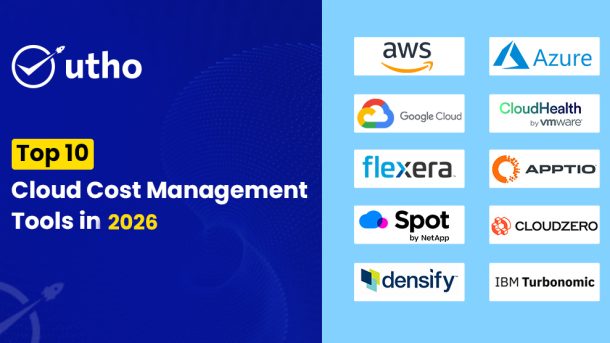
Top 10 Cloud Cost Management Tools in 2026

Top 10 Cloud Cost Management Tools

In 2024, cloud services drive business growth in India. Enterprises are embracing digital transformation across industries. The rise of e-commerce, fintech, manufacturing, and IT in India has spurred major investment in cloud platforms. A NASSCOM report projects that India’s cloud market will reach $13 billion by 2026, growing at a compound annual growth rate (CAGR) of 23.1%.

This growth makes managing cloud costs a key concern for Indian firms. They want to balance scalability with cost.

Businesses must optimize cloud costs. They want to get the most from their investments while controlling expenses. The focus is not just on using cloud services but on doing so efficiently. Here’s a look at the top 10 cloud cost management tools. They are helping Indian businesses find this balance in 2024.

Why Cloud Cost Management Is Crucial for Indian Businesses

As cloud use rises, a Flexera report shows that managing cloud costs is now a top concern for businesses, surpassing security.

In India, it's the same. Organizations want tools that provide transparency, control, and optimization of cloud costs. Also, hybrid and multi-cloud strategies have made cloud management more complex. Indian companies want to reduce cloud waste. They seek to optimize resource use and ensure predictable costs.

With inflation and global market pressures, Indian businesses are prioritizing cost efficiency. This environment has spurred the adoption of frameworks like FinOps.

They want to boost the value of cloud investments. They will do this through better planning, forecasting, and cost control.

As cloud services become more integral to business operations, the need to manage these costs efficiently is more pressing than ever. This list of tools will help you make informed decisions to streamline your cloud expenditure.

1. AWS Cost Explorer

AWS Cost Explorer is a top cloud cost management tool. It is especially popular in India, where many businesses use AWS for cloud infrastructure. This tool helps businesses. It visualizes usage patterns, forecasts costs, and analyzes spending across services. AWS Cost Explorer comes with features like custom reports, detailed cost analysis, and the ability to set budget alerts. These capabilities help businesses find ways to save and optimize their AWS usage.

Best for: Businesses already using many AWS services who need a seamless cost management solution.

Features: Interactive charts, recommendations for Reserved Instances, and cost-saving suggestions.

Why Indian Businesses Use It: Indian startups and firms prefer AWS. It's scalable and reliable. Cost Explorer works well with other AWS services. It helps Indian companies avoid surprise bills.

2. Azure Cost Management and Billing

Microsoft Azure’s Cost Management and Billing tool helps manage cloud costs. It is especially useful for businesses using Azure's vast ecosystem. It gives insights into usage and spending. It helps companies track Azure costs and forecast budgets. The tool helps businesses control cloud spending. It has cost analysis, budgeting, and customizable alerts.

Best for: Enterprises that use Azure and need an integrated cost management tool.

Features: Multi-cloud cost management, budget alerts, spending analysis, and resource tagging.

Why Indian Businesses Use It: Azure has a strong presence in the Indian enterprise market. It's perfect for companies that use Microsoft's productivity tools and cloud services. Many Indian businesses prefer Microsoft's platform. It is familiar and has local support.

3. Google Cloud Cost Management

Google Cloud’s Cost Management suite helps businesses optimize their GCP spending. It has strong tools to monitor spending, set budget alerts, and analyze usage patterns. A key feature is its AI-driven recommendations. They help businesses find underused resources and optimize their cloud setups. Google Cloud's focus on automation makes it a valuable tool for companies. It helps them streamline their cloud operations.

Best for: Tech-savvy businesses that want to leverage AI-based insights for cost optimization.

Features: Real-time budget alerts, custom dashboards, and predictive analytics.

Why Indian Businesses Use It: Google Cloud is popular in India, especially in tech and education. Its advanced analytics and data-driven approach appeal to Indian businesses. They want to control and be transparent about their cloud spending.

4. CloudHealth by VMware

CloudHealth by VMware is a top multi-cloud cost management tool. It is well-regarded by businesses with complex cloud environments. It shows detailed costs for AWS, Azure, and Google Cloud. CloudHealth helps businesses allocate costs, set policies, and track spending in real time. This makes it easier to find cost-saving opportunities.

Best for: Large enterprises with multi-cloud or hybrid cloud environments.

Features: Policy-driven cost management, detailed reporting, and cost allocation capabilities.

Why Indian Businesses Use It: Indian firms are adopting hybrid and multi-cloud strategies. They need to manage diverse cloud environments. CloudHealth offers the flexibility and insights to do this. It's especially useful for companies that must share costs across departments. It helps them maintain financial control while scaling their cloud infrastructure.

5. Flexera

Flexera is a top cloud cost management tool. It excels at managing hybrid and multi-cloud environments. It lets businesses monitor cloud usage and compare provider prices. It also provides a detailed cost-optimization analysis. Flexera can integrate with various cloud platforms. So, it is a great fit for companies wanting a unified view of their cloud costs.

Best for: Enterprises using multiple cloud providers that need a single cost management tool.

Features: Cloud expense management, policy automation, and support for hybrid cloud strategies.

Why Indian Businesses Use It: Flexera can manage on-premises and cloud resources. This is vital for Indian firms undergoing digital transformation. The tool helps companies move to the cloud. It controls costs and ensures their cloud investments pay off.

6. Apptio Cloudability

Apptio Cloudability is a top cloud cost management tool. It helps businesses understand their cloud spending. It's great for companies with complex cloud setups. Cloudability lets users monitor spending in real-time. It optimizes costs with detailed resource analysis. It also allocates expenses across departments and projects. The tool gives insights. They can help businesses reduce waste and optimize their cloud environments.

Best for: Enterprises that need to track cloud costs. They want to align spending with business goals.

Features: Spend analysis, forecasting, budgeting, and reporting capabilities.

Why Indian Businesses Use It: Many large Indian firms have multi-cloud setups. So, they find Apptio Cloudability a good solution. It helps Indian firms track their cloud spending and stick to budgets. This controls costs in a volatile market.

7. Spot by NetApp

Spot by NetApp focuses on automating cloud infrastructure to maximize cost efficiency. This tool is known for optimizing cloud costs. It does this by automating workload management, scaling resources, and reducing waste. Spot by NetApp is great for businesses. It helps them avoid overspending on cloud resources. It keeps high availability and performance.

Best for: Companies that want to use automation to optimize cloud costs.

Features: Automated scaling, cost-saving recommendations, and workload management.

Why Indian Businesses Use It: As many Indian tech firms focus on automation, they favor Spot by NetApp. It simplifies infrastructure management and reduces manual work. Indian startups and mid-sized SaaS and IT firms enjoy the tool. It helps them manage costs while scaling operations.

8. CloudZero

CloudZero has a unique approach to cloud cost management. It focuses on the cost impact of engineering and product decisions. This tool helps companies allocate costs to specific products and teams. It shows how spending aligns with business outcomes. CloudZero's tools help businesses optimize cloud usage. They monitor costs in real-time and automate reports.

Best for: Companies seeking to understand the cost of their engineering decisions.

Features: Cost mapping, real-time monitoring, and automated reporting.

Why Indian Businesses Use It: Indian firms, especially in software, use CloudZero. It aligns financial management with product development. It helps businesses ensure their cloud investments boost growth and profits.

9. Densify

Densify provides AI-driven analytics to optimize cloud costs and resources. It gives predictive recommendations. This ensures businesses use the most efficient resources at all times. Densify integrates with major cloud providers, like AWS, Azure, and Google Cloud. It gives a full view of cloud usage. It also makes smart adjustments to resource allocation.

Best for: Enterprises seeking to use AI for better cost and resource management.

Features: Predictive analytics, automated resource optimization, and multi-cloud support.

Why Indian Businesses Use It: In India, many businesses are adopting AI. They value Densify's ability to automate resource management. It helps Indian companies optimize cloud spending. It maintains the performance needed for critical apps. This makes it a good fit for financial services and e-commerce.

10. IBM Turbonomic

IBM Turbonomic is a powerful tool. It automates cloud resource management. It ensures applications get the resources they need. And, it controls costs. The platform analyzes real-time application performance and provides recommendations to optimize resource utilization. It supports hybrid and multi-cloud environments. So, it's versatile for businesses that use both on-premises and cloud services.

Best for: Companies with hybrid cloud environments seeking automated performance optimization.

Features: Application performance management, cost optimization, and automated scaling.

Why Indian Businesses Use It: Indian firms with cloud and on-premises systems find IBM Turbonomic useful. It can balance resource allocation across different environments. It helps businesses keep apps performant and cut cloud costs. This is vital for telecom, manufacturing, and healthcare firms.

Conclusion: Choosing the Right Cloud Cost Management Solution

As cloud costs rise, they are a top concern for Indian businesses. So, choosing the right cloud cost management tools is vital to stay efficient and profitable. Each of the tools has unique strengths. They are: AWS Cost Explorer, Azure Cost Management and Billing, Google Cloud Cost Management, CloudHealth by VMware, Flexera, Apptio Cloudability, Spot by NetApp, CloudZero, Densify, and IBM Turbonomic. They address the diverse needs of Indian businesses, from startups to large enterprises.

These tools can help you control your cloud costs. They offer AI insights, automated scaling, and multi-cloud support. They will ensure your resources are used effectively. However, integrating these tools and managing them can sometimes be complex and time-consuming.

Want a hassle-free cost optimization provider?

Utho's Cloud Cost Optimization: A Game Changer for Indian Businesses

If you want a simple, all-in-one solution beyond cost management tools, try Utho. It is a strong option. Utho is not just another tool. It is a cloud platform that helps Indian businesses save costs. It also maintains high performance and reliability. Utho is different from other cloud cost tools. They focus only on monitoring and optimizing existing infrastructure. Utho offers a complete solution for deployment, management, and cost optimization. This approach lets businesses cut cloud costs by up to 60%. So, Utho is a strong alternative to AWS, Azure, and Google Cloud.

For companies wanting scalability, affordability, and expert support, Utho is a great choice. It can transform your cloud strategy and drive business success.

How to Automate Kubernetes Deployments in 2026: Best Practices, Tools, and Strategies

How to Automate Kubernetes Deployments in 2026

Kubernetes has changed how we deploy, scale, and manage containerized apps. As clusters grow more complex, Kubernetes deployment automation is now a must-have. It enables faster software delivery, better reliability, and consistent deployments. Automate Kubernetes deployments. It will simplify processes and maximize efficiency. You can then focus on developing high-quality apps instead of manual deployments.

In 2026, CI/CD, GitOps, IaC, and advanced Kubernetes tools made Kubernetes deployment automation easier than ever. We'll discuss the importance of automation, key strategies, and best practices for automating Kubernetes deployments.

Why Automate Kubernetes Deployments?

Kubernetes makes managing containerized apps easier. But, it adds complexity as apps grow and evolve. Kubernetes deployment automation is a key factor in managing this complexity. Here are some reasons why you should consider automating your Kubernetes deployment process:

Accelerate Release Cycles: In an agile environment, it's vital to quickly and reliably deploy new features, updates, and fixes. Kubernetes deployment automation speeds up code commit to deployment. It does this by enabling CI/CD.

  • Automation ensures all deployments are consistent. It eliminates the "it works on my machine" problem. Automating cluster configs and resource deployments will ensure uniformity across dev, staging, and production environments.
  • Kubernetes clusters constantly create, modify, and destroy resources, making them dynamic. Automating Kubernetes deployment lets you manage resources efficiently. It will optimize CPU, memory, and storage use based on real-time demand.
  • Automated processes simplify rolling updates, blue-green deployments, and canary releases. So, we can roll back or roll out changes more easily. This simplifies rollbacks if an issue arises. It also allows for low-risk deployment of new features.
  • Proactive Monitoring and Security: Automated deployments include monitoring systems. They alert for issues. They detect potential problems early. You can integrate security best practices into your Kubernetes pipeline. These include vulnerability scanning and compliance checks.

Components of Kubernetes Deployment Automation

Automating Kubernetes deployments requires setting up tools and methods. They must work together to enable a smooth deployment. Below are the critical components that enable Kubernetes deployment automation:

CI/CD Pipelines for Kubernetes

The foundation of Kubernetes deployment automation is establishing a solid CI/CD pipeline. CI/CD stands for Continuous Integration and Continuous Deployment. It's a practice where code changes are automatically built, tested, and deployed. CI/CD pipelines for Kubernetes often use containerization and orchestration tools. This ensures fast, efficient deployments.

Popular Tools: Jenkins, GitLab CI/CD, CircleCI, Argo CD.

Implementing CI/CD Pipelines for Kubernetes:

  • Automated Builds & Tests: When code is committed, CI tools trigger automated builds of container images. Code is then tested to ensure integrity and functionality.
  • CD Pipeline to Deploy to Kubernetes: Set up a CD pipeline to auto-deploy the built container images to Kubernetes clusters. This includes the rollout of updates or creation of new services.
  • Use declarative YAML manifests to define your Kubernetes resources and configs.

Best Practices:

  • Integrate Testing: Add unit tests, integration tests, and security scans to the CI process to catch issues early.
  • Use blue-green deployments and canary releases. They are safe, progressive rollout strategies for new changes.

Infrastructure as Code (IaC)

Infrastructure as Code (IaC) is key to automating Kubernetes deployments. It lets you define and provision infrastructure through code. IaC lets you codify Kubernetes clusters, nodes, and resources. It makes cluster setup reproducible and consistent.

Popular Tools: Terraform, Pulumi, Ansible, AWS CloudFormation.

Using IaC for Kubernetes Deployment Automation:

  • Define Infrastructure Configurations: Use IaC tools to write configs for nodes, networking, storage, and clusters.
  • Streamline Cluster Deployment: Leverage IaC scripts to effortlessly create and configure Kubernetes clusters on AWS, Azure, or Google Cloud, ensuring consistency and efficiency.
  • Version Control: Store IaC scripts in Git repos for tracking, rollback, and team edits.

Benefits:

  • Consistent Environments: Consistently configured infrastructure across development, staging, and production environments.
  • Repeatability & Scalability: Scale clusters easily by modifying IaC configurations and redeploying them.

GitOps for Declarative Kubernetes Deployments

GitOps is an operational model that uses Git as the source of truth for declarative infrastructure and application configuration. This means that any change to Kubernetes is version-controlled, and updates are automatically applied by a GitOps operator, ensuring seamless Kubernetes deployment automation.

Popular Tools: Argo CD, Flux.

Implementing GitOps for Kubernetes Automation:

  • Declarative Configuration: Store all Kubernetes manifests (YAML files) in a Git repository.
  • Automated Syncing & Reconciliation: GitOps tools like Argo CD continuously sync your Kubernetes cluster with the desired state defined in the Git repo. If the actual state diverges from the desired state, the tool reconciles it automatically.
  • Secure Rollbacks: If an error occurs or a change needs to be reverted, the Git history provides an easy and safe way to roll back to a previous state.

Benefits:

  • Version-Controlled Deployments: All changes are tracked in Git, ensuring traceability and easy rollback.
  • Automated Deployments: Automated synchronization of Kubernetes clusters with configurations in Git, minimizing manual intervention.

Kubernetes Helm & Kustomize for Deployment Management

Managing and deploying complex Kubernetes applications often requires more than just manifests. Tools like Helm and Kustomize are used to package, deploy, and manage applications and configurations within Kubernetes, aiding Kubernetes deployment automation.

Popular Tools: Helm, Kustomize.

Helm for Kubernetes Deployment Automation:

  • Helm Charts: Package Kubernetes applications into reusable Helm charts. This allows you to define, install, and upgrade applications easily.
  • Templating & Versioning: Helm uses a templating mechanism, so the same chart can be used across different environments (e.g., dev, staging, prod) by customizing variables.

Kustomize for Kubernetes Configuration Management:

  • Overlay Configurations: Kustomize provides a way to apply overlays to base configurations, enabling environment-specific customizations.
  • Declarative Customization: Kustomize works natively with Kubernetes, allowing you to customize resource configurations without complex templating.

Benefits:

  • Helm: Simplifies the packaging and sharing of Kubernetes applications.
  • Kustomize: Provides a Kubernetes-native way to customize configurations, making deployment more manageable.

Automating Monitoring & Logging in Kubernetes

Kubernetes deployment automation isn't just about deploying applications; it also involves setting up monitoring and logging to ensure application health and performance. Tools like Prometheus and Grafana offer real-time monitoring, while ELK Stack (Elasticsearch, Logstash, Kibana) or Loki provide centralized logging.

Popular Tools: Prometheus, Grafana, ELK Stack, Loki.

Implementing Monitoring & Logging in Kubernetes Automation:

  • Prometheus & Grafana for Monitoring: Collect metrics with Prometheus and visualize them with Grafana dashboards. Set up alerts for proactive issue detection.
  • Centralized Logging: Use tools like ELK Stack or Loki to aggregate and analyze logs from all containers and services within your Kubernetes clusters.

Benefits:

  • Real-Time Insights: Track resource usage, detect performance bottlenecks, and maintain optimal application performance.
  • Enhanced Security & Compliance: Integrate alerting and monitoring with security scans to maintain compliance and address security issues quickly.

Utho's Managed Kubernetes Hosting for Efficient Deployment Automation

While not a monitoring tool, Utho's Managed Kubernetes Hosting simplifies the entire Kubernetes deployment automation process. Utho provides a platform that enables automated Kubernetes cluster deployment in minutes. It offers end-to-end Kubernetes lifecycle management, from cluster creation to application deployment and scaling.

Key Features of Utho’s Managed Kubernetes Hosting:

  • Automated Cluster Deployment: Deploy Kubernetes clusters quickly and efficiently without manual intervention.
  • 99.99% Uptime SLA: Ensure high availability and reliability for your applications and services.
  • Scalability & High Availability: Scale your clusters as needed without impacting performance.

Best For: Businesses seeking to simplify Kubernetes deployment and management, reducing operational overhead while improving efficiency and scalability.

Best Practices for Automating Kubernetes Deployments

To successfully automate Kubernetes deployments, follow these best practices:

  • Keep Configurations Declarative: Use YAML files and declarative manifests for defining Kubernetes resources and configurations.
  • Test & Validate Changes Before Deployment: Implement robust testing and validation processes within your CI/CD pipelines.
  • Implement Progressive Delivery Strategies: Use strategies like rolling updates, blue-green deployments, and canary releases for safer rollouts. -Here is the updated content with the keyword "Kubernetes deployment automation" added at least ten times. Let’s complete the best practices section with additional relevant points for Kubernetes deployment automation:

Best Practices for Automating Kubernetes Deployments

To successfully implement Kubernetes deployment automation, consider the following best practices that ensure efficiency, security, and smooth operation:

  1. Keep Configurations Declarative: Use YAML files and declarative manifests to define Kubernetes resources and configurations. Declarative configurations simplify Kubernetes deployment automation by ensuring all infrastructure is code-managed and can be reproduced consistently across different environments.
  2. Test & Validate Changes Before Deployment: Implement robust testing and validation processes within your CI/CD pipelines. Automated tests, linting, and validation checks are critical for catching issues early and ensuring that the Kubernetes deployment automation pipeline only proceeds with verified changes.
  3. Progressive Delivery Strategies: Use deployment strategies like blue-green deployments, rolling updates, and canary releases. These strategies allow you to minimize risk and ensure stability by gradually deploying updates in your Kubernetes clusters, a crucial aspect of Kubernetes deployment automation.
  4. Secure Your Automation Pipeline: Security should be integrated into every phase of your Kubernetes deployment automation. This includes security scanning of images for vulnerabilities, compliance checks, and access control policies that govern who can deploy changes to your cluster.
  5. Centralize Monitoring & Logging: Set up automated monitoring and centralized logging to detect issues early and gain performance insights. Monitoring tools and alerting mechanisms are vital components of a Kubernetes deployment automation strategy as they provide visibility into cluster health, workload performance, and resource consumption.
  6. Version Control for Everything: Store all configurations, manifests, and scripts in a Git repository. By using GitOps principles, you can leverage version control to track changes, roll back when necessary, and maintain transparency in your Kubernetes deployment automation.
  7. Automate Scaling for Resource Optimization: Use Horizontal Pod Autoscaling (HPA) or Vertical Pod Autoscaling (VPA) to automatically scale workloads based on demand. This enables your Kubernetes clusters to respond to traffic spikes or drops efficiently as part of your Kubernetes deployment automation.
  8. Automate Health Checks & Rollbacks: Implement automated health checks and readiness probes in your automation process. In case a deployment fails, ensure that your Kubernetes deployment automation system has automatic rollback mechanisms to revert to a stable version without affecting application availability.
  9. Leverage Kubernetes Secrets & ConfigMaps: For secure and manageable application configurations, use Kubernetes Secrets and ConfigMaps in your automation workflow. This ensures that sensitive information like API keys and credentials are securely managed throughout the Kubernetes deployment automation process.
  10. Continuous Improvement & Monitoring: Automation is a continuous process. Continuously evaluate and improve your Kubernetes deployment automation practices, keeping an eye on performance metrics, resource utilization, and deployment speed to make necessary enhancements.

Embrace Kubernetes Deployment Automation for Agility & Scalability

In 2026, Kubernetes deployment automation is a crucial step toward achieving agility, scalability, and reliability in your software delivery processes. With the right tools, practices, and methodologies like CI/CD pipelines, GitOps, Infrastructure as Code, and Kubernetes-native management tools like Helm and Kustomize, you can create a streamlined workflow that accelerates deployments and reduces manual overhead. Whether you're a developer aiming for faster release cycles or a business looking to scale securely, Kubernetes deployment automation will help you build, deploy, and manage containerized applications more effectively.

To implement the best strategies for your organization, assess your specific needs, prioritize continuous improvement, and make sure to integrate monitoring and logging solutions to ensure the health and performance of your Kubernetes environment. With tools like Utho’s Managed Kubernetes Hosting, setting up and scaling Kubernetes clusters becomes quick and efficient, allowing you to focus on building robust applications while the platform handles the complexities of deployment and management.

Embracing Kubernetes deployment automation empowers your team to innovate faster, maintain high availability, and keep your infrastructure flexible and secure as your applications and demands evolve.

Apache CloudStack: Open-Source IaaS Platform Explained

Apache CloudStack Open-Source IaaS Platform Explained

Businesses today are eagerly adopting cloud computing. They see its many benefits. For example, it gives on-demand access to resources, infrastructure, and software. Apache CloudStack is the top open-source platform for multi-tenant cloud orchestration. It enables the delivery of Infrastructure as a Service (IaaS) across diverse cloud environments. CloudStack makes it easy to set up and manage public, private, and hybrid clouds. It does so quickly and efficiently.

This article explores why Apache CloudStack is seen as the top open-source cloud computing solution. It's for your public cloud business.

What is Apache CloudStack?

Apache CloudStack is a scalable cloud computing platform for Infrastructure-as-a-Service (IaaS). It is a cloud management layer. It automates creating, providing, and setting up IaaS parts. It turns existing virtual infrastructure into a strong IaaS platform. By using existing infrastructure, CloudStack cuts costs and deployment time. It helps organizations that want to build a multi-tenant IaaS platform. It is a turnkey solution. Tailored for managed service providers (MSPs), cloud providers, and telecommunications companies. It integrates smoothly with many hypervisors, storage providers, and monitoring solutions. It also works well with other technologies.

History of Apache CloudStack

The origins of Apache CloudStack™ can be traced back to the development of Sheng Liang at VMOps, who was previously known for work on Sun Microsystems' Java Virtual Machine. Founded in 2008, VMOps released CloudStack in 2010 as a primarily open-source solution, with 98% of its code freely available. Citrix acquired CloudStack in 2011 and later released the remaining code under the GPLv3 license.

In April 2012, Citrix CloudStack was given to the Apache Software Foundation (ASF). Since then, they have improved it. Now, it is one of today's top cloud platforms.

Why we choose Apache CloudStack

Having managed large OpenStack deployments in the past, we have found that OpenStack requires significantly more man-hours (typically 3-4 times more) every day to maintain stable operations. This experience has led us to prefer Apache CloudStack. It is the core of our apiculus cloud platform. Our main use case is domestic public cloud IaaS deployments. This is especially in emerging markets. In these markets, skilled technical resources can be limited.

We have extensive experience. Apache CloudStack stands out for its great stability. It is easy to use, manage, and upgrade. It reliably fulfills all the necessary use cases of cloud infrastructure. We believe Apache CloudStack meets our needs. It is made to provide infrastructure as a service and is great at that job.

Over the past seven years, we have become experts in Apache CloudStack. We now manage large production environments using it. We offer 24x7 SLA-based managed cloud service for our whole stack. It ensures our systems are always available and reliable.

Apache CloudStack Features and Capabilities

Apache CloudStack supports many hypervisors. These include XenServer, KVM, XCP (Xen Cloud Platform), Microsoft Hyper-V, and VMware ESXi with vSphere. This flexibility makes the platform ideal for virtualization. It is also good for configuring load balancers and VPNs. It is also good for creating highly available, scalable, and complex networks. One of its most prominent features is its strong support for multiple tenancies.

CloudStack enables organizations to build robust public and private multi-tenant cloud deployments. It has an easy user interface (UI). It has a complete API to connect resources well. These resources include storage, software, networking, and computing. It includes a full set of infrastructure-as-a-service (IaaS). This includes user and account management, native API support, an easy user interface, and more. It also includes compute management, resource computing, and more.

In addition, companies can manage their cloud with command-line tools and a user-friendly web interface. The API has many features. It is RESTful. It is easy to integrate with other tools and automation. The open API is also compatible with AWS EC2 and S3, enabling easy deployment of hybrid cloud solutions.

Advantages of Apache CloudStack

Premier Infrastructure-as-a-Service (IaaS)

Apache CloudStack offers the best IaaS solutions and services in the hosting industry. It provides many tools and features. They manage cloud services. They share internal workloads. They deliver public workloads to customers.

Powerful API Integration

CloudStack integrates with many third-party services. It has a strong native API. This increases its versatility and ability to work with other systems.

Robust Management Tools

CloudStack provides strong management capabilities. They let administrators effectively manage users. They can also delegate administrative tasks and efficiently allocate cloud resources. This provides better visibility and control of network activities related to cloud services.

Hypervisor flexibility

CloudStack supports popular hypervisors. It is highly configurable and integrates well with any virtual machine (VM) display. This flexibility improves its suitability for various infrastructure installations.

Key Challenge: Improving Business Agility for Competitive Advantage

Today, in technology, many hosting providers are trying to offer great cloud services. This is due to rising market demands. Organizations strive to improve their competitiveness in this fast-paced environment. Keeping leadership and rapid growth is key. Innovations and service expansion are key strategies for this enterprise.

This work is about the challenges of platform flexibility and scalability. It is for hosting providers.

Solving these problems needs a robust solution. It should make IaaS cloud deployment easier. It should enable smooth integration with a fully open native API. It should also provide an easy user interface for simple cloud design. Apache CloudStack meets these needs effortlessly.

Apache CloudStack Use Cases and Deployment Scenarios

The case studies aim to show successful deployments of Apache CloudStack. They provide insight into how groups are using it as an open-source service.

Public and Private Cloud Service Providers

Public Cloud Service Providers

CloudStack lets public Cloud Service providers offer strong IaaS services to their customers. Service providers use CloudStack to manage their infrastructure. It lets them create and watch virtual machines (VMs). They can also make and watch networks and storage for their customers.

Private clouds

Organizations deploy CloudStack in their data centers. They do this to create private clouds for internal use. This setup enables self-service access to IT resources. It also keeps strict control and security of data and infrastructure.

Hybrid Cloud Deployment

CloudStack makes hybrid cloud deployment easier. It lets organizations connect private clouds with public cloud services. This integration supports easy migration of workloads. It also helps with disaster recovery and scalable operations. These tasks are across different cloud environments.

Test and development environments

CloudStack is used to efficiently create and manage test and development environments. Developers use CloudStack to quickly make virtual machines and other resources. They use them to test new applications or software updates. This eliminates the delays of manual management.

Big Data and Analytics

CloudStack works with big data platforms. It also works with analytics platforms like Apache Hadoop or Apache Spark. It provides scalable infrastructure to process large data sets. This feature allows organizations to dynamically allocate resources to support data-intensive workloads.

Virtual Desktop Infrastructure (VDI)

CloudStack supports Virtual Desktop Infrastructure (VDI). VDI lets organizations deliver desktops and applications from centralized servers. This approach improves flexibility, security and control of desktop environments for end users.

Disaster Recovery

CloudStack makes resilient disaster recovery solutions. It does this by copying virtual machines and data. It copies them across multiple data centers or cloud regions. In a disaster, apps and services can be quickly moved to other places. This keeps the business running.

Education and Research

Academic and research institutions use CloudStack. It provides hands-on experience with cloud tech. Students and researchers use CloudStack to learn to manage the cloud. They also deploy and manage virtualized environments.

Content Delivery Networks (CDNs)

CloudStack is used to deploy and manage Content Delivery Networks (CDNs). It speeds content delivery by putting data closer to end users. Service providers scale resources to meet changing content needs. This improves efficiency and scalability.

Internet of Things (IoT)

CloudStack supports IoT deployments. It provides scalable infrastructure to collect, store, and analyze data from IoT devices. Organizations use CloudStack to deploy IoT applications and efficiently manage the underlying infrastructure.

These applications show the many uses of Apache CloudStack. They show its wide abilities in different sectors and uses in cloud computing.

Features offered by Apache CloudStack

Apache CloudStack provides a core set of features

Multi-visor support

CloudStack supports multiple hypervisors and hypervisor-like tech. This lets many apps run in a single cloud. Current support includes:

BareMetal (via IPMI)
KVM
Hyper-V
vSphere (via vCenter)
LXC
Xen Project
Xenserver

Automated Cloud Configuration Management

CloudStack automates storage and network configuration for each virtual machine deployment. It manages a set of virtual devices inside. It provides services such as routing, firewall, VPN, console proxy, DHCP, and storage. Horizontally scalable virtual machines simplify continuous cloud operations and deployments.

Scalable infrastructure management

CloudStack manages over ten thousand servers. They are in data centers spread across the globe. Its management servers scale almost linearly, eliminating the need for cluster-level management servers. Maintenance of the management servers does not hurt the virtual machine. Service interruptions do not hurt it. They are in the cloud.

Graphical User Interface

CloudStack has a web interface. It lets admins manage the cloud service. It also has an interface for end users. They use it for VM management and template manipulation. Service providers or companies can customize the user interface. They can do so to match their branding.

API support

CloudStack provides a REST-style API to manage, operate, and use the cloud. It includes an API translation layer for Elastic Compute Cloud. It makes EC2 tools work with CloudStack.

High Availability

CloudStack improves system availability with the following features:
Multi-node configuration of management servers acting as load balancers
MySQL replication for database failover
NIC connection support, iSCSI Multipath, and separate storage networks for hosts

WrappingUp

Apache CloudStack is a robust cloud computing platform that comes with an impressive set of advanced features. It has edge zones and auto-scaling. It also has managed user data, volume scaling, and integration with Tungsten Fabric. Apache CloudStack gives cloud providers more performance and innovation. Stay ahead, deliver great cloud services and exceed customer expectations with Apache CloudStack.

Serverless Computing: Benefits, Platforms, and Applications

Serverless Computing Benefits, Platforms, and Applications

Serverless computing, the latest technology making waves in public cloud environments, is being touted as disruptive to software engineering. It promises to remove the work's complexity. This will allow developers to focus on functionality and user experience. The temptation is to stop providing infrastructure for variable workloads. And to avoid the costs of downtime. But, it is wise to remain skeptical. Not all that glitters is gold.

What is serverless computing?

Serverless computing is a form of cloud computing where users do not need to set up servers to run their backend code. instead, they can use the services on demand. In this model, the cloud service provider takes care of server management and allocates machine resources dynamically. Charges are based on actual resources used by the application, not pre-purchased capacity units. But, it is important to note that serverless does not mean running applications in the cloud. You still use hardware.

Decoding Serverless Computing

Serverless computing is also called Function as a Service (FaaS). It is a big change in cloud computing. It is closely related to the open-source movement. This allows companies to move away from managing virtual back-end machines. They can focus more on application development.

This shift is critical to implementing flexible strategies to meet changing customer needs. In serverless setups, both in private clouds and elsewhere, operations are complex. They are hidden. It lets companies deploy serverless operations securely. They can do this in their private cloud. This balances control, privacy, and efficiency.

Why serverless computing is gaining popularity

Serverless computing has gained attention for good reasons. This concept has been adopted by public cloud service providers to solve specific challenges and is becoming increasingly popular.

Imagine you only need to run a custom app or API service in the cloud a few times a day. Traditionally, this involves setting up a virtual machine (VM). You then install the necessary software, deploy code, and set a timer. Scaling this approach to manage thousands of such applications becomes expensive and difficult.

Consider using shared cloud resources. You can run your own code in popular programming languages. You can trigger events without managing virtual machines. This serverless setup offers high availability and flexibility. It is great for today's web apps based on volatile microservices. By using a serverless architecture, companies can greatly optimize resource use. This also reduces costs.

How does serverless work?

Serverless computing provides background services on demand. Users can write and deploy code without managing the underlying infrastructure.

In this model, background functions are separate pieces of code. They stay inactive until certain functions trigger them. The serverless provider allocates resources when the server starts. It does so dynamically to ensure a smooth transition. This flexibility allows platforms to scale automatically. They optimize resource usage and costs based on actual demand.

As businesses adopt cloud-based approaches, serverless architectures are becoming more common. Major cloud providers such as AWS and Microsoft Azure offer strong serverless computing. This makes it easier for businesses to adopt this technology.

Key Elements of Serverless Computing

Serverless Computing has several key components that define its paradigm:

Function as a Service (FaaS)

FaaS handles infrastructure maintenance. It lets developers focus only on coding, not on servers.

Event-driven architecture

Serverless computing applications respond to triggers. These triggers are events like user actions, database updates, or IoT signals.

Auto-scaling

Serverless platforms adjust resources based on demand. They do this to boost performance and avoid under- or over-use.

Built-in Availability and Fault Tolerance

Serverless architectures are fault-tolerant, ensuring that applications remain available without developer intervention.

No Server Management

Cloud service providers manage serverless computing infrastructure. They also free developers from server management.

Pricing based on usage

Costs are based on the actual resource cost of the activities. This promotes cost efficiency.

Spaceless

Serverless operations maintain no space between executions, simplifying scalability and management.

Integrated development and deployment

Serverless platforms provide built-in services for CI/CD. They simplify the development lifecycle.

Ecosystem and Community

Serverless has many tools and frameworks. They support different parts of app development and deployment.

These elements define a serverless computing model. It gives flexibility, scalability, and cost savings to modern cloud apps.

Benefits of Embracing Serverless Computing

  1. Adaptive Scalability: Serverless architecture excels in environments with unpredictable demand. It scales resources dynamically, optimizing efficiency by adjusting to changing needs.
  2. Empowering Developers: By eliminating server management tasks, serverless computing fosters innovation and rapid application development. This reduction in administrative burdens accelerates time-to-market for new features and services.
  3. Cost Efficiency: Serverless computing aligns costs closely with actual usage, eliminating expenses associated with idle resources. This approach supports lean operations and sustainability goals.
  4. Simplified Operations: Removing hardware management responsibilities streamlines operational processes. This simplification enhances efficiency, reducing the likelihood of human error.

Navigating Challenges with Serverless Computing

  1. Monitoring and Debugging: The lack of direct server access requires new approaches to monitor and manage application performance. Implementing robust monitoring tools becomes crucial.
  2. Security and Compliance: Depending on third-party providers necessitates the rigorous evaluation of data security and compliance measures, especially for industries with regulatory requirements.
  3. Vendor Lock-In: Adopting serverless models may tie businesses to specific cloud providers, complicating transitions to alternative services or multi-cloud strategies.
  4. Resource Constraints: Applications with high resource demands may face limitations in serverless platforms. Hybrid approaches might be necessary to manage resource-intensive tasks effectively.

When Serverless Might Not Be the Best Fit

Serverless computing has many advantages. But, it is not always the best choice. Here are some scenarios where serverless may not be suitable:

High-performance applications

Serverless architectures can struggle with applications that require consistent, high computing power, such as complex scientific simulations or intensive computing tasks.

Long-running processes

Serverless platforms usually impose execution time limits. Long processing times may cause problems for slow applications due to these limitations.

Custom Computing Environments

Some applications require specific custom environments that serverless platforms may not well support. This limitation may limit customization options and control of the environment.

Cost Predictability Challenges

Serverless can save costs for occasional workloads. But, for apps with high and steady traffic, it can cost more than regular hosting. Cost forecasting and management can be difficult under these conditions.

Integrating Legacy Systems

Integrating serverless architectures with old legacy systems is hard. It can need big reengineering efforts. Sometimes, this approach isn't practical or cost-efficient.

Data-intensive workloads

Apps that continually process lots of data can have high data transfer costs. This is true in a serverless environment. These costs can be prohibitive.

Understanding these limits helps decide if serverless computing is right for an app. It helps with the app's needs and operations.

Myths About Serverless Computing

Serverless computing is not about running without infrastructure, despite its misleading name. It contains software components that run on the underlying hardware. Unlike traditional cloud VMs, you pay for them even when they are not in use. In contrast, serverless platforms only pay for actual usage, usually for a short time. But, this is not suitable for all business needs.

It is common to confuse serverless with Platform as a Service (PaaS). This is because both use a common infrastructure. Serverless is designed for specific events. PaaS provides broader services, such as email, databases, and security.

Pricing models also differ

PaaS services can be permanent, while serverless operations can be short-lived. Public cloud providers are adapting. They are doing this by redesigning or adding serverless features to PaaS offerings.

Who Should Consider Serverless Architecture?

Developers want to quickly market and build flexible, adaptive applications. These apps must be easy to scale or upgrade. They can gain a lot from serverless computing.

Serverless architectures are cheap when use varies. Peaks switch with minimal traffic. Traditional server facilities need to run all the time regardless of demand. In contrast, serverless facilities start when needed and do not cost extra.

Also, developers want to cut latency by putting app parts near users. They may need a partly serverless design. This approach involves moving some processes from central servers. This is to achieve faster response times.

Practical Applications of Serverless Computing

API Development

People widely use serverless computing. It is used to make APIs. These APIs are used by web applications, mobile applications, and IoT devices. Developers can quickly update specific routes in monolithic applications, enabling serverless functionality. This flexibility allows for rapid integration of external API changes. It does so while efficiently processing and formatting data.

Data consolidation

Serverless computing is ideal for organizations that process large volumes of data. It makes it easy to create data pipelines. They collect, process, and store data from many sources. This approach removes the complexity of managing infrastructure. It ensures that data processing is fast and cheap. Scalability is built in. It allows for seamless adaptation to varying data loads. It also optimizes resource usage.

Event-driven architectures

Serverless computing is ideal for event-driven architectures (EDA). They are designed to scale and be responsive. With Serverless Actions, you can create workflows. They respond to real-time events like user interaction, system alerts, or messages. This setup works with no ongoing infrastructure management. It lets developers focus on building responsive systems. These systems can efficiently handle changing workloads.

Best Serverless Platforms

Several major cloud providers offer robust serverless platforms, each with different features:

AWS Lambda

AWS Lambda

Amazon Web Services (AWS) Lambda runs a server less space. It lets you run code in response to HTTP requests, changes in Amazon S3 data, or events from other AWS services.

Azure Functions

Azure Functions

Azure Functions from Microsoft support many programming languages. They are designed for event-driven apps. They integrate seamlessly with Azure services, simplifying cloud-based development.

Google Cloud Functions

Google Cloud Functions

Google Cloud Functions enables code execution in response to HTTP(S) requests. It is designed to easily create focused and independent features.

IBM Cloud Functions

IBM Cloud Functions

IBM Cloud Functions is based on Apache Open Whisk. It provides a strong and open server less platform. It allows you to develop, deploy and execute actions in response to various events.

The Future Impact of Serverless Technology

Serverless technology is rapidly changing industries due to its speed, cost-effectiveness, and scalability. If this becomes the norm, it will shape our future in the following ways:

Faster computing

It breaks down big code into smaller, scalable functions. This speeds up computing. Tasks that used to take longer can now be done in a fraction of the time.

Developer Empowerment

Serverless functions free developers from managing servers and infrastructure. They can then focus on building innovative apps. This change boosts creativity and increases productivity.

Enabling new opportunities

Startups benefit from serverless cost-effectiveness, scalability, and rapid adoption. This allows entrepreneurs to innovate. It lets them bring new ideas to market faster than ever before.

Integration with Edge Computing

Serverless technology connects the weak Edge Computing to the data of the cloud. This integration opens up new possibilities, using the strengths of both architectures.

Optimizing a serverless architecture is easy

Using serverless architecture has big benefits. It saves money and scales well. It also improves security. This is especially true for large organizations. For startups, it speeds up time to market. They can make rapid updates and iterative improvements based on user feedback. This improves customer satisfaction and retention.

However, moving to serverless requires more than just moving applications. This requires clear cost visibility to make informed architectural decisions and optimize effectively.

Utho provides a solution. It gives real-time visibility into cloud costs during migration. Our approach ensures cost predictability. It maps cloud costs to products, functions, and groups.

Schedule a demo today at Utho.com. Learn how Utho can help your organization move to server less computing.

How to Choose a VPS Server Provider? – A Complete Guide

How to Choose a VPS Server Provider – A Complete Guide

A VPS (virtual private server) provides you with a dedicated portion of a permanent server. This leads to better performance and reliability. It also gives you the freedom to customize your hosting to your needs. High-traffic websites, e-commerce platforms, and users want speed and security. They often find that the best VPS hosting meets their needs well.

Unveiling the Virtual Private Server (VPS)

Imagine having your own private suite in a large apartment building on a Virtual Private Server (VPS). Here's how it works:

A server is basically a powerful computer used to host websites, applications and data. In the past, one server hosted multiple websites and created a shared environment. However, the demand for management, customization, and more resources grew. This led to the idea of splitting a single server into multiple "virtual" servers.

VPS is one of those departments. It works independently of its own resources and uses its own operating system, like a dedicated server. A unique feature is that it operates alone. But, it remains part of a larger server.

Think of it like owning your own exclusive apartment. Although there are many apartments (VPS) in a building (physical server), each one is isolated. You can customize your space by installing software. You can create your own rules by choosing an operating system. You can enjoy a safe environment without disturbing your neighbors.

A VPS gives you the advantages of a dedicated server. It gives independence and control. But, it doesn't have the high costs and intensive maintenance. It is a flexible solution. It meets the needs of businesses and individuals. They want reliable hosting with custom features.

Understanding VPS Hosting Mechanisms

The server is where your web host stores the files and databases you need for your website. When someone tries to access your website, their browser sends a request to your server. The server then sends the needed files over the Internet.

VPS hosting provides a simulated server. It shares physical hardware between multiple users. A hosting provider uses virtualization technology. They use a hypervisor to create a virtual layer. They put it on top of the server's operating system (OS). This layer divides the server. It lets each user install their own operating system and software.

A VPS is virtual and private. It gives you full control and isolates your activities from other users on the OS. This technique is like making partitions on a computer. It lets you run many operating systems, like Windows and Linux, at the same time. And you can do it without rebooting.

The best VPS allows you to host your website in a secure environment. It reserves resources like memory, disk space, and CPU cores just for you. With the best VPS hosting, you get root-level access. This is like a dedicated server, but cheaper.

Navigating Your Hosting Needs: Is VPS Right for You?

Here are the main advantages of choosing a VPS:

Dedicated resources

Each VPS runs on its own resources such as RAM, CPU and storage. This avoids competition with other websites or apps for server resources. It ensures the steady performance of your digital platform.

Improved Security

The VPS is isolated from others, creating a secure environment where vulnerabilities on one VPS do not affect others. It's like your own digital fortress, greatly reducing the risk of malware or cyber threats.

Rooting and customization

Get full root with a VPS that gives you the ability to install, configure and use any software you need. Customize the environment to meet your specific requirements without limitations.

Flexibility and Scalability

You can easily scale resources as your website or application grows in popularity. The Best VPS allows for easy adjustments. You can make them without moving servers. It ensures your platform can handle more traffic and demands.

Cost-effectiveness

Enjoy the power and autonomy of a dedicated server at a fraction of the cost. The best VPS offers excellent performance and reliability without breaking your budget.

Isolated environment

Any changes or problems in the VPS remain in it, which maintains stability and performance. Your actions do not affect others, providing a reliable and consistent experience.

Better Reliability

Resources are segregated. Your server won't be affected by the performance or high demand of neighboring VPS instances. You can count on the stable performance of your web projects.

In conclusion, the best VPS hosting offers strong features and speed boosts. They are tailored to meet the varied needs of modern digital environments. This makes VPS a smart choice for businesses and individuals.

Key Considerations When Selecting a Best VPS Hosting Plan

The quality of the best VPS service greatly affects your site. It impacts performance, options, security, and the user experience. There are many key features to look for. They matter when choosing a hosting provider.

Here are important factors to consider when purchasing the best VPS provider:

Managed vs. Unmanaged VPS

Choose between managed or unmanaged VPS hosting based on your needs.

Managed VPS

The service provider manages and maintains the server. This lets you focus on your website or app. Although more expensive, it offers peace of mind and is recommended for most users.

Unmanaged VPS

You control every aspect of your virtual server. It's a cost-effective option, but it needs technical skill and time.

Semi-managed VPS

It is a middle ground. The provider handles some tasks, but leaves others to you. It gives a balance between control and support.

Performance

Estimate server performance based on CPU, memory and bandwidth capacity.

CPU

Choose CPUs with more cores to efficiently handle multiple processes at once.

Memory (RAM)

Ensure sufficient RAM allocation to support the workload without performance degradation.

Bandwidth capacity

Choose enough bandwidth to match your site's traffic volume and ensure smooth usability.

Reliability

Look for performance guarantees and reliability guarantees from the service provider.

Uptime guarantee

The providers often guarantee a certain percentage of the uptime every year. Make sure it fits your company's needs. Check if they compensate for downtime above the agreed limit.

Service Reliability

Consider the reputation and reliability of the service provider. Do this based on reviews and their performance history.

Services, Resources and Features

Make sure your hosting plan has all the resources and services you need. It should cover your current and future needs.

Operating System Compatibility

Choose a Linux or Windows VPS based on your needs. For example, use MySQL and PHP for Linux or Microsoft SQL Server and ASP.Net for Windows.

Security and Backups

Prioritize strong security measures and backups. They protect your data and ensure business continuity.

Security features: Look for DDoS protection, firewall options and SSL certificates.

Backup solutions

Check whether backups are automatic or manual, their frequency and additional costs.

Customer Support

Assess how accessible and helpful the customer support services are.

Support Channels

Select service providers that offer 24/7 support via email, phone, ticket and live chat.

Quality of support

Read reviews and rate the effectiveness and responsiveness of customer service.

VPS cost

Consider the total cost compared to the plan's features and quality of service.

Pricing Structure

Estimate the price to upgrade. Also, look at the features of each plan. And, the costs of changing your plan.

Value Vs. price

Balance cost and quality of service for optimal performance and reliability.

Choosing the best VPS hosting plan requires careful consideration of these factors. It must meet the needs and growth of your website.

Capabilities of a VPS Server

Web Hosting

VPS hosting excels in its ability to host websites. It is a multi-tenant cloud service. It gives you full control over your website's maintenance. All you have to do is integrate the VPS with your operating system (OS) and web server applications. One advantage of the best VPS is its flexibility. You can install various software and website tools. This includes adding PHP, Ruby on Rails (ROR), Flask, and Django. It also includes better support for systems such as Butter, Wagtail, and Redmine.

Self-hosted applications

Self-hosted applications involve the local installation, operation and management of hardware and software. A VPS allows you to control these aspects. However, realizing self-hosting requires practical experience and skills. Many popular apps, such as Dropbox, HubSpot, Zoom and Slack, are available as Software as a Service (SaaS). That said. There are several self-hosted options. They are just as good, and sometimes even better, than SaaS options. They are easy to find, just like enterprise-grade ERP software with a simple Google search.

Self-hosting can cut your business costs. You can manage everything from setup to upkeep on your own. This cuts monthly costs.

Gaming Server Hosting

The gaming industry has grown a lot recently. It is projected to reach $321 billion by 2026. The game's growth is partly due to COVID-19. It has increased interest by causing isolation and boredom.

Games like PUBG, Minecraft, Fortnite, and COD and LOL are popular. However, players often face complaints about lag or performance issues.

A major advantage of the best VPS server is its ability to host a private game server. A supported VPS lets you play demanding PC games with your friends. You play in an efficient environment like your own server.

Expanded File Storage

Data storage has evolved. It moved from big rooms with cabinets to online cloud storage. Cloud storage has advantages, like ease and reliability. But, it often has limited space and high extra costs.

If you need secure and cost-effective file and folder backup, consider using the best VPS server. It offers a cost-effective alternative to traditional cloud storage solutions.

External Backup Storage

Creating backups is very important. They protect against human error and hardware failure. They also guard against viruses, power outages, hacking, and natural disasters. Many choose USB drives, hard drives, or cloud storage to store their data. But, using a VPS as an online backup saves space. It also ensures secure access to your files from anywhere.

Additionally, a VPS can act as a backup for your website. Restoring from a backup ensures that your site returns to its old state if problems occur.

Types of VPS Hosting Servers

Unmanaged VPS Servers

Unmanaged VPS servers are the simplest type of VPS hosting. They provide a virtual machine where you can install and run any software of your choice. You manage the server. You handle software updates, security settings, and troubleshooting. This option is best for experienced developers and system administrators. They want maximum control over their hosting.

Managed VPS Servers

Managed VPS servers offer an upgrade from unmanaged hosting. With managed VPS hosting, your provider handles day-to-day server management. This includes software updates, security patches, and backups. This hosting is great for businesses and people who want to focus on their core business. They want to avoid server maintenance.

Cloud VPS Servers

Cloud VPS servers use cloud computing. They provide scalable resources as needed. The servers are hosted in a cloud. They can host various applications and services. They are flexible. They have built-in redundancies and fault tolerance. These features ensure high availability and uptime. Cloud VPS hosting is cost-effective and includes features that improve website performance.

Windows VPS Servers

VPS servers are optimized for the Windows operating system. They support Windows apps like Microsoft SQL Server, Exchange Server, and SharePoint. This hosting option is suitable for businesses that use Windows-specific programs and software.

Linux VPS Servers

Linux VPS servers run on the Linux OS. They allow access to many open-source software and tools. These are for hosting websites and services. Linux VPS hosting is highly customizable. It meets a wide range of business and individual needs. And it does so at an affordable price.

SSD VPS Servers

SSD VPS servers use SSD drives for storage. They offer faster load times. They have better performance and reliability than hard drives. Ideal for users who need fast and reliable hosting for websites and applications.

Fully managed VPS Servers

Fully managed VPS servers offer a complete hosting solution. The provider controls everything from setup to ongoing tasks. These tasks include updates, security, and backup. This practical approach is suitable for businesses looking for free hosting.

Self-managed VPS servers

You control self-managed VPS servers. You control the operating system and software. But, you must handle server security, updates, and troubleshooting. This option is preferred by users with technical expertise and specific customization needs.

Semi-managed VPS servers

Semi-managed VPS servers offer limited maintenance services. The hosting provider focuses on installing hardware and doing basic management. Users rely on the vendor for hardware. They manage software and data security themselves.

Wrapping UP

Congratulations on reaching this point! Now that you understand VPS hosting and its benefits for your growing website, you're ready to upgrade smartly. With VPS hosting, you have the resources and control to take your website to the next level at no extra cost.

If you're still deciding on a VPS provider, consider Utho's unmanaged best VPS hosting service. We offer you everything you need from a comprehensive VPS hosting service, including a 100% guarantee.

Visit utho.com for more information.

Tips to Choose the Best VPS Provider

Tips to Choose the Best VPS Provider

With thousands of new businesses popping up every day, having a website that stands out and stands out is crucial to attracting potential customers. Therefore, choosing the best VPS providers is paramount. Making the wrong choice can lead to security holes. It can also cause website crashes, bad support, and slow downloads. However, choosing between different web hosts can be confusing.

In this blog, we will discuss why not all VPS providers are created equal and outline the key criteria for choosing the best VPS providers host. By the end of the day, you will know what to look for in a VPS provider. And, how to choose the one that is right for your business. Let's get to it.

Understanding VPS Hosting

VPS hosting is a form of web hosting. In it, a physical server is divided into several virtual servers using virtualization technology.

Each virtual server runs alone. It has its own operating system, storage, and dedicated resources. These resources include CPU, RAM, and bandwidth.

Compared to shared hosting, VPS hosting offers more control and flexibility. Users have root access to their virtual server. This lets them install and configure software.

Also, VPS hosting offers better performance and reliability. This is because resources are not shared among multiple users.

Understanding the Functionality of VPS Hosting

A Virtual private server is a repository. Your web host stores the files and databases you need for your website on it. When someone visits your website, their browser asks your server for the site's information. The server then sends the needed files over the Internet. VPS hosting provides a virtual server. It mimics a physical server but is shared between many users.

Your best VPS provider uses virtualization technology like a hypervisor. It adds a virtualization layer on top of the server's operating system. This layer separates the server. It lets each user install their own operating system and software.

Thus, a Virtual Private Server (VPS) combines virtuality and privacy, offering total control. It runs on the operating system independently of other users. VPS technology is like making partitions on a computer. It lets you run multiple operating systems, like Windows and Linux, without rebooting.

VPS allows you to host your website in a secure container. It has resources, like memory, disk space, and CPU cores, that are not shared with others. VPS hosting offers similar root-level access to a dedicated server but at a lower cost.

Key Considerations for Choosing the Best VPS Providers

Understanding the best VPS providers prioritization can simplify the decision-making process. The following critical factors will help you prepare to choose the best VPS providers for your needs:

Server Uptime and Performance

Server uptime refers to how long a server is up and available online. You must prioritize service providers with high uptime guarantees. This is very important so that your website is always available. Also, the VPS servers' performance directly affects your website's speed and load times. Choosing the best VPS provider services can improve server performance. This helps users and makes servers last longer.

Administrative flexibility

Administrative access provides full control of your server. It allows customization and installation of needed software, like Apache and MySQL. Not all VPS plans have root privileges. So, it's important to check if this feature meets your needs. This is especially true if you need advanced server features.

Quality Customer Support

Good customer support is invaluable. It helps resolve issues quickly and keep your website running well. Evaluate the support options each provider offers. This includes availability by email, phone, or live chat. Proper and knowledgeable support can make a big difference to your hosting experience.

Managed and Unmanaged Plans

VPS hosting plans are generally categorized as managed or unmanaged. Managed plans include a hosting provider. They handle server tasks and some parts of website upkeep. On the other hand, unmanaged plans offer more control. But, you have to manage server settings on your own. Choose a plan based on your technical expertise and server management preferences.

Cost-benefit analysis

While price is the deciding factor, choose value over the cheapest option. Compare plans based on specs. These include RAM and bandwidth. They determine server power and data capacity. Consider scalability options to handle future growth without compromising performance.

By carefully evaluating these factors, you can choose the VPS providers. The provider must meet your website's needs and growth goals. This approach ensures reliable performance. It also provides the best support and scalability as your online presence grows.

Why choose VPS hosting for your business?

There are compelling reasons to choose VPS hosting, including:

A cost-effective solution

Managing your SMB budget becomes difficult as your business site grows. Investing in shared hosting can hinder growth. VPS hosting strikes a balance. It offers a cheap alternative to shared and dedicated servers.

Better security

Due to the increasing threats on the Internet, security is a top priority when choosing a host. VPS hosting offers better security than shared hosting. It isolates your data and apps on a separate virtual server. This setup minimizes the risk of security breaches and malware.

Scalable and flexible

Companies that want to expand need a web service that can scale. It is very important. Regardless of physical servers, VPS hosting allows for easy scalability. Your hosting provider can adjust the VPS hypervisor limits. They can allow upgrades or downgrades without permission.

No Neighbor Draining

Sites on shared hosting can suffer from resource drain from neighboring sites. This drain affects user experience and conversion rates. VPS hosting avoids this problem. It reserves resources to ensure consistent performance for your website visitors.

Better Site Control

VPS hosting offers complete isolation and control over your site. You get full access to the operating system. This includes root/administrative privileges. They allow you to install custom software, do advanced coding, and test applications efficiently.

Lower costs

Sharing server maintenance costs among multiple users. This makes VPS hosting cheaper than dedicated servers.

Highly customizable

VPS hosting is very flexible. It allows for easy customization, such as adding OS features.

User-friendly

VPS hosting is easy to use. It is accessible through control panels with an intuitive Graphical User Interface (GUI). The GUI makes it easy to install and configure applications.

Types of VPS Hosting

You need to understand the types of VPS hosting. This is important for making informed decisions about your website or application. Here's an overview of the key types:

Managed VPS Hosting

Managed VPS hosting provides comprehensive support and management from your hosting provider. Users benefit from expert help with server installation, maintenance and security updates. Evaluate the level of management and support offered to find the best VPS hosting for your needs.

Unmanaged VPS Hosting

Unmanaged VPS hosting gives users more server control. But, you must do maintenance, updates, and security. Understanding how to set up and manage a VPS is essential for this type of hosting.

Linux VPS Hosting

Linux-based VPS hosting runs on a Linux operating system. It is highly customizable, stable and cost-effective. When choosing this type of hosting, consider compatibility and Linux environment settings.

Windows VPS Hosting

Windows VPS Hosting runs on the Windows operating system. So, it is for users who are familiar with Windows environments. When choosing Windows VPS hosting, evaluate compatibility and system requirements.

Cloud VPS Hosting

Cloud VPS hosting uses multiple interconnected servers that provide scalability and flexibility. Explore trial or free tiers to understand how to set up a VPS in the cloud and find the best VPS providers.

VPS Hosting with cPanel

VPS Hosting with cPanel includes a cPanel control panel. It makes server management easier. Explore cPanel's interface and features to manage your website efficiently.

Choosing the right VPS hosting depends on many factors. They include your needs, expertise, and management level. They also include the OS, scalability, administration, and support.

Understanding VPS Security: Important Steps for Best VPS Providers

Securing your VPS hosting is important. Choosing the best VPS provider with strong security is crucial. Here is a detailed guide on security measures. You should consider them when choosing the best VPS hosting.

Encrypted communication and secure protocols

The best VPS providers that offer encrypted channels. They should use secure protocols like SSH (Secure Shell) or SSL. ). Sockets layer). These protocols keep data secure. They transfer data between your devices and the server. When choosing VPS hosting, prioritize providers with strong encryption and secure communication protocols.

Firewall Protection

The best VPS providers should include strong firewall protection. Firewalls act as barriers. They filter incoming and outgoing traffic to stop unauthorized access and threats. When choosing the best VPS providers that offer advanced firewalls. They will improve your server's security.

DDoS Protection

Protection against Distributed Denial of Service (DDoS) attacks is critical. Choose the best VPS providers equipped with effective DDoS mitigation strategies. These measures protect your server from too much traffic. It could disrupt or crash your services. When evaluating VPS hosting options, prioritize providers with strong DDoS protection.

Regular security updates and patch management

The best VPS providers prioritize regular security updates and patch management. They ensure that operating systems, applications, and software are quickly updated. This is to fix vulnerabilities and security issues. When learning to choose VPS hosting, pick providers known for frequent security updates. They are also known for their patches.

Intrusion Detection and Prevention Systems (IDS/IPS)

Look for the best VPS providers. They use Intrusion Detection Systems (IDS) and Intrusion Prevention Systems (IPS). These systems monitor network traffic in real-time. They identify and block potential threats or suspicious activity. To understand VPS hosting, prioritize providers with strong IDS/IPS. They enhance server security.

Data Backup and Disaster Recovery

Choose the best VPS providers. They offer reliable data backup services and strong backup plans. Regular data backup ensures that your data is secure and available. It protects against data loss or system failure. When considering VPS hosting options, prioritize providers. They should have good data backup and recovery systems.

Finally, when choosing the best VPS providers, prioritize providers that offer encrypted communications. They should also provide strong firewalls and DDoS protection. They should do regular security updates and have powerful IDS/IPS. They should also have reliable backups. To understand VPS hosting, you must evaluate its security measures. They protect the integrity and availability of hosted data and applications.

How much should I budget for VPS hosting?

You must choose the right budget for a VPS hosting plan. This requires careful thought about many factors to meet your needs. Here's a step-by-step guide to budgeting for VPS hosting:

Assess Your Hosting Requirements

Start by fully assessing your hosting needs. Consider the CPU, RAM, storage, and bandwidth. You must understand your requirements. This is crucial for learning to choose VPS hosting. It will help you match your needs with the available hosting plans.

Compare Hosting Plans

Research different and best VPS providers and compare their plans. Look for service providers. They offer different plans with varied resources and features. Compare prices and features to find the best VPS hosting solution for your budget and needs.

Consider Scalability

When determining your VPS hosting budget, consider scalability. Choose a plan that allows for future growth without exceeding budget limits. Expect more traffic and resource needs as your site or app grows.

Evaluating Additional Services and Additional Features

Explore more services and features offered by the best VPS providers. These include SSL certificates, backup solutions, and managed support. Evaluate the value of these added features. Compare it to their costs. Also, see how they meet your hosting needs.

Determine Your Budget Range

Set your budget based on your hosting needs. Consider the features of the VPS plans. We will balance cost and service level. This will ensure the best performance and reliability.

Prioritize Value and Reliability

When choosing a VPS hosting plan, prioritize value and reliability over lower cost. Good service, a maintenance warranty, and responsive support are important. They can justify a slightly higher cost for better hosting.

In short, budgeting for VPS hosting involves evaluating your hosting needs, comparing plans, weighing scalability, evaluating add-ons, determining an appropriate budget range, and prioritizing value and reliability. Choosing VPS hosting involves balancing cost with service quality. You need service that best fits your hosting needs.

Are You Prepared for Your Own VPS Hosting?

Congratulations on reaching this point! Now that you understand the concept of VPS hosting and its benefits for your rapidly growing website, you are well prepared to migrate to VPS hosting. This step gives you the resources and control you need to take your website to the next level while maintaining cost efficiency.

If you're still choosing a VPS provider, consider Utho’s unmanaged VPS hosting service. We offer extensive VPS hosting benefits and a 99.9% uptime guarantee.

Contact us at utho.com