Top 10 AWS Alternatives for 2026: What You Need to Know

Top AWS Alternatives and Competitors

While AWS remains the largest cloud provider, offering over 240 cloud products including cloud, on-premise, serverless, and edge computing services, bigger doesn't always mean better. Join us as we explore the top 10 AWS alternatives in 2026 and discover why size isn't everything in the world of cloud services.

How to Select Top Cloud Service Provider for Your Business

Before diving in, consider these factors before investing time, money, and effort in any of the AWS options listed here:

Total Cost of Ownership

Some cloud providers are more cost-effective depending on your workload. For example, Oracle Cloud Infrastructure can be up to 50% cheaper than AWS for Oracle workloads and applications.

Supported Services

Most cloud providers offer similar services, but unique services can make a big difference. For example, Vultr offers fast servers. They also offer VPS with easy setup and good prices.

Reliability

Choose a cloud provider with a strong uptime record and ideally a 99.95% (or higher) guarantee.

Cloud Security

Data breaches can be expensive, with an average cost exceeding .5 million, according to trusted sources. Look for vendors that offer strong security features such as data encryption, DDoS protection, and comprehensive identity and access management (IAM).

Technical Support

Reliable support is essential. Smaller providers like Linode and Vultr often offer responsive 24/7 support without a premium contract.

Compliance

If you have to comply with any regulations (e.g. GDPR, ISO), make sure your cloud provider adheres to these standards.

Scalability

Your provider must support automatic scaling. It must scale up or down and in or out to meet changing workloads. diagonal scalability.

Performance

For operations like live game servers or streaming services, your provider should offer low latency. They should also offer high performance. They must handle them well.

Location of the server center

A nearby data center can reduce latency issues. Multiple locations can help with recovery and data backup. They do this by reducing single points of failure.

Vendor lock-in

Choose a platform with open source if you want to integrate many solutions. Or if you want to use a multi-cloud environment. This ensures that you can easily move your data and apps to another provider if needed. Now let's explore the best AWS options to consider.

Reasons to look for AWS alternatives

If you were an early adopter of the cloud, you probably chose AWS because the options were limited at the time. You might leave AWS for a niche provider's specialized services or have other reasons.

Here are some of the top reasons why customers switch to AWS competitors.

Having too many options can be daunting

We just looked it up. AWS offers over 240 full cloud services in many categories. They offer many services for the same purposes. They also have a wide range of units and pricing options. This makes AWS a great choice if you need multiple services from a single provider. But the abundance of options can sometimes be overwhelming to navigate.

Hidden Costs and Surprises

According to reliable sources, 95% of AWS customers found it difficult to understand their AWS bills. This difficulty in understanding costs has consistently been the number one reason customers decide to leave AWS. Thus, the main challenge for AWS users remains to understand, manage and optimize their cloud spending.

Lack of Responsive Customer Service

This is somewhat expected. The larger the platform, the less support there is to meet the needs of individual customers. However, AWS offers premium support plans. These range from developer (technical) to enterprise (ongoing business).

Transitioning Away from AWS

Despite the fact that AWS offers almost unlimited cloud computing options, there may come a time when you need to move elsewhere. For example, Dropbox decided to move away from AWS. They did this and built their own custom tech to effectively manage costs and compliance.

EC2 Limits

AWS limits resources by region, with a default limit of 20 instances per region.

These limitations have led to the rise of many other platforms. There are several good paid and open source AWS options available today. When deciding on a cloud service provider, take these factors into account:

  • Availability, security and reliability
  • Cost and budget
  • Customer support availability in the desired region.
  • Compliance Migration support, vendor lock-in and exit planning

Top 10 AWS Alternatives in 2026

We have carefully selected for their features and specifications. When choosing between these options, compare your needs with each platform's features. This will help you choose the platform that best suits your needs and offers the highest quality services. Below are the list of the top 10 AWS alternatives.

DigitalOcean
Kamatera
Vultr
Utho
Linode
VMWare Cloud
Google Cloud Platform
Alibaba Cloud
Microsoft Azure
Oracle Cloud

Taking all aspects into account, here are some of the top contenders as AWS alternatives that can be explored.

DigitalOcean

DigitalOcean

DigitalOcean offers a simplified cloud infrastructure platform ideal for developers and small and medium-sized businesses. It has a simpler API, UI, and CLI than AWS. This makes it a favorite among developers. They prefer fast SSD-based VMs and Cloudways cloud hosting.

DigitalOcean offers both managed and self-managed cloud VPS services. They enable managed Kubernetes with a 99.5% SLA. It's a developer-friendly cloud provider. It stands out for its great documentation and support. It offers scalable machines and plenty of network bandwidth for intensive workloads.

DigitalOcean has 15 data centers in eight regions around the world.

Kamatera

Kamatera

Kamatera offers both managed and unmanaged cloud services, including web hosting, suitable for a variety of high-performance use cases.

Kamatera supports capturing over 100 operating systems, both Windows and Linux. You can also add load balancers. You can add private networks, firewalls, and virtual desktops.

One drawback is the limited global coverage. There are 18 data centers in four regions. This can affect tiered data backup and disaster recovery. However, Kamatera offers a 99.95% uptime guarantee.

The platform has a user-friendly control panel. It also has fast customer support and enterprise cloud infrastructure. Like AWS, Kamatera requires a premium for broader support.

Kamatera is powerful, secure, and low-cost. It is a AWS alternative for all sizes of organizations.

Vultr

Vultr

Vultr offers a robust VPS and web hosting platform tailored for small and medium-sized businesses. Like Kamatera, it offers quick setup (up to 60 seconds with one-click deployment) and simplified management.

However, Vultr stands out with more data centers (32 compared to Kamatera's 18) and more than 3.0 GHz servers. It uses 100% SSD VPS servers with 100% Intel vCPUs and storage.

The KVM-based platform lets you download your operating system (ISO). This includes Linux (Debian, Fedora, CentOS, Arch Linux, Rocky Linux), Windows, and FreeBSD. Vultr also provides root access. This allows you to deploy modern open-source databases like MongoDB and Redis. You can also deploy web servers like Nginx, Apache, and OpenLiteSpeed.

Also read: Top 10 Vultr Alternatives in 2026: A Detailed Comparison

For security, Vultr includes DDoS protection. It has 10 Gbps capacity per instance to handle the increased load.

Vultr also offers more self-help resources than Kamatera. They respond to emails in minutes. They give detailed answers. And, they do it all for free. AWS and Kamatera charge extra for this.

Vultr is a powerful, flexible, and secure option. It is for businesses that need a strong cloud platform.

UthoUtho Cloud

Utho Cloud distinguishes itself with its intuitive user interface (UI), flexible API, and command-line interface (CLI) options, making cloud management effortless. Offering competitive pricing models with greater transparency compared to AWS.

Utho ensures cost-effectiveness (helps businesses to reduce cloud cost by 60% as compared to AWS) without compromising quality or performance. Its extensive product lineup encompasses virtual machines, managed Kubernetes, databases, storage solutions, serverless computing, and more, catering to diverse business requirements.

With robust support options and comprehensive documentation. Utho provides reliable assistance and guidance to its users.

Tailored specifically for growing businesses, Utho Cloud empowers organizations to scale and thrive in the cloud ecosystem with confidence and ease.

Linode

Linode (Akamai) cloud

Now part of Akamai's Connected Cloud. Linode is great at cloud security and content delivery. It is known for its powerful NVMe-based block storage, built-in security features such as DDoS protection and cloud firewall, and 99.99% SLA.

For Linux servers and VM users, Linode is perfect. It covers more than 130 countries and 4,100 locations, making it one of the most widespread cloud platforms available.

It has been the largest open cloud service provider for over 10 years. Linode integrates well with other platforms. Its Amazon S3-compatible object storage reduces the risk of vendor lock-in. Linode also offers an easier-to-use dashboard, APIs, and security solutions compared to AWS.

Linode offers lots of support. They have developer videos, tutorials, and technical documentation. They beat competitors like Kamatera. It offers managed services. It also has one-click app installations and 24/7 customer support. The support is more responsive than AWS's.

Linode's pricing is simple and offers great value for most uses. It has flexible billing options (daily or monthly, pay in installments) to avoid surprises.

Linode is powerful, secure, and user-friendly. It's ideal for developers and businesses. They seek reliable performance and support.

VMWare Cloud

VMWare Cloud

VMware, now owned by Broadcom, is famous for its on-premises virtualization solutions. However, VMware Cloud also supports hybrid and multi-cloud setups. It's a great choice if you want to use public and private cloud providers. You'd use them with your on-premises infrastructure.

Using VMware Cloud on AWS allows you to connect hybrid and multi-cloud environments to your AWS configuration. This method is different from running workloads directly on AWS. For example, VMware Cloud on AWS offers better compatibility. It has a unified way of operating between public and private clouds. And, no need to change applications when moving to AWS.

VMware also provides tools to make and run native applications with Tanzu. It manages the cloud with CloudHealth and protects cloud apps with the NSX firewall. Pricing and support are similar to AWS, but simpler and more responsive. Cloudways, Dell Technologies Cloud, and HPE Hybrid Cloud Solutions offer capabilities. These are similar to VMware Cloud.

Google Cloud Platform

Google Cloud Platform

If you want an all-in-one cloud provider, Google Cloud Platform (GCP) is a strong choice. It is the third largest provider worldwide, according to Synergy Research Group.

GCP offers a full range of services, including IaaS, PaaS, and SaaS. AWS offers more cloud services, data centers, and pricing options. But, GCP excels in several areas.

For example, Google made Kubernetes. They gave it to the Cloud Native Computing Foundation (CNCF). Now, they sell a managed version as Google Kubernetes Engine (GKE). Many developers think GKE is stronger than ECS and EKS. They consider it more robust than AWS.

Google is very good at machine learning, AI, and web search. This is useful for organizations that want advanced cloud analytics and business intelligence.

However, managing GCP billing, customer support, and many options can require a learning curve. It also requires experience.

Alibaba Cloud

Alibaba Cloud

Alibaba Cloud is the biggest competitor of AWS, Azure, GCP, and it offers more than 100 cloud products. This cloud-based provider supports public, private, and hybrid clouds. It also supports multi-cloud arrangements, like US providers.

It has data centers on six continents. It has 22 regions, 63 availability zones, and over 70 locations. They're found worldwide. Alibaba Cloud is great for businesses of all types and sizes.

Like AWS, Alibaba Cloud has a strong e-commerce background on Alibaba.com. So, it's a solid AWS alternative, if you want something similar but less complex.

Alibaba Cloud provides many managed services. These include elastic load balancing, object storage, databases, and it's website hosting.

You'll gain from its powerful AI and data analytics solutions, too. Also, Alibaba Cloud has low prices. This makes it attractive to businesses. They want high-quality cloud services on a budget.

Microsoft Azure

Microsoft Azure

Microsoft's Azure Cloud offers cloud services. They're very like Amazon Web Services (AWS). They include computing, storage, networking, and web hosting.

Azure has the world's second-largest network of data centers. It beats AWS in some areas, like edge computing and content delivery networks (CDN).

Also read: Discover the Top 10 Azure Alternatives for 2024

In the enterprise cloud services segment, Azure is almost on par with AWS. One reason is the significantly lower cost of Windows licenses on Azure compared to AWS. This knowledge makes it easier to deploy Azure virtual desktops and cloud services. You can use existing licenses and tools with less training and an easier learning curve.

Azure also excels as a hybrid and multi-cloud provider. It offers a robust Platform as a Service (PaaS) with many deployable building blocks. These are for AI, machine learning, analytics, and serverless workloads.

Oracle Cloud: A Strong AWS Rival for Databases and Custom Apps

Oracle Cloud

Oracle Cloud Infrastructure (OCI) combines the strengths of AWS and Azure with its own unique features.

OCI also emphasizes PaaS, custom apps, and high-performance computing for enterprises. Like Azure, it focuses on these things. Oracle's "Bring Your Own Licenses" program cuts the cost of Oracle applications in half. It also cuts the workload in half. Azure handles Windows licenses. OCI is highly scalable, secure and offers multiple pricing like AWS.

OCI excels in its scalability for enterprise workloads. For example, Amazon RDS for Oracle limits database sizes to 128 vCPUs (64 OCPUs) and 64 TB. In contrast, OCI Exadata Database Service supports up to 8060 vCPUs and 3.1 PB.

You can move your on-premise workloads to OCI without any changes. You can still use the same services, billing models, and SLAs as in the public cloud. AWS Outposts does not currently offer this feature.

OCI is ideal for customer service apps like CRMs with Salesforce.

Join Utho, the Alternative to AWS for Growing Businesses

Utho is dedicated to meeting the requirements of SMBs, startups, and developers by offering an intuitive interface and a wide array of products, including virtual machines, managed databases, managed Kubernetes, storage, and more. Plus, Utho is committed to reducing cloud costs by up to 60% and providing more affordable cloud services as compared to AWS.

Sign up today and see if Utho is right for you.

Also read:

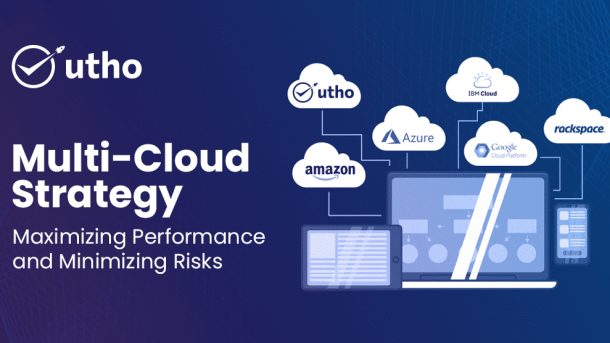
Multi-Cloud Strategy: Maximizing Performance and Minimizing Risks

Multi-Cloud Strategy Maximizing Performance & Minimizing Risks

How many cloud service providers does your company work with? If there is more than one, you are not alone. According to reliable sources, 89% of enterprises have adopted a multi-cloud strategy.

Choosing a multi-cloud approach offers significant benefits such as optimized performance, the ability to avoid vendor lock-in and access to best-in-class solutions.

However, moving beyond a single cloud provider also brings challenges and complexities, particularly in areas such as security, data protection and identity management.

In this blog, we explore what a multi-cloud strategy entails, how it works, and how effective identity management can help you overcome the challenges and maximize the benefits of a multi-cloud strategy.

Unlocking the Power of Multi-Cloud Strategies

Businesses can use different cloud services. Each has a role to play. They can make operations more efficient. The strategies include using many cloud computing and storage services. They are used in a single network. They offer many advantages. This is from combining public, private, and hybrid clouds.

Public Cloud Services

These companies provide the services. The services are scalable and cheap. They are for data storage and computing. Public clouds are good for businesses. They need flexibility and rapid growth. They do not want the burden of physical servers. With shared pricing, companies pay only for the services they use. This leads to big savings. It helps startups and small businesses with diverse needs.

Private Clouds

Private clouds are for a single organization. They offer better security and control over data and systems. Companies handle sensitive data or follow strict standards. They will find private clouds suitable. They offer strong security measures. They also offer options for customization. These allow businesses to tailor their infrastructure to their needs. However, they may require a higher upfront investment than public clouds.

Hybrid Clouds

Hybrid clouds blend the advantages of both public and private cloud environments. They offer businesses the best of both worlds. Enterprises can use public cloud services to run non-sensitive data and dynamic workloads. They can keep sensitive data in a secure private cloud. This hybrid cloud strategy enables businesses to move workloads between environments as needed. It enables them to do so cost-effectively. It also improves business continuity and disaster recovery. Data can be mirrored between the public and private parts of the hybrid cloud.

Creating a Multi-Cloud Strategy

Creating a multi-cloud strategy requires careful planning and consideration of various factors.

  • Developing a multi-cloud strategy requires aligning business goals with technical capabilities. A good multi-cloud solution offers flexibility. It lets businesses switch between providers as their needs change. It also saves money. It lets companies use the low prices of different providers. They can pick the best one for each task.
  • Using multiple clouds improves disaster recovery. It does this by sharing data and applications across different clouds. This approach increases flexibility. If one cloud provider has an outage or breach, operations can move to another cloud. This can happen without disruption. This minimizes risk.
  • Automation and APIs are crucial in this context. Automation tools manage and move workloads to the cloud. They reduce manual work and the risk of error. APIs allow different cloud services to communicate seamlessly. They also help companies create and keep a unified multi-cloud environment.
  • At Uthos, we follow the changes in the cloud world. The majority of cloud infrastructure costs come from cloud instances (Ec2/VM/VPS), managed databases (RDS) and Kubernetes (EKS/K8S). These services account for about 80% of the total bill. Our customers use Utho primarily to reduce the cost of these services in multi-cloud deployments.

Challenges and Overcoming Multi-Cloud Deployments

Overcoming barriers to multi-cloud adoption requires strategic problem-solving and innovative solutions.

Complexity and capability gaps

Managing multi-cloud systems can be complex. It often needs advanced expertise to create capabilities in an organization. Investing in training or hiring outside experts can help fill this gap. Picking the right partner for a multi-cloud deployment is critical. It's key to a successful implementation.

Cost Management

Multi-cloud strategies can save money. However, it's hard to manage costs across many providers. Without careful monitoring, costs can add up quickly. Using good cost management tools and strategies is essential. They keep costs under control in a multi-cloud environment.

Security and data compatibility issues

Sharing data across multiple clouds can boost security. But, it can also complicate compliance. This is due to different regulations in regions or industries. Coordinating security measures across various platforms is essential for effective management. Using the right tools and strategies can reduce these risks. They can also ensure compliance.

Data interoperability and integration

Integrating data between multiple clouds can be a hard task. This is due to the different formats and standards used by different services. To solve this problem, companies need the right tools. They also need the expertise for effective data connection and sharing.

By understanding these challenges and addressing them, companies can use multi-cloud deployments.

Factors to Consider When Implementing a Multi-Cloud Strategy

Ensuring a successful multi-cloud strategy requires careful consideration of various factors.

  • Implementing a multi-cloud strategy is critical for businesses and involves several important steps. First, know your business needs and goals. These include the types of workloads, storage needs, and compliance.
  • Next, compare cloud services. Create a matrix based on factors like reliability, security, and price. This will help you choose the best service providers for your needs. Then design a multi-cloud system. It will seamlessly mix different services. Consider the division of labor and system connections.
  • Ensure strong data management and security. Do this by implementing policies on data storage and encryption. Use tools like CASB to increase security. Regular security audits help protect sensitive data and ensure compliance.
  • Monitor and manage your multi-cloud environment to maintain visibility. Tools like Morpheus provide real-time performance. Management practices ensure compliance with requirements and efficient use of resources.

Continually optimize your multi-cloud setup. Do this by evaluating provider performance. Find ways to improve efficiency and cut costs.

What to look for in cloud service providers

When choosing a cloud service provider, companies should consider several key factors:

Strong security measures

Data security is a priority when choosing a cloud service provider. Look for providers that offer advanced features. These include encryption in transit and at rest. They also include two-factor authentication and regular security audits.

Scalability and flexibility

As businesses grow, their cloud needs change. A good cloud service provider should offer scalability. It should allow usage to grow or shrink as needed. Flexibility in the offered services and resources is crucial. They help to adapt to changing business needs.

Reliable customer support

Technical issues are inevitable, so reliable customer support is essential. Service providers have a dedicated support team. They can help resolve issues quickly. This minimizes downtime and failures.

Compliance and Credentials

Make sure the cloud provider follows the rules. These rules are for data storage. Service providers must be certified. They must also stay updated on the latest compliance requirements. This is needed to ensure legal and ethical data processing.

Cost considerations

Cloud services are an investment. It is important to consider the return. The right service provider balances cost and value. They provide quality services that support business growth without causing financial strain.

With these factors in mind. Companies can choose the best cloud provider for them. The provider must offer security, flexibility, and cost-effectiveness.

Unlocking the Future with Multicloud

Multicloud is a big change in cloud services. It alters how companies manage their IT. By leveraging multiple cloud platforms, businesses can maximize benefits and minimize dependencies.

Are you ready to step into the multi-cloud future? Request a demo and we'll explore your use cases together. We'll answer your pricing questions and find a plan that fits your business needs. Start your journey to unlock the future of cloud computing with Utho today.

Private vs Public Clouds: Know the Difference!

Private vs Public Clouds Know the Difference!

Struggling to choose a private cloud or a public cloud for your business? You're not alone. Cloud computing is evolving quickly. It's important to contrast these options to pick the best one for your organization.

In this post, we'll discuss the key differences between private vs public clouds. We'll also look at their features, and their advantages and disadvantages. At the end of the day, you can choose the right model for your business.

Exploring the Concept of Private Clouds

A private cloud is like your own exclusive computer playground. This is a setup. Technical things, like infrastructure and services, happen on a private network. The network is only for your organization. This means you can learn about everything from security to customization.

Where does this cloud live now? It can be in your company's data center. Or, a third party can host it on hardware just for you.

This makes them perfect for companies with strict compliance. They are also great for those with high-security needs or those who want a custom cloud appliance exactly their business.

Here's why private clouds are great

State-of-the-art security and privacy

You get full control over your data and security. This means you have less to worry about sharing resources with others.

Tailored just for you

Want to do things your way? A private cloud lets you customize everything. You can change the hardware, software, and settings to fit your needs.

Smooth performance

Say goodbye to slowdowns. You have dedicated resources. You can trust your cloud to be up and running all the time.

Regulatory Compliance

Private clouds make it easier to follow industry regulations. You are in charge of where your data resides and who can access it.

Challenges of private clouds

Private clouds have their own challenges.

Difficult implementation

Setting up a private cloud is more complicated than using a public cloud. A dedicated IT team is required to manage the data center infrastructure.

High upfront costs

The upfront costs of buying, deploying, and maintaining a private cloud can be high.
Familiarity with these challenges guides companies in making well-considered decisions. It can help when they consider private cloud solutions.

How private clouds work

A private cloud uses software and hardware. They create a custom cloud for just one organization. This special setup can be on the organization's premises, like in its data center. Or, it can be managed by an outside provider.

The main players in private cloud infrastructure are computing resources (like servers). They are also IT storage systems and network devices. The virtualization layer controls all these elements. It is the core of the arrangement. Virtualization works by creating multiple virtual machines (VMs) on one physical server. It uses existing resources.

In addition, administrators use management tools to manage the private cloud ship. The tools allow them to efficiently allocate resources. They also use them to create and monitor security. They also use them to monitor how well everything is working and being used.

Understanding Public Clouds

Imagine a cloud full of computing power and services. It's available to anyone with an internet connection. That's a public cloud. In this setup, third-party service providers bring their tech online. They serve everyone from individuals to big companies.

Here's what makes public clouds tick

Flexibility at scale

Need more compute? Public clouds can adapt to your needs and handle spikes or drops in demand without breaking a sweat.

The Pennywise Approach

Forget big upfronts. Public clouds are pay-as-you-go, meaning you only pay cash for what you use. It's the same as paying only for drinking water instead of the whole tank.

User-friendly atmosphere

Setting up a store in the public cloud is easy. The providers deal with the technical issues behind the scenes. This keeps the services smooth and secure. That way, you can focus on work without infrastructure details.

Service potion

They have cutting-edge analytics and amazing AI tricks. Public clouds offer a wealth of technical delights. This means that businesses can use advanced tools. They can do so without spending on fancy hardware.

In short, public clouds are like the busy marketplaces of the digital world. They are vibrant, open, and full of all you need to make your digital dreams come true.

Challenges of Public Clouds

Although public clouds offer many advantages, they also come with some challenges. It is important to be aware of these shortcomings and find ways to improve them.

Additional costs

Public clouds are usually cheaper than private options. But, it is important to consider the extra costs. Make sure you have a clear idea of potential costs to create a realistic budget.

Lack of cloud experience

Finding qualified professionals with cloud experience can be difficult. To build an agile team, it is important to retain talented people and invest in training.

Limited control

Public clouds often offer limited control over configuration and settings. This can be difficult for some businesses. However, many service providers are becoming aware of these needs. They are improving their services to offer more options for customization.

By finding and fixing these challenges, companies can better use public cloud benefits.

How Public Clouds Work

Public clouds provide many services. These services are hosted on a service provider's infrastructure. They save organizations and individuals from managing physical servers and data centers.

Users use a browser or API to access these services. Resources are allocated based on demand. Virtualization is key here. It ensures efficient use of resources and scales them as needed.

The best public cloud providers rely on huge global data centers. They use them for reliability, speed, and constant uptime.

Finding the Right Fit: Matching Your Needs with the Ideal Cloud Service

Deciding between private vs public clouds depends on what works best for your organization. Here is a road map to help you make that choice.

Security and Compliance

Your industry needs top security and compliance (like healthcare or finance). A private cloud may be more secure.
Scalability and Flexibility
Want to adapt to rapidly changing requirements? Public clouds can grow or shrink on the fly. They are ideal for businesses with changing or rapidly growing needs.

Cost Estimates

Private clouds require large initial investments in hardware and ongoing maintenance costs. Public clouds work on a payment model. This makes them more budget-friendly. This is especially so for startups and SMBs.

Total Cost of Ownership

Use the numbers to see which option offers the best value. Consider installation and running costs.

Innovations and Services

Public clouds open the door to many new technologies and services. These include artificial intelligence and big data analytics. You get them without having to build them from scratch.

Reliability and Availability

Public and private clouds provide reliable options. Global networks from public providers add redundancy and availability. Consider these factors to find the best cloud solution for your organization's needs and goals.

Applications: Where They Excel

Knowing where and how public and private clouds are evolving will help businesses. It will help them choose the right solution for their needs.

Public Cloud Use Cases

Startups

Startups love public clouds. They provide scalability without big upfront costs. This allows the startup to focus on growth rather than infrastructure.

Fast-moving technology

Fast-growing technology companies benefit from the flexibility of the public cloud. They can adapt quickly without having to buy extensive equipment.

Seasonal applications

Retailers and other businesses with seasonal demand prefer public clouds. They can scale their resources as needed and optimize their costs.

Private Cloud Use Cases

Financial Institutions

Private clouds are ideal for financial institutions. This is because they have strict regulations and security needs. They ensure its data security and regulatory compliance.

Healthcare

Healthcare organizations need a private cloud to comply with privacy regulations. They provide a secure environment for sensitive patient data and support critical applications.

Government Agencies

Governments prioritize security, so private clouds are essential. They allow you to manage sensitive data and operations.

Choosing the right cloud solution is key. The choice between private vs public clouds. This enables businesses to ensure efficiency, security and scalability. They can customize it according to their needs.

Summup

In the end, the choice between private vs public Clouds depends on your organization's needs. Private clouds offer dedicated resources, tight security, and control. Public clouds offer scalability, cost-effectiveness, and easy installation.

For many businesses, a hosted private cloud like Utho can be an excellent choice . It offers the best of both worlds. By understanding these differences and matching them to your goals, you can choose the right cloud solution. It will move your organization forward.

6 Benefits of Deploying a Load Balancer on your server

6 Benefits of Deploying a Load Balancer on your server.

Here we will discuss the benefits of deploying a load balancer on your server and what is a load balancer. A load balancer distributes network or application traffic across a cluster of servers. A load balancer sits between client devices and backend servers, receiving and then routing requests to the appropriate server.

The main benefit of using a load balancer is improved availability and performance. By balancing traffic across multiple servers, a load balancer helps ensure that no single server is overwhelmed by requests and that all servers are available to handle client requests.

Other Benefits of using a load balancer include the following:

1) Improved scalability:

By distributing traffic across multiple servers, a load balancer makes it possible to scale up your infrastructure to accommodate increased traffic without overburdening any single server.

2) Reduced costs:

You can reduce your overall hosting costs by using multiple lower-powered servers instead of a single, more powerful server.

3) Increased security:

By sitting between client devices and backend servers, a load balancer can act as a "gateway" through which all traffic must pass. This makes it possible to implement security measures such as firewalls and intrusion detection/prevention systems (IDS/IPS) that can help protect your backend servers from attacks.

4) Improved performance:

By balancing traffic across multiple servers, a load balancer helps to ensure that no single server is overwhelmed by requests. This can lead to faster response times for clients and reduced latency.

5) Better utilization of resources:

By using multiple lower-powered servers instead of a single, more powerful server, you can better utilize each server's processing power and memory. This can lead to improved performance for your applications.

6) Flexibility:

Load balancers can be used with on-premises infrastructure or in the cloud, allowing you to scale up or down as needed without making significant changes to your infrastructure.

There are many Benefits of Deploying a Load Balancer that can improve the availability, performance, scalability, security, and utilization of your applications and infrastructure. Utho load balancers are easy to deploy, just like our cloud servers, and are ready to use the moment they are deployed. If you don't already have one, consider deploying one today.

The Pros and Cons of Multi-Cloud Server strategy

The Pros and Cons of Multi-Cloud Server strategy

The Pros and Cons of Multi-Cloud Server Strategies: Is it Worth the Complexity?

Multi-cloud computing is a popular approach to managing IT infrastructure where organizations use multiple cloud providers to host their applications, data, and services. While multi-cloud strategies offer many benefits, such as flexibility, reliability, and cost optimization, they also introduce complexities and challenges.

The Pros of Multi-Cloud Server strategy:

Cloud Provider Selection: With a multi-cloud approach, you can select the best cloud service providers that meet all your specific needs.

Cloud Redundancy: Multi-cloud strategies offer greater redundancy and uptime, as you can distribute your applications and data across multiple cloud providers.

Cloud Security: Multi-cloud approaches can improve your security posture, as you can implement different security controls and measures across different cloud providers.

Cloud Cost Optimization: Multi-cloud strategies can help you optimize your cloud costs by using the most cost-effective providers for your workloads.

The Cons of Multi-Cloud Server strategy:

Cloud Management Costs: Multi-cloud approaches increase management overhead and complexity, requiring specialized skills and expertise.

Cloud Integration: Multi-cloud strategies require effective integration between your different cloud providers, which can be challenging due to differences in APIs, data formats, and infrastructure.

Cloud Governance and Compliance: Multi-cloud strategies can create governance and compliance challenges, as you need to ensure that your data and services comply with different regulatory requirements and standards across different cloud providers.

Cloud Reliability: Multi-cloud approaches can introduce new points of failure and complexity, impacting the reliability of your services.

Is it Worth the Complexity?

Deciding whether a multi-cloud approach is worth the complexity depends on your organization's specific needs and goals. Before adopting a multi-cloud approach, consider the following factors:

Workload Requirements: Determine the specific requirements of your workloads, such as performance, scalability, and security. Evaluate whether a multi-cloud approach can help you meet these requirements more effectively than a single-cloud approach.

Provider Selection: Research and evaluate different cloud service providers based on your specific needs and goals.

Management and Integration: Determine whether your organization has the necessary skills, expertise, and tools to manage and integrate multiple cloud providers effectively.

Governance and Compliance: Evaluate whether a multi-cloud approach can help you meet your governance and compliance requirements more effectively than a single-cloud approach.

Risk Tolerance: Evaluate your organization's risk tolerance and determine whether a multi-cloud approach aligns with your risk management strategy.

Conclusion

Overall, a multi-cloud approach can be beneficial for organizations that require high flexibility, redundancy, and cost optimization, but it can also introduce additional complexity and costs. Before adopting a multi-cloud strategy, it's important to evaluate your organization's specific needs, goals, and capabilities, and carefully manage the complexities and challenges that come with it.

If you're looking for a cloud service provider that offers multi-cloud solutions, consider Microhost. They provide a range of cloud services and support multiple cloud providers, such as AWS, Azure, and Google Cloud. With Microhost, you can leverage the benefits of multi-cloud strategies while minimizing the complexities and risks. Visit their website at https://utho.com/ to learn more about their services and how they can help you achieve your cloud goals.

Best Practices for Managing and Securing Edge Computing Devices

Best Practices for Managing and Securing Edge Computing Devices

Introduction

In recent years, edge computing has become increasingly popular as organizations seek to bring computing capabilities closer to where data is generated and consumed. Edge computing devices, which can range from simple sensors to advanced servers, have the potential to provide significant benefits in terms of reduced latency, improved performance, and enhanced security. However, managing and securing these devices can be challenging, especially when they are distributed across multiple locations.

Best Practices for Managing Edge Computing Devices

1. Develop a comprehensive inventory

It's important to have a comprehensive inventory of all edge computing devices deployed in your organization. This includes not only the physical devices but also their software and firmware versions, network addresses, and other relevant details. This information can be used to identify potential vulnerabilities and ensure that devices are updated and patched in a timely manner.

2. Establish a standard configuration

Having a standard configuration for edge computing devices can simplify management and reduce the risk of misconfiguration. This includes things like standard operating systems, software versions, and security settings. By establishing a standard configuration, you can ensure that all devices are secure and compliant with your organization's policies.

3. Implement remote management tools

Remote management tools can help you manage edge computing devices more efficiently, especially when they are distributed across multiple locations. These tools allow you to monitor device status, configure settings, and perform updates and patches remotely, reducing the need for on-site visits.

4. Monitor device performance

Monitoring the performance of edge computing devices can help you identify potential issues before they become serious problems. This includes monitoring CPU and memory usage, network traffic, and other key metrics. By proactively identifying and addressing performance issues, you can ensure that your devices are operating at peak efficiency.

Best Practices for Securing Edge Computing Devices

1. Use secure boot and firmware validation

Secure boot and firmware validation can help ensure that edge computing devices are running only authorized software and firmware. This can prevent attackers from installing malicious code that can compromise the security of your devices and your organization's data.

2. Implement strong access controls

Implementing strong access controls is critical for securing edge computing devices. This includes things like requiring strong passwords, limiting access to authorized users, and using multi-factor authentication. By implementing strong access controls, you can reduce the risk of unauthorized access and prevent data breaches.

3. Encrypt data in transit and at rest

Encrypting data in transit and at rest is essential for protecting the confidentiality and integrity of your organization's data. This includes using protocols like SSL/TLS to encrypt data in transit and using strong encryption algorithms to encrypt data at rest. By encrypting your data, you can ensure that it remains secure even if it is intercepted by attackers.

4. Regularly update and patch devices

Regularly updating and patching edge computing devices is essential for ensuring that they remain secure. This includes updating both software and firmware, as well as applying security patches as soon as they become available. By keeping your devices up-to-date, you can reduce the risk of known vulnerabilities being exploited by attackers.

Conclusion

Managing and securing edge computing devices can be challenging, but by following these best practices, you can ensure that your devices are operating at peak efficiency and are protected from potential security threats. By developing a comprehensive inventory, establishing standard configurations, implementing remote management tools, monitoring device performance, using secure boot and firmware validation, implementing strong access controls, encrypting data, and regularly updating and patching devices, you can ensure that your edge computing devices are secure and compliant with your organization's policies.

About Utho

If you're looking for a reliable and secure edge computing solution, Utho offers a range of services to meet your needs. Our team of experts can help you design and implement an edge computing strategy that is tailored to your specific requirements. With our state-of-the-art infrastructure and industry-leading security measures, you can rest assured that your edge computing devices are protected against cyber threats and data breaches. Contact us today to learn more about how we can help you manage and secure your edge computing devices.

Advantages and Challenges of Using Kubernetes and Containers in the Cloud

Advantages and Challenges of Using Kubernetes and Containers in the Cloud

Introduction

Kubernetes and containers are two buzzwords that have been floating around in the tech industry for a while now. But what exactly are they and how can they benefit your cloud infrastructure? In this article, we will explore the advantages and challenges of using Kubernetes and containers in the cloud.

What are Kubernetes and Containers?

Kubernetes is an open-source container orchestration platform that automates the deployment, scaling, and management of containerized applications. Containers, on the other hand, are a lightweight and portable way to package and run applications, along with all of their dependencies.

Advantages of Using Kubernetes and Containers in the Cloud

Improved Scalability

Kubernetes and containers can help improve the scalability of your cloud infrastructure by allowing you to easily deploy and manage multiple instances of your application. This is especially useful during times of high traffic when you need to quickly scale your resources up or down.

Increased Portability

Containers are designed to be highly portable, meaning they can run on any cloud infrastructure regardless of the underlying hardware or operating system. This allows for greater flexibility and makes it easier to move your applications between different cloud providers or environments.

Improved Resource Utilization

Containers are highly efficient and can be run on a single machine or distributed across multiple machines, which helps to improve resource utilization and reduce costs.

Faster Deployment Times

Kubernetes and containers can help to reduce deployment times by providing a standardized way to package and deploy applications. This means that you can quickly and easily deploy your applications without having to worry about the underlying infrastructure.

Challenges of Using Kubernetes and Containers in the Cloud

Complexity

One of the biggest challenges of using Kubernetes and containers is their complexity. Setting up and managing a Kubernetes cluster can be a daunting task, and requires a deep understanding of the underlying infrastructure and networking.

Security

Containers are designed to be lightweight and portable, which makes them vulnerable to security threats if not properly secured. It is important to ensure that your containers are properly configured and secured to prevent unauthorized access or data breaches.

Resource Overhead

Kubernetes and containers require additional resources to run, such as memory and CPU. This can lead to increased costs if not properly managed.

Conclusion

Kubernetes and containers offer a number of advantages for managing your cloud infrastructure, including improved scalability, increased portability, improved resource utilization, and faster deployment times. However, they also come with their own set of challenges, such as complexity, security, and resource overhead. It is important to carefully consider these factors when deciding whether or not to use Kubernetes and containers in your cloud environment.

If you are interested in learning more about Kubernetes and containers, or need help managing them in your cloud environment, consider contacting MicroHost. As a leading cloud hosting provider, MicroHost offers a range of cloud hosting solutions to help you manage and scale your applications with ease. Visit our website at https://utho.com/ to learn more.

How to Choose the Right Multi-Cloud Management Tool for Your Business

How to Choose the Right Multi-Cloud Management Tool for Your Business

Introduction

Managing multiple cloud platforms can be a challenging task, especially if you are using different providers. Each cloud platform has its own set of tools and processes, making it difficult to manage them all efficiently. However, with the help of multi-cloud management tools, you can streamline the management of your cloud environments and ensure that your business runs smoothly.

What is Multi-Cloud Management?

Multi-cloud management refers to the process of managing multiple cloud platforms from a single dashboard. It involves monitoring and controlling cloud resources, optimizing performance, and ensuring the security and compliance of your cloud environments. Multi-cloud management tools provide a centralized platform for managing multiple cloud environments, making it easier for IT teams to manage and control their resources.

Benefits of Multi-Cloud Management

There are several benefits to using a multi-cloud management tool for your business:

1. Centralized Management

One of the biggest benefits of using a multi-cloud management tool is that it provides a centralized platform for managing all of your cloud environments. This makes it easier for IT teams to monitor and control cloud resources from a single dashboard.

2. Cost Optimization

Multi-cloud management tools can help you optimize your cloud costs by identifying areas where you can save money. They can also help you allocate resources more efficiently, ensuring that you are only paying for what you need.

3. Improved Security

Multi-cloud management tools can help you improve the security of your cloud environments by providing a centralized platform for managing security policies and configurations. They can also help you identify potential security threats and vulnerabilities, allowing you to take action to mitigate them.

4. Increased Flexibility

Using multiple cloud providers gives you the flexibility to choose the best services from each provider. A multi-cloud management tool can help you manage these services more efficiently and ensure that they work together seamlessly.

Choosing the Right Multi-Cloud Management Tool

When it comes to choosing the right multi-cloud management tool for your business, there are several factors to consider:

1. Compatibility

The first factor to consider is compatibility. Ensure that the tool you choose is compatible with all of the cloud platforms you are using. This will ensure that you can manage all of your cloud environments from a single platform.

2. Ease of Use

The tool you choose should be user-friendly and easy to use. This will ensure that your IT team can easily navigate and manage the platform without requiring extensive training.

3. Scalability

The tool you choose should be scalable, meaning that it can grow and adapt to your business needs. This will ensure that you can add new cloud platforms and resources as your business grows.

4. Features and Functionality

Make sure that the tool you choose has all of the features and functionality that your business needs. This includes monitoring and optimization tools, security features, and automation capabilities.

5. Cost

Finally, consider the cost of the tool. Look for a tool that provides good value for money and fits within your budget.

Conclusion

Managing multiple cloud platforms can be a daunting task, but with the right multi-cloud management tool, you can streamline the process and ensure that your business runs smoothly. When choosing a multi-cloud management tool, consider factors such as compatibility, ease of use, scalability, features and functionality, and cost. By choosing the right tool, you can optimize your cloud resources, improve security, and increase flexibility in your cloud environments.

If you're looking for a reliable and secure multi-cloud management solution for your business, Utho offers a range of cloud management tools that can help you manage your cloud environments more efficiently. Visit their website to learn more: https://utho.com

Introduction to AI and Machine Learning in the Cloud: What Are They and How Do They Work?

Introduction to AI and Machine Learning in the Cloud: What Are They and How Do They Work?

Artificial intelligence and machine learning (ML) are revolutionizing the way businesses operate, and cloud computing is making it easier than ever to access and utilize these powerful technologies. But what exactly are AI and ML, and how do they work in the cloud?

What Is AI?

AI refers to a broad range of technologies that enable machines to perform tasks that would typically require human intelligence, such as recognizing speech, making decisions, and even driving cars. AI is typically broken down into two categories: narrow AI and general AI.

Narrow AI refers to systems that are designed to perform a specific task, such as recognizing faces or playing chess. These systems are highly effective at their specific task, but they lack the flexibility to perform other tasks.

General AI, on the other hand, refers to systems that can perform any intellectual task that a human can. While we are still far from achieving true general AI, many researchers and companies are working towards this goal.

What Is Machine Learning?

Machine learning is a subset of AI that refers to systems that can learn and improve without being explicitly programmed. Machine learning algorithms use statistical models to analyze data and identify patterns, which they can then use to make predictions or perform other tasks.

There are two main types of machine learning: supervised learning and unsupervised learning. In supervised learning, the machine learning algorithm is trained on a labeled dataset, meaning that the correct answer is provided for each example. In unsupervised learning, the algorithm is not provided with labeled data and must identify patterns on its own.

How Does AI and Machine Learning Work in the Cloud?

Cloud computing has made it easier than ever to access and utilize Artificial Intelligence and machine learning technologies. With cloud-based AI and machine learning platforms, businesses can quickly and easily build and deploy sophisticated AI models without needing to invest in expensive hardware or hire specialized talent.

Cloud-based Artificial Intelligence and machine learning platforms typically provide a range of tools and services that make it easy for businesses to build and train models, such as pre-built algorithms, data preprocessing tools, and visualization tools. These platforms also typically offer APIs that businesses can use to integrate AI and machine learning capabilities into their existing applications.

Advantages of AI and Machine Learning in the Cloud

There are several advantages to using AI and machine learning in the cloud:

Cost savings: Cloud-based AI and machine learning platforms eliminate the need for businesses to invest in expensive hardware or hire specialized talent, which can result in significant cost savings.

Scalability: Cloud-based platforms can easily scale up or down to meet the needs of businesses of all sizes.

Ease of use: Cloud-based platforms typically offer user-friendly tools and services that make it easy for businesses to build and deploy AI models.

Challenges of AI and Machine Learning in the Cloud

While there are many advantages to using AI and machine learning in the cloud, there are also some challenges to consider:

Security: Cloud-based platforms can be vulnerable to cyber attacks, which can compromise sensitive data and models.

Data privacy: Cloud-based platforms typically require businesses to share data with third-party providers, which can raise concerns about data privacy and compliance.

Integration: Integrating AI and machine learning capabilities into existing applications can be challenging and require specialized expertise.

Conclusion

AI and machine learning are powerful technologies that are transforming the way businesses operate, and cloud computing is making it easier than ever to access and utilize these technologies. By understanding the basics of AI and machine learning and the advantages and challenges of using them in the cloud, businesses can make informed decisions about how to best leverage these technologies to drive innovation and growth.

At Microhost, we understand the importance of AI and machine learning in the cloud and the potential it has to revolutionize businesses. That's why we offer a range of cloud hosting solutions, including managed cloud services and cloud-based AI platforms, to help businesses stay ahead of the curve. Contact us today to learn more about how we can help you leverage the power of AI and machine learning in the cloud for your business.

How to Choose the Right Kubernetes Solution for Your Business

How to Choose the Right Kubernetes Solution for Your Business

Kubernetes has become the de facto standard for container orchestration, offering scalability, flexibility, and automation for managing containerized applications. However, with a wide range of Kubernetes solutions available, choosing the right one for your business can be a daunting task. In this article, we will provide you with practical tips and considerations to help you select the best Kubernetes solution that aligns with your business needs.

Assess Your Business Requirements

Before diving into the world of Kubernetes solutions, it's essential to assess your business requirements. Consider factors such as the size of your organization, the complexity of your applications, scalability needs, and resource constraints. Understanding your specific needs will help you determine the features and capabilities required from a Kubernetes solution.

Evaluate Managed Kubernetes Services

Managed Kubernetes services provide a hassle-free way to leverage the power of Kubernetes without the burden of infrastructure management. Evaluate different managed Kubernetes service providers, such as Amazon EKS, Google Kubernetes Engine, and Azure Kubernetes Service. Look for providers that offer seamless integration with your existing cloud infrastructure, robust security features, scalability options, and reliable support.

Consider On-Premises or Hybrid Options

If you have strict data governance requirements or specific regulatory constraints, an on-premises or hybrid Kubernetes solution might be more suitable. Evaluate Kubernetes distributions that can be deployed on your own infrastructure, allowing you to have complete control over your environment. Consider factors such as ease of installation, ongoing maintenance, and integration capabilities with your existing systems.

Assess Community Support and Ecosystem

Kubernetes has a vibrant and active community, which translates into a rich ecosystem of tools, plugins, and resources. Assess the community support surrounding different Kubernetes solutions. Look for solutions with an active developer community, regular updates, and a wide range of compatible tools and extensions. A robust ecosystem ensures that you can leverage the latest innovations and easily integrate with other technologies.

Scalability and Performance

As your business grows, so does the demand on your infrastructure. Assess the scalability and performance capabilities of the Kubernetes solution you are considering. Look for features like automatic scaling, load balancing, and resource optimization. A Kubernetes solution that can efficiently handle increased workloads and ensure consistent performance will be crucial for the success of your applications.

Security and Compliance

Security is paramount when it comes to managing your applications in a Kubernetes environment. Evaluate the security features offered by different Kubernetes solutions. Look for features such as role-based access control (RBAC), network policies, image scanning, and encryption at rest and in transit. Additionally, ensure that the Kubernetes solution aligns with your compliance requirements, whether it be GDPR, HIPAA, or industry-specific regulations.

Total Cost of Ownership (TCO)

Consider the total cost of ownership (TCO) associated with the Kubernetes solution. Evaluate not only the upfront costs but also ongoing maintenance, support, and potential hidden expenses. Compare the pricing models of different solutions, including factors such as infrastructure costs, licensing fees, and additional services. Understanding the TCO will help you make an informed decision and avoid any budgetary surprises.

Conclusion

Choosing the right Kubernetes solution for your business is a critical decision that can significantly impact your application's performance, scalability, and security. Assess your business requirements, evaluate managed services, consider on-premises or hybrid options, assess community support, scalability, and performance, and ensure security and compliance. Additionally, factor in the total cost of ownership. By following these guidelines, you will be able to select a Kubernetes solution that empowers your business to leverage the full potential of container orchestration.