
Remote work has changed a lot in the last ten years. Earlier very few people worked from home but now it is very common in the whole world. Many companies that worked only from offices now work easily with teams living in many different places. This change has given many good things and some problems too. People get better work-life balance but they also face issues like talking to team members working together, staying productive and managing tasks from far away.
Choosing the right remote work tools is now very important for all modern companies. These tools help teams talk easily, manage projects clearly, track tasks, work on documents together, share ideas, join meetings and stay connected even when they live very far from each other. But every tool is not good for everyone. The main point is to choose the tools that match your team and its way of working.
This blog gives a simple guide to the Top 10 Remote Work Tools for better work and communication in 2025. It also explains why remote work is growing, how these tools help teams do better work and how you can choose the best tools for your company.
How to Easily Manage Remote Teams
Managing remote teams in today’s work world is not just about giving tasks or doing Zoom calls every week. Good remote leadership means making a clear system where communication is easy, expectations are simple, accountability can be checked and team members feel supported and not controlled. With the right tools and a good mindset remote teams can work as well as office teams or even better.
Here is a simple and clear explanation of how remote teams can be managed well
- Establishing Clear Communication Channels
Clear communication is the most important part of remote work. When people do not work in the same place even small misunderstandings can create delays, confusion and stress.
To stop these problems companies need fixed and easy communication channels
- Slack for real-time messaging
- Zoom or Google Meet for virtual meetings
- Microsoft Teams for combined messaging, meetings, and document sharing
Each channel should have clear guidelines:
✔ Announcements should go in a specific channel
✔ Project updates should follow a defined format
✔ Meeting recaps should be documented
This structured communication ensures that every team member stays updated and aligned, regardless of location.
2. Setting Measurable Goals & KRAs
Remote teams perform best when expectations are unambiguous. Managers must avoid vague instructions and instead adopt a goal-based work structure. This includes:
- Weekly and monthly deliverables
- KRAs (Key Result Areas) for each team member
- Clear timelines and deadlines
- Transparent reporting guidelines
When employees clearly know what they have to do when it has to be finished and how their work will be checked they take more responsibility on their own. This removes confusion and also stops the need to micromanage.
3. Centralizing Tasks & Projects
Task management is one of the biggest challenges for remote teams – especially when information is scattered across emails, chats, and personal notes.
Tools like:
- Asana
- Trello
- Notion
- ClickUp
- Basecamp
allow managers to consolidate every task in one place.
These platforms make it easy to:
- Assign responsibilities
- Add deadlines and priorities
- Track progress in real time
- Attach files, comments, and updates
- Create transparency across the team
With centralized task management, remote teams stay organized, synchronized, and efficient.
4. Encouraging Transparency
Transparency removes confusion and builds trust. Remote teams work better when everyone clearly knows
- What the team is working on
- What deadlines are coming
- Who is responsible for each task
- What tasks are stuck
Dashboards, shared calendars, time logs and shared documents make sure that no information is hidden. When all team members can see the work in progress teamwork becomes easy and misunderstandings become very low.
5. Encouraging Async First Workflows
Remote teams, especially those in different time zones cannot depend only on live meetings. Too many real time meetings cause stress and reduce productivity.
Async first workflows help teams work freely and independently.
Some examples are
Recorded loom videos instead of long meetings Written updates instead of many calls
- Recorded loom videos instead of long meetings
- Written updates instead of many calls
- Project notes saved in tools like Notion or Confluence
- End of day summaries shared asynchronously
This method makes sure that work keeps moving even when some teammates are offline.
6. Building Trust
Trust is the base of a strong remote team. If managers keep checking every small activity online status or try to control every task employees feel stressed and not supported.
Instead managers should:
- Focus on results not hours
- Give freedom to employees
- Give flexibility
- Create a space where employees feel safe to ask questions or share problems
Tools can help with work but real performance comes from trust.
7. Hosting Regular Check-ins
Human connection becomes weak in remote work so regular check-ins are very important. These include
- Weekly team meetings for updates
- Monthly one-on-ones for feedback and guidance
- Sprint reviews for goal evaluation
- Optional daily standups for fast-moving teams
These check ins help everyone stay in sync, solve problems quickly and build a stronger team.
What Are the Top 5 Reasons Why Remote Working Is Growing?
The big rise of remote work is not an accident. It is happening because the whole world is changing. Companies are working in new ways employees want more freedom and technology has become very advanced. Remote work was once a small benefit but now it has become a normal way of working for startups, big companies and even government offices. Remote work is changing the future of jobs and here are the five main reasons for its fast growth.
1. Technology Has Made Remote Work Seamless
Technology Has Made Remote Work Seamless
Ten years ago remote work felt hard. Today it feels very easy because of strong cloud tools and real time apps. Modern technology helps teams work smoothly from any place without losing productivity or communication.
Key enablers include:
- Cloud platforms (Google Workspace Microsoft 365) for opening and sharing files anytime
- Collaboration tools (Slack Teams Zoom) for talking and working together
- Project management systems (Trello Notion Asana) for keeping all work in one place
- AI for doing work faster and helping make decisions
- Fast internet for good video calls and easy work from anywhere
Because of these tools teamwork is no longer limited by location. Work that needed an office before can now be done easily from different parts of the world.
2. Companies Save Significant Costs
One of the biggest reasons for remote work growth is the huge money companies save. Running an office is very costly especially in big cities. Remote work removes or reduces many expenses.
- Office rent and leases
- Electricity, water, and utility bills
- Furniture and interior setup
- Housekeeping and maintenance
- On-site cafeterias, parking, and operational staff
- Daily commuting allowances
- In-person events and travel
For many companies, these savings run into lakhs or even crores per year. The money saved can be reinvested into:
- Product development
- Marketing and brand expansion
- Employee upskilling
- Better tech infrastructure
Remote work helps companies operate lean, scale faster, and compete globally.
3. Employees Want Flexibility
Today employees do not care only about salary. They want freedom, choice and a good work life balance. Work from home or work from anywhere gives them
- The ability to avoid long, stressful commutes
- More time for family and personal hobbies
- Flexible work schedules
- A healthier, more balanced lifestyle
- Reduced burnout and improved mental well-being
With remote work employees can choose their own work place. They can work from home, a cafe, a co-working space or even while traveling.
This flexibility directly contributes to:
- Better job satisfaction
- Lower turnover rates
- Higher loyalty
- Increased engagement
For many employees remote work is not a special benefit now. It is something they expect as normal.
- Companies Get Access to a Global Talent Pool
Before, companies could hire only people who lived near the office. Remote work changes this. Now companies can hire anyone from any city, country or any time zone.
Benefits of hiring from anywhere:
- Higher talent quality: Companies can get experts not just local people
- Better diversity: Teams become more mixed and creative
- Work all the time: With people in different time zones work can continue all day and night
- More new ideas: Different perspectives bring better ideas
- Lower hiring costs: Companies can hire talented people from places with lower salaries
Remote hiring makes a team without borders and makes the company stronger and better at competing.
5. Productivity Gains Are Higher Than Ever
Some people think remote work makes employees work less but it actually increases productivity. Studies show remote workers do 20 to 30 percent more work.
Reasons include:
Contrary to outdated assumptions, remote work has proven to increase productivity, not reduce it. Studies show that employees working remotely deliver 20–30% higher output for several reasons:
- Fewer distractions compared to a noisy office
- Personalized work environments
- Better focus
- Flexibility to work at peak productivity hours
- Less fatigue from daily commuting
- Reduced unnecessary meetings
- Improved mental well-being
Remote employees often develop stronger time-management habits, which further boosts efficiency.
As a result, companies experience:
- Faster project delivery
- Higher-quality output
- Improved team morale
- Fewer sick leaves and burnout cases
This productivity boost is a major reason why many businesses now prefer remote-first or hybrid work models.
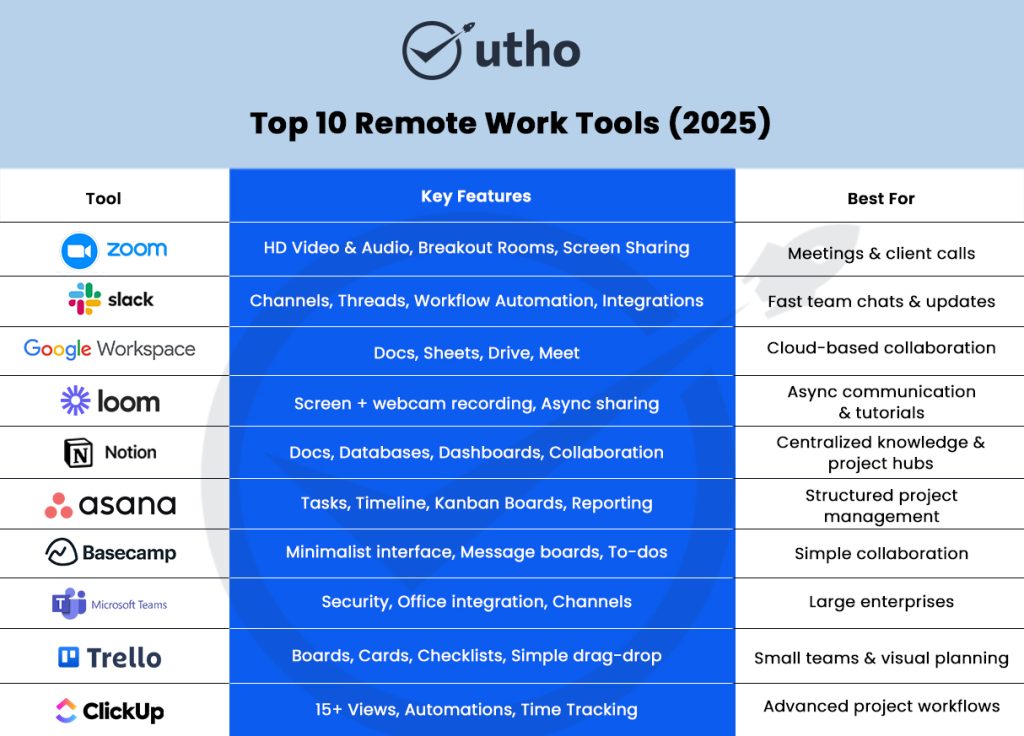
Top 10 Remote Work Tools (2026)
In 2025 remote work is not just an extra option. It is now a big advantage for companies. The right tools help teams stay productive, stay organized and stay connected even when everyone is working from different places.
Here is a simple and clear explanation of the top 10 remote work tools used by companies of all sizes.
Slack – The Best Tool for Talking and Working Together
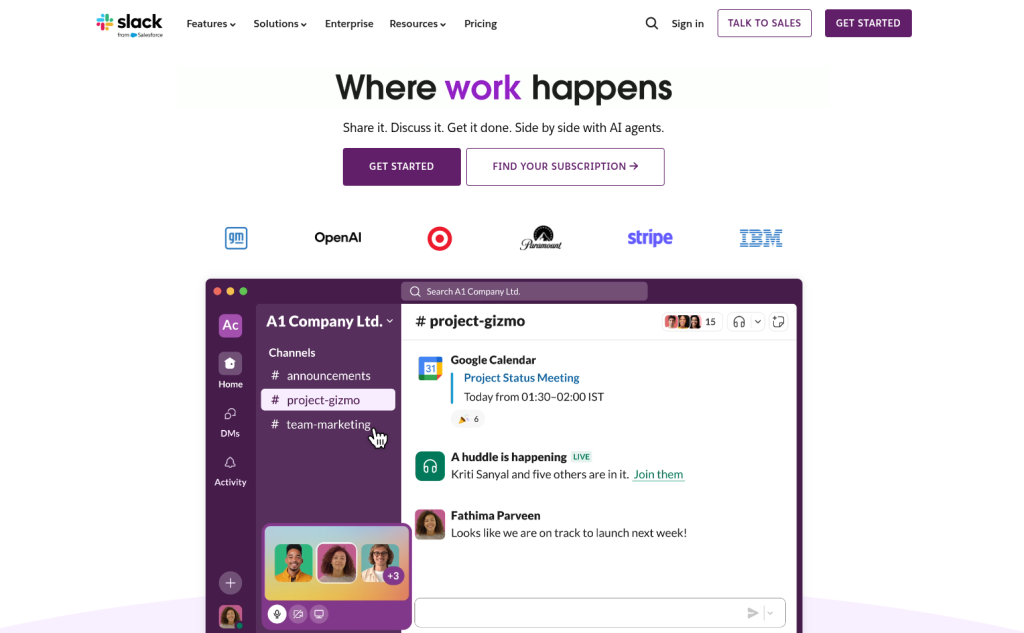
Slack is a very popular tool for team chats. It helps teams talk fast and stay organized. Everything stays in one place so nothing is lost.
Why Slack is Special
Slack makes communication simple. Instead of long emails and long meetings, teams talk in channels and threads. This keeps work easy and clear.
Main Features
- Organized Channels: Make channels for teams, projects, or clients to keep talks clean
- Threaded Conversations: Keep messages in order so busy channels don’t get messy
- Workflow Automation: Automatically handle approvals, requests, reminders, and daily updates
- Slackbot: Set reminders, automatic replies, and personal prompts
- Works with 2,500+ Apps: Connect with tools like GitHub, Google Drive, and Zapier
Best For:
Teams that want fast chats, quick updates, and clear communication
Zoom – The World’s Leading Video Meeting Platform

Zoom remains the go-to solution for reliable video communication, especially for remote teams conducting daily meetings, training sessions, and client interactions.
Why Zoom Is Essential
Zoom is stable and reliable. Meetings do not lag and people can talk clearly.
Key Highlights
- HD video & audio
- Breakout rooms for group discussions
- Advanced screen sharing
- Cloud call recordings
- Webinars and virtual events
- Whiteboard collaboration
Best For
Teams that need strong video calls training sessions and client meetings.
Notion – The All-in-One Workspace for Knowledge, Docs & Collaboration
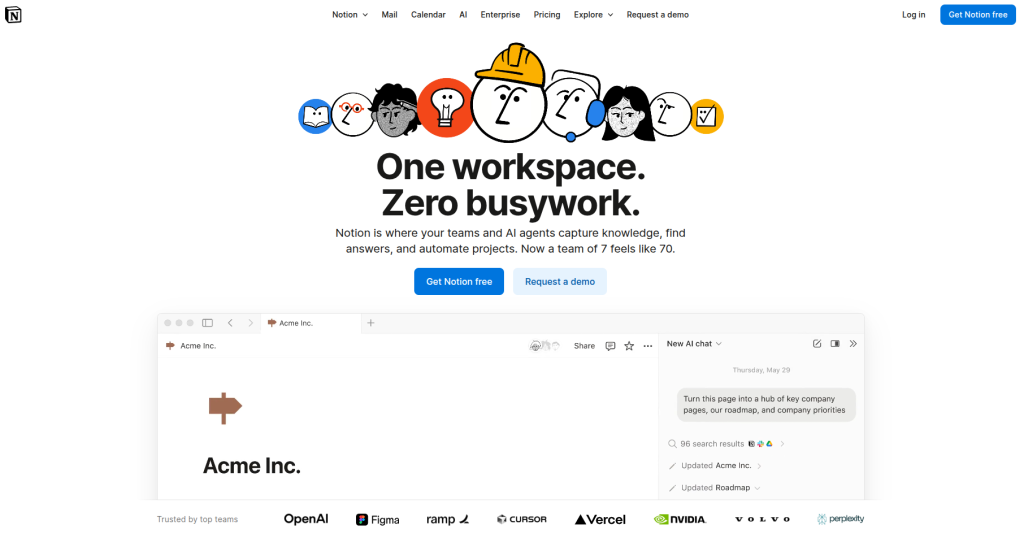
Notion is a workspace where teams can write documents manage tasks plan projects and store important company information.
Why Teams Love Notion
Notion adapts to any workflow. Whether you want to build a company wiki, track projects, create SOP libraries, or manage content pipelines-Notion makes everything visually intuitive.
Deep Strengths
- Real-time collaborative editing
- Powerful database features
- Customizable templates
- Project dashboards
- Knowledge hubs for onboarding
Best For
Remote teams needing centralized documentation, wikis, SOPs, brainstorming pages, and project hubs.
Asana – The Most Effective Task & Project Management Tool
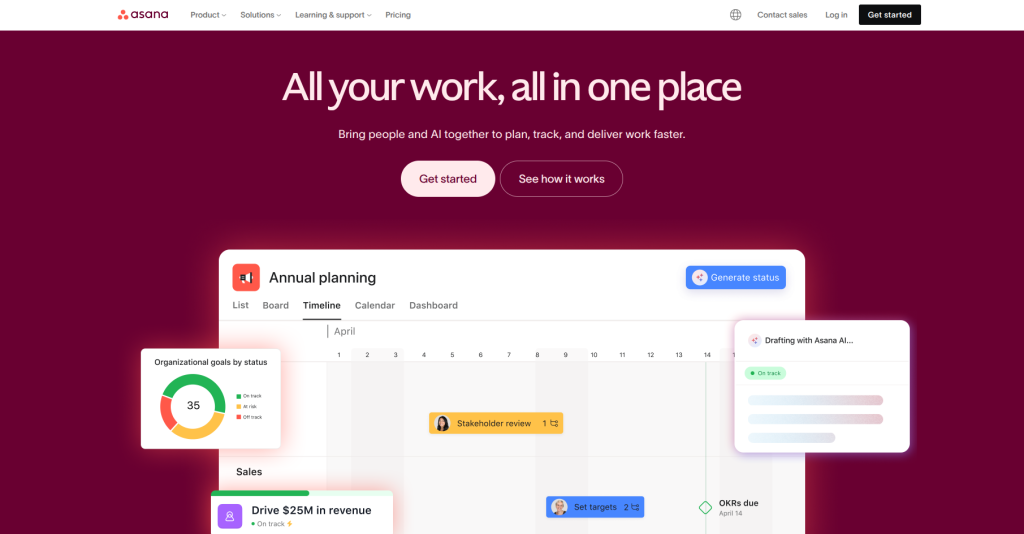
Asana helps teams see who is doing what and when work is due. Managers get a clear view of everything.
Why Asana Works Well
Asana is simple but powerful. It helps teams stay on track without confusion.
Deep Strengths
- Task assignment & priority setting
- Timeline (Gantt view) for planning
- Kanban boards
- Subtasks & dependencies
- Goal management & reporting
Best For
Fast-moving teams managing structured projects, campaigns, content cycles, or product sprints.
Trello – The Simplest Visual Kanban Tool
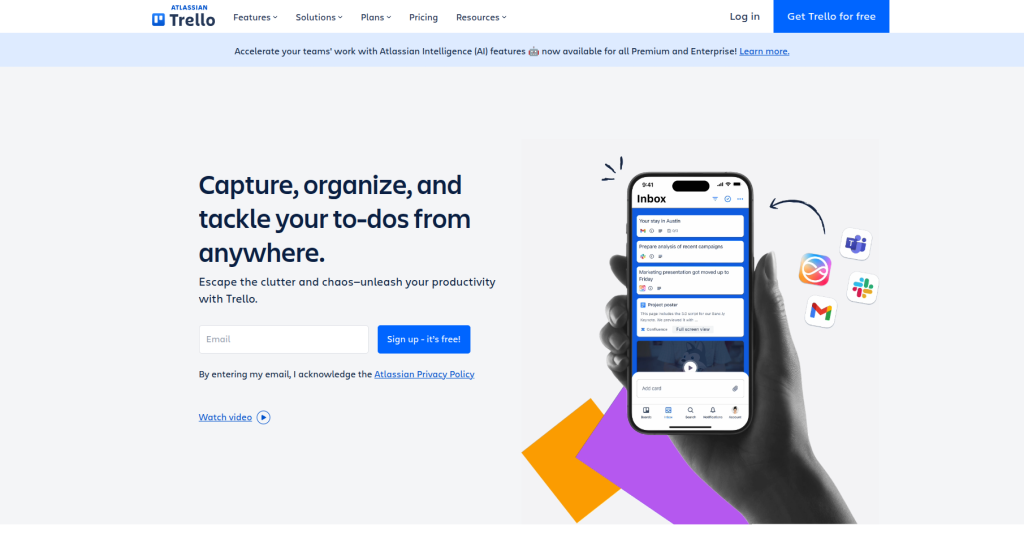
Trello uses boards and cards to show work clearly. It is easy for beginners and small teams.
Why Trello Is Popular
Trello’s drag-and-drop simplicity helps people visualize their workflows instantly. No complicated setup-just boards, lists, and cards.
Deep Strengths
- Kanban-style boards
- Checklists inside cards
- File and link attachments
- Power-Ups for automation
- Simple learning curve
Best For
Small businesses, freelancers, marketing teams, and anyone who loves visual planning.
Microsoft Teams – All-in-One Communication for Enterprises
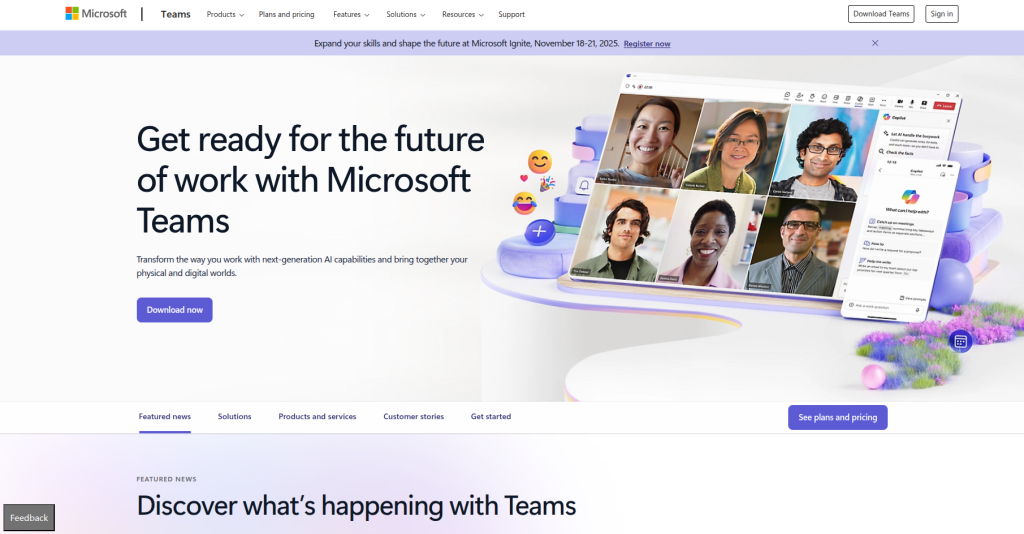
Microsoft Teams works best for companies using Microsoft apps like Excel Outlook and SharePoint.
Why Enterprises Prefer It
Teams connects smoothly with all Microsoft tools and has strong security.
Deep Strengths
- Robust security and compliance
- Enterprise admin controls
- Integrated calendars and emails
- Group channels and chats
- Direct editing inside Office files
Best For
Large companies with strict IT policies and heavy reliance on Microsoft apps.
Google Workspace – The Complete Cloud Productivity Suite

Google Workspace includes Gmail Drive Docs Sheets Meet and more. Everything works online and saves automatically.
Why It’s Essential
Google Workspace creates a completely cloud-based work environment where documents are always accessible and auto-synced.
Deep Strengths
- Real-time editing in Docs and Sheets
- Cloud storage through Google Drive
- Fast, reliable video calls via Google Meet
- Universal accessibility across devices
- Secure sharing permissions
Best For
Teams that want simple, cloud-based collaboration with minimal setup.
ClickUp – The Most Advanced All-in-One Project Management Tool
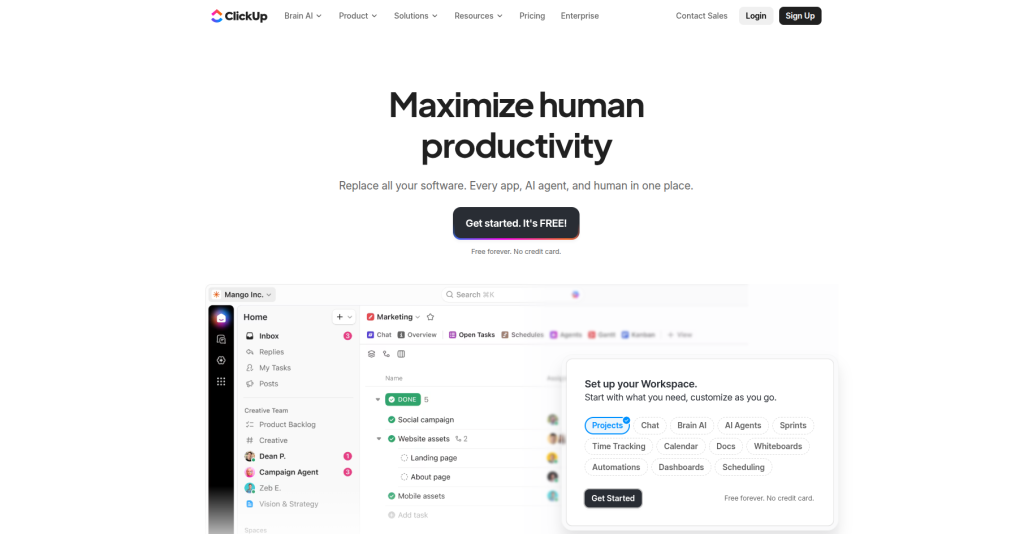
ClickUp aims to replace multiple apps by offering tasks, docs, time tracking, automations, sprints, OKRs, dashboards, and reporting-all in one place.
Why ClickUp Stands Out
It’s deeply customizable, allowing teams to build exactly the workflow they need-whether for engineering, design, operations, or marketing.
Deep Strengths
- 15+ project views (List, Kanban, Timeline, Mind Map, etc.)
- Custom fields & statuses
- Time tracking and timesheets
- Workload management
- Automation and integrations
Best For
Growing tech teams, product managers, and organizations managing large-scale operational workflows.
Basecamp – A Minimal, Distraction-Free Collaboration Tool
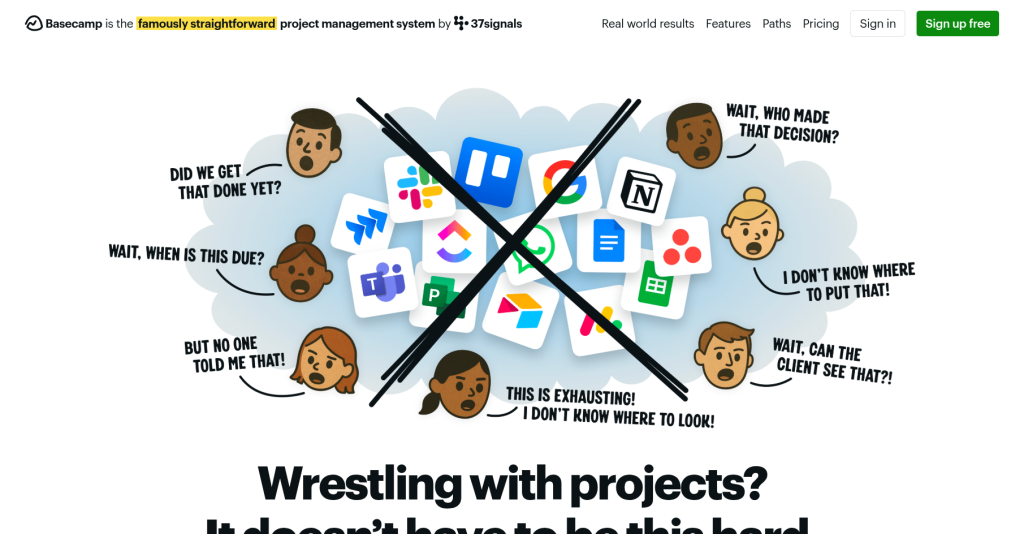
Basecamp focuses on simplicity rather than overwhelming features. It blends communication, tasks, files, and schedules into one clean interface.
Why Teams Use It
Basecamp keeps remote work calm. Instead of constant notifications or complex dashboards, everything is organized in a peaceful, minimal environment.
Deep Strengths
- Message boards
- To-do lists
- Campfire (group chat)
- File storage
- Automatic check-ins
Best For
Teams that prefer minimalism over complexity and want to reduce communication overload.
Loom – The Best Tool for Async Video Communication

Loom has become essential for async-first organizations. Instead of scheduling meetings, teams record short videos explaining ideas, updates, or walkthroughs.
Why Loom Helps Remote Teams
Loom significantly reduces meeting fatigue by allowing team members to consume updates on their own time.
Deep Strengths
- Fast screen recording
- Webcam + mic support
- Easy link sharing
- Viewer insights
- Perfect for tutorials, demos, and onboarding
Best For
Teams practicing asynchronous workflows, documentation, engineering handovers, training, and product demos.
Benefits of Investing in Remote Work Tools
In todays digital world remote work tools are very important. These tools help teams work better stay connected and finish tasks on time even when everyone is in different places. Companies that use the right tools get many big benefits like better communication higher productivity and strong teamwork. Let us understand these benefits in simple words.
1. Enhanced Communication and Collaboration
Remote teams face many challenges like distance and different time zones. Tools like Slack Microsoft Teams and Zoom help teams talk easily. These tools give options like chat video calls voice calls and message sharing so teams can stay connected all the time.
These tools keep conversations clear and well arranged so people do not get confused. Channels and threads help teams find old messages and updates quickly. When all team discussions are in one place no important information gets lost. These tools also connect with other apps like calendars and file sharing which makes teamwork smooth and faster.
2. Higher Productivity Through Structured Workflows
Remote work tools help people do their work in a clear and organized way. Tools like Asana ClickUp and Trello turn big projects into small easy tasks so everyone knows what they have to do. These tools also show deadlines priorities and progress which removes all confusion.
When tasks are simple to understand people do not waste time doing extra work or repeating the same work. These tools cut down manual work and save time so employees can focus on important work. This helps the team work faster and be more productive.
3. Reduced Confusion and Miscommunication
Without a central tool remote teams can easily make mistakes or miss updates. Remote work tools keep all information in one place like project plans documents and team chats. This means everyone sees the latest and correct information.
Teams do not need to ask again and again for updates because everything is already visible. Shared documents dashboards and version control help people understand their tasks and timelines clearly which reduces confusion.
4. Stronger Team Alignment
Remote work tools help everyone stay on track with company goals. Managers can share tasks check progress and give feedback easily.
Dashboards and progress reports help team members see how their work supports the bigger goals of the company. This creates more motivation and teamwork even when people are far away from each other.
5. Better Client and Stakeholder Management
For teams that work with clients these tools make communication simple and fast. Tools like Zoom Slack and Google Workspace help teams share updates and answer client questions quickly.
Project dashboards show clear progress which builds trust and keeps clients happy. Teams can show proof of work and deliver high quality results without needing face to face meetings.
6. Faster Decision Making
Remote work tools give real time information. Managers can see data progress and team performance at any time. This helps them make good decisions faster.
Task management tools show which work is urgent and which work can wait. This helps teams change plans quickly when needed. Fast decisions are very important for industries where things change all the time.
7. Cost Efficiency
Remote work tools help companies save a lot of money. They do not need big offices furniture electricity and travel allowances.
Cloud tools let companies grow without worrying about office space. The saved money can be used for training new hires or improving products.
This is good for both the company and its employees.
How Task Management Tools Help Remote Work
Task management tools are very important for remote work. Tools like Trello Asana ClickUp and Jira help teams stay organized. They make sure everyone knows what to do and keep work from becoming messy.
1. Keep Work Visible
Task boards show everyone what tasks are being done. They show which tasks are important when they are due and how much is done. This helps everyone understand the project and stops people from doing the same work twice.
2. Improve Accountability
Every task can be given to one person. This makes each person responsible for their work. Tools also send reminders and updates so no task is forgotten.
3. Support Collaboration
These tools let teams work together in one place. People can write comments attach files make smaller tasks and track which tasks depend on others. This means less need for extra emails or chat messages.
4. Boost Transparency
Managers can see instantly which tasks are done which are not and which are late using dashboards boards and timelines. This builds trust and helps the team fix problems before they become big.
5. Reduce Micromanagement
Because tasks are clear and progress is visible managers do not need to check all the time. Team members update their work themselves and share progress. This gives freedom and reduces micromanaging.
6. Aid in Planning and Forecasting
Advanced tools show workload charts timelines and roadmaps. These help teams plan when tasks will finish assign work correctly and prepare for big milestones or sprints.
Choosing the Right Tools for Your Team
When selecting remote work tools, consider:
✔ Team size
✔ Nature of work
✔ Technical skill level
✔ Budget
✔ Security requirements
✔ Integration needs
✔ Async vs. real-time communication
Choose tools that complement each other rather than create overlap.
A good combination may include:
- Slack → Communication
- Zoom → Meetings
- Notion → Documentation
- Asana → Project management
- Google Workspace → Collaboration files
- Loom → Async video
- Time Doctor → Time tracking (optional)
The perfect stack should be aligned with your team’s workflow, not the other way around.
Benefits of Investing in Remote Work Tools (Detailed Section)
Investing in quality remote work tools provides long-term strategic advantages:
1. Scalability
Companies grow without worrying about office space.
2. Reduced Turnover
Employees with remote options experience better work-life balance.
3. Greater Innovation
Global distributed teams bring diverse ideas.
4. Improved Operational Efficiency
Automation + digital workflows = reduced delays.
5. Strong Global Presence
Teams across time zones allow 24/7 business operations.
Remote tools transform a company from a physical organization into a flexible, digital powerhouse.
Conclusion
Remote work isn’t just a modern trend-it’s a long-term evolution shaping the future of global employment. With businesses becoming more digital, remote, and distributed, the success of teams now depends heavily on the tools they use. From communication to task management, documentation, collaboration, and async video messaging, the right remote work tools ensure clarity, productivity, and alignment.
Whether you’re building a startup, scaling a company, or managing global teams, adopting the right digital ecosystem enables smoother workflows, reduces friction, and empowers employees to perform at their best regardless of location.
By understanding your team’s needs and choosing tools that integrate well, you can unlock the full potential of remote work and build a more efficient, productive, and future-ready organization.
FAQs
1. What is the most essential tool for remote work?
Slack and Zoom are the core tools for communication and meetings.
2. Which tool is best for project management?
Asana for simplicity, ClickUp for advanced workflows, Trello for beginners.
3. Is Google Workspace enough for small teams?
Yes, it provides email, cloud storage, docs, sheets, and video meetings.
4. How do I choose the right tool stack?
Prioritize communication, documentation, collaboration, and task management.
5. Do remote teams need time tracking tools?
Not always-only if your workflow requires hourly measurement or client reporting.