

C is a very powerful programming language. It was created by Dennis Ritchie at Bell Labs in the early 1970s. It is fast and works very close to computer hardware. It was first used to build the UNIX operating system. Even today it is used in many important systems like operating systems, embedded devices and software tools.
What is C Programming A Simple Overview ?
Have you ever thought about how the software inside your computer or phone really works? Or how a car engine system can read many sensor signals and react in real time. Most of these systems use a language called C.
C programming is one of the most basic and important programming languages. It helped build the foundation of modern computers. Many big systems like operating systems databases and security tools are written using C. Even after many years it is still one of the most used languages in the world.
C is very important because it is fast and gives direct control over the computer. This means programmers can control memory and system resources in a very detailed way. That is why it is used in places where speed and performance matter a lot.
This guide helps you understand C programming in a simple way. It explains where it came from how it works and why it is still useful today. It also helps beginners understand how programming starts at the basic level.
If you are new to coding C is a very good language to start with. It teaches you how computers think and work from the inside. Once you understand C other programming languages become much easier to learn.
What is C Programming ?
C Programming is a simple and powerful programming language. It is used to build system software like operating systems firmware and many applications. It was created by Dennis Ritchie in the 1970s at Bell Labs. C gives direct control over computer memory and hardware using simple rules and keywords.
Over time C became one of the most important programming languages in the world. Many modern languages like C plus plus C sharp Java, Python Go and Rust are influenced by C. When you learn C you also start to understand how computers really work inside. You learn how memory works, how data is stored and how systems manage resources.
C is called a middle level language. This means it is between very low level machine language and high level languages like Python. Low level languages are very hard for humans to read and high level languages hide many details. C is in the middle so it is easier to read but still gives control over the system.
This balance of simplicity and control is why C is still used even after many years. It helps programmers write clear code while still working very close to the computer system.
The Evolution of C Programming ?
The history of C Programming started in the early 1970s at Bell Laboratories in the United States. At that time most system software was written in assembly language. Assembly language was very close to hardware and it worked only on specific machines. Because of this it was very hard to move software from one computer to another.
Dennis Ritchie and Brian Kernighan wanted to fix this problem. They wanted to create a language that was fast like assembly but also easy to use on different computers. They improved an older language called B and then created C between 1969 and 1973.
One of the biggest success stories of C was when the UNIX operating system was rewritten using it. Before this UNIX was written in assembly language. After rewriting it in C it proved that a high level language could still be fast and powerful enough to run an operating system. This was a very important moment in computer history.
In 1978 a famous book called The C Programming Language was published by Kernighan and Ritchie. This book helped many programmers learn C and it became a main guide for the language. Later in 1989 a standard version of C was created so that programs could work the same on different computers. More updates came later but the main idea of C stayed the same.
Even today C is still used in many important systems. It is trusted because it is fast, simple and very close to how computers really work.
How C Programming Works Step by Step ?
Understanding how C works internally is what separates developers who just write C from those who truly understand it. C does not run through an interpreter or a virtual machine. It follows a precise compilation pipeline that transforms your source code into a binary that the CPU executes directly. Here is exactly how that process works.
Step 1 — Writing the Source Code
You write C code in plain text files saved with a .c extension. This is your human-readable source code. It contains all your logic, functions, variables, and instructions written using C syntax.
// hello.c — your source file
#include <stdio.h>
int main() {
printf(“Hello from C!\n”);
return 0;
}
At this stage, the file is just text. The computer cannot run it yet. It needs to be transformed into machine instructions first.
Step 2 — Preprocessing
Before actual compilation starts, the C preprocessor runs first. It scans your source file looking for preprocessor directives — lines that start with #. It processes all of these before the compiler sees the code.
The most common directive is #include, which pulls in the contents of a header file. When you write #include <stdio.h>, the preprocessor replaces that line with the entire content of the stdio.h header file — which contains declarations for functions like printf().
#define creates macros — text substitutions that the preprocessor replaces before compilation.
#include <stdio.h>
// Preprocessor macro — replaced before compilation
#define MAX_SIZE 100
#define SQUARE(x) ((x) * (x))
#define PI 3.14159
int main() {
printf(“Max size: %d\n”, MAX_SIZE);
printf(“Square of 7: %d\n”, SQUARE(7));
printf(“PI value: %.5f\n”, PI);
printf(“Area of circle (r=5): %.2f\n”, PI * SQUARE(5));
return 0;
}
Output:
Max size: 100
Square of 7: 49
PI value: 3.14159
Area of circle (r=5): 78.54
After preprocessing, all macros are expanded and all #include directives are replaced. The preprocessor produces a modified version of your source file that the compiler then receives.
Step 3 — Compilation
The compiler takes your code after preprocessing and changes it into assembly language. Assembly language is a simple form of instructions that the computer can understand. It depends on the type of processor like x86 or ARM.
This is also the stage where the compiler checks your code for mistakes. It looks for syntax errors and other problems. If you forget a semicolon or use a variable that is not defined the compiler will show an error at this stage.
The compiler also tries to make your program better and faster. It can improve the code by removing extra steps combining small functions and changing the order of instructions. These improvements help the program run more efficiently on the computer.
Compile command:
gcc -Wall -O2 -c hello.c -o hello.o
The -Wall flag enables all warnings. -O2 enables level-2 optimization. -c tells the compiler to produce an object file without linking.
Step 4 — Assembly
The assembler takes the assembly code produced by the compiler and converts it into machine code — binary instructions (zeros and ones) that the CPU can directly understand and execute.
The output of this step is an object file (.o or .obj on Windows). Object files contain machine code but are not yet executable — they may reference functions or variables defined in other files.
Step 5 — Linking
The linker is the final step. It takes one or more object files and combines them with any required libraries (like the C Standard Library) to produce a single executable binary.
If your program calls printf(), the linker connects your code to the actual implementation of printf() in the Standard Library. If you have multiple .c files in your project, the linker combines all their compiled object files into one executable.
Link command:
gcc hello.o -o hello -lm
The -lm flag links the math library. The output hello is the final executable binary.
Step 6 — Execution
When you run the executable, the operating system loads it into memory and hands control to the main() function. From that point, the CPU executes your instructions directly — no interpreter, no virtual machine, no translation layer.
./hello
Output:
Hello from C!
This direct execution is why C is fast. The path from your source code to the CPU is as short as possible.
Complete Compilation Pipeline Overview
Source Code (.c)
↓
Preprocessor ← Handles #include, #define, macros
↓
Preprocessed Code
↓
Compiler ← Translates to assembly, checks syntax, optimizes
↓
Assembly Code
↓
Assembler ← Converts assembly to binary machine code
↓
Object File (.o)
↓
Linker ← Combines object files + libraries
↓
Executable Binary ← Runs directly on CPU
Understanding this pipeline helps you debug compilation errors, understand optimization flags, and know exactly what happens when your C program runs.
Features of C Programming
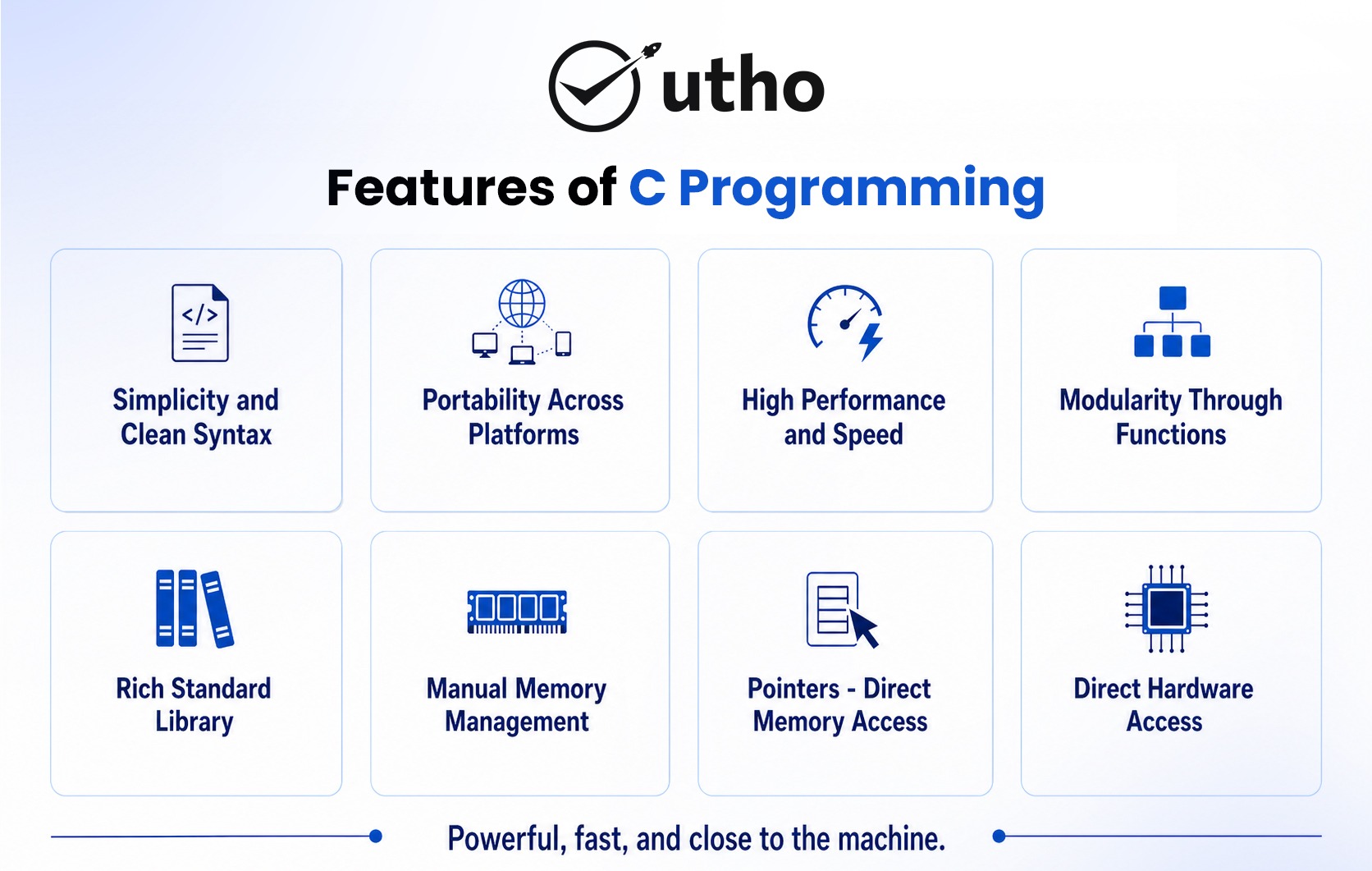
C Programming has many strong features that make it very popular even today in 2026 and beyond. These features are not just ideas they are real reasons why C is used in operating systems embedded systems databases and fast software all over the world.
1. Simplicity and Clean syntax
C has a very simple structure. It uses only 32 main keywords. Because of this it is easy to learn for beginners and also powerful for experts. Every line of code in C has a clear meaning. There are no hidden actions and nothing runs in the background without the programmer knowing.
#include <stdio.h>
int main() {
int x = 10;
int y = 20;
int sum = x + y;
printf(“Sum of %d and %d is %d\n”, x, y, sum);
return 0;
}
Output:
Sum of 10 and 20 is 30
Even this simple program shows C’s clarity — every line has a direct purpose with no unnecessary syntax surrounding it.
2. Portability Across Platforms
A C program written on one machine can be compiled and run on a completely different machine, operating system, or hardware architecture with minimal or no changes. C compilers exist for virtually every platform — x86, ARM, RISC-V, MIPS, PowerPC, and more.
#include <stdio.h>
// Runs identically on Windows, Linux, macOS, and embedded ARM
int main() {
printf(“Portable C program!\n”);
printf(“int size: %lu bytes\n”, sizeof(int));
printf(“long size: %lu bytes\n”, sizeof(long));
printf(“double size: %lu bytes\n”, sizeof(double));
return 0;
}
Output:
Portable C program!
int size: 4 bytes
long size: 8 bytes
double size: 8 bytes
3. High Performance and Speed
C compiles directly to native machine code. There is no interpreter, no virtual machine, no garbage collector. The binary runs directly on the CPU with zero runtime overhead — which is why C is used wherever performance is non-negotiable.
#include <stdio.h>
#include <time.h>
int main() {
clock_t start = clock();
long long sum = 0;
for (long long i = 1; i <= 1000000000LL; i++) {
sum += i;
}
double time_taken = (double)(clock() – start) / CLOCKS_PER_SEC;
printf(“Sum: %lld\n”, sum);
printf(“Time: %.3f seconds\n”, time_taken);
return 0;
}
Output:
Sum: 500000000500000000
Time: 0.387 seconds
Summing one billion numbers in under 0.4 seconds — this is native machine code performance.
4. Modularity Through Functions
C supports structured programming by organizing code into functions. Each function does one thing. This makes programs easier to read, test, debug, and maintain. Large projects like the Linux kernel contain hundreds of thousands of functions.
#include <stdio.h>
int findMax(int a, int b, int c) {
int max = a;
if (b > max) max = b;
if (c > max) max = c;
return max;
}
float findAverage(int a, int b, int c) {
return (float)(a + b + c) / 3.0f;
}
int isPrime(int n) {
if (n < 2) return 0;
for (int i = 2; i * i <= n; i++)
if (n % i == 0) return 0;
return 1;
}
int main() {
int x = 45, y = 82, z = 63;
printf(“Max: %d\n”, findMax(x, y, z));
printf(“Average: %.2f\n”, findAverage(x, y, z));
printf(“Is 82 prime? %s\n”, isPrime(82) ? “Yes” : “No”);
printf(“Is 83 prime? %s\n”, isPrime(83) ? “Yes” : “No”);
return 0;
}
Output:
Max: 82
Average: 63.33
Is 82 prime? No
Is 83 prime? Yes
5. Rich Standard Library
C provides a comprehensive Standard Library through header files. These cover I/O operations, string manipulation, mathematical functions, memory management, file handling, and more — all without external dependencies.
#include <stdio.h>
#include <string.h>
#include <math.h>
#include <stdlib.h>
int main() {
// String functions
char text[] = “C Programming”;
printf(“String: %s\n”, text);
printf(“Length: %lu\n”, strlen(text));
// Math functions
printf(“\nsqrt(225) = %.0f\n”, sqrt(225));
printf(“pow(2,10) = %.0f\n”, pow(2, 10));
printf(“ceil(4.2) = %.0f\n”, ceil(4.2));
printf(“floor(4.9) = %.0f\n”, floor(4.9));
// Random number
srand(42);
printf(“\nRandom (1-100): %d\n”, (rand() % 100) + 1);
return 0;
}
Output:
String: C Programming
Length: 13
sqrt(225) = 15
pow(2,10) = 1024
ceil(4.2) = 5
floor(4.9) = 4
Random (1-100): 37
6. Manual Memory Management
C gives programmers complete, direct control over memory through malloc(), calloc(), realloc(), and free(). You decide exactly when memory is allocated and when it is released — there is no garbage collector making those decisions for you.
#include <stdio.h>
#include <stdlib.h>
int main() {
int n = 5;
int *arr = (int *)malloc(n * sizeof(int));
if (arr == NULL) {
printf(“Memory allocation failed!\n”);
return 1;
}
// Store squares
for (int i = 0; i < n; i++)
arr[i] = (i + 1) * (i + 1);
printf(“Squares stored in dynamic memory:\n”);
for (int i = 0; i < n; i++)
printf(“arr[%d] = %d\n”, i, arr[i]);
free(arr); // Always free what you allocate
printf(“Memory freed.\n”);
return 0;
}
Output:
Squares stored in dynamic memory:
arr[0] = 1
arr[1] = 4
arr[2] = 9
arr[3] = 16
arr[4] = 25
Memory freed.
7. Pointers — Direct Memory Access
Pointers store memory addresses. Through pointers, C gives direct access to memory, enabling dynamic data structures, efficient function parameter passing, and hardware-level programming that is simply not possible in most other languages.
#include <stdio.h>
void swap(int *a, int *b) {
int temp = *a;
*a = *b;
*b = temp;
}
int main() {
int x = 100, y = 200;
printf(“Before: x = %d, y = %d\n”, x, y);
swap(&x, &y);
printf(“After: x = %d, y = %d\n”, x, y);
// Pointer arithmetic
int numbers[] = {10, 20, 30, 40, 50};
int *ptr = numbers;
printf(“\nTraversing array with pointer:\n”);
for (int i = 0; i < 5; i++) {
printf(“*(ptr+%d) = %d\n”, i, *(ptr + i));
}
return 0;
}
Output:
Before: x = 100, y = 200
After: x = 200, y = 100
Traversing array with pointer:
*(ptr+0) = 10
*(ptr+1) = 20
*(ptr+2) = 30
*(ptr+3) = 40
*(ptr+4) = 50
8. Direct Hardware Access
Through pointers and memory-mapped I/O, C allows direct interaction with hardware components — processors, memory registers, GPIO pins, communication buses, and peripherals. This is why C dominates embedded systems development.
// Hardware register access in embedded C
// (Conceptual — real addresses depend on the microcontroller)
#include <stdio.h>
// Simulating memory-mapped hardware registers
unsigned int GPIO_OUTPUT = 0x00000000;
void setPinHigh(int pin) {
GPIO_OUTPUT |= (1 << pin);
printf(“Pin %d set HIGH | Register: 0x%08X\n”, pin, GPIO_OUTPUT);
}
void setPinLow(int pin) {
GPIO_OUTPUT &= ~(1 << pin);
printf(“Pin %d set LOW | Register: 0x%08X\n”, pin, GPIO_OUTPUT);
}
int main() {
printf(“Hardware GPIO Control Simulation\n\n”);
setPinHigh(0);
setPinHigh(3);
setPinHigh(7);
setPinLow(3);
return 0;
}
Output:
Hardware GPIO Control Simulation
Pin 0 set HIGH | Register: 0x00000001
Pin 3 set HIGH | Register: 0x00000009
Pin 7 set HIGH | Register: 0x00000089
Pin 3 set LOW | Register: 0x00000081
Applications and Uses of C Programming
C Programming is very powerful and flexible. It is used to build very important software systems. These systems are used every day by billions of people in 2026.
1. Operating Systems Development
Operating systems control computer hardware and run all apps. They also manage files and system tasks. C is used to build almost all major operating systems.
UNIX was the first operating system rewritten using C. Linux is also mostly written in C. Linux is used in Android phones web servers big computers and cloud systems. Parts of Windows and macOS are also built using C and C plus plus.
#include <stdio.h>
#include <unistd.h>
#include <sys/types.h>
int main() {
// Direct OS interaction through system calls
pid_t pid = getpid();
pid_t ppid = getppid();
uid_t uid = getuid();
printf(“Process ID : %d\n”, pid);
printf(“Parent Process ID: %d\n”, ppid);
printf(“User ID : %d\n”, uid);
return 0;
}
Output:
Process ID : 14823
Parent Process ID: 14820
User ID : 1000
2. Embedded Systems and Microcontrollers
Embedded systems are inside your car’s engine control unit, your smartwatch, your WiFi router, your medical devices, and industrial controllers. C dominates this domain because it produces compact binary code, uses minimal RAM, and gives direct hardware access.
#include <stdio.h>
// Embedded LED blink simulation
#define LED_PIN 13
void digitalWrite(int pin, int state) {
printf(“Pin %d -> %s\n”, pin, state ? “HIGH (LED ON)” : “LOW (LED OFF)”);
}
void delay_ms(int ms) {
printf(“[Delay: %d ms]\n”, ms);
}
int main() {
printf(“Embedded LED Blink — 3 cycles\n\n”);
for (int i = 0; i < 3; i++) {
digitalWrite(LED_PIN, 1);
delay_ms(500);
digitalWrite(LED_PIN, 0);
delay_ms(500);
}
return 0;
}
Output:
Embedded LED Blink — 3 cycles
Pin 13 -> HIGH (LED ON)
[Delay: 500 ms]
Pin 13 -> LOW (LED OFF)
[Delay: 500 ms]
…
3. Database Management Systems
SQLite, the most widely deployed database on the planet, is written entirely in C. PostgreSQL, MySQL, and Redis are also C. Databases handle millions of queries per second and need predictable, high-speed performance — exactly what C delivers.
#include <stdio.h>
#include <string.h>
#define MAX 5
struct Record { char key[20]; char value[50]; };
struct Record db[MAX];
int count = 0;
void insert(const char *key, const char *val) {
if (count < MAX) {
strcpy(db[count].key, key);
strcpy(db[count].value, val);
count++;
printf(“Inserted: %-15s -> %s\n”, key, val);
}
}
void query(const char *key) {
for (int i = 0; i < count; i++) {
if (strcmp(db[i].key, key) == 0) {
printf(“Found : %-15s -> %s\n”, key, db[i].value);
return;
}
}
printf(“Not found: %s\n”, key);
}
int main() {
printf(“=== Simple Database Engine ===\n\n”);
insert(“name”, “Dennis Ritchie”);
insert(“language”, “C”);
insert(“year”, “1972”);
insert(“lab”, “Bell Labs”);
printf(“\n=== Queries ===\n”);
query(“language”);
query(“year”);
query(“os”);
return 0;
}
Output:
=== Simple Database Engine ===
Inserted: name -> Dennis Ritchie
Inserted: language -> C
Inserted: year -> 1972
Inserted: lab -> Bell Labs
=== Queries ===
Found : language -> C
Found : year -> 1972
Not found: os
4. Compilers and Language Interpreters
CPython (Python’s standard implementation) is written in C. PHP runtime, Ruby’s MRI interpreter, and Lua are all C. When you run a Python script, C code is parsing it, compiling it to bytecode, and executing it.
#include <stdio.h>
// Simulated expression evaluator — like what an interpreter does
double evaluate(double a, char op, double b) {
switch (op) {
case ‘+’: return a + b;
case ‘-‘: return a – b;
case ‘*’: return a * b;
case ‘/’: return (b != 0) ? a / b : 0;
default: return 0;
}
}
int main() {
printf(“Expression Evaluator (interpreter core)\n\n”);
printf(“10 + 25 = %.2f\n”, evaluate(10, ‘+’, 25));
printf(“50 – 18 = %.2f\n”, evaluate(50, ‘-‘, 18));
printf(“7 * 8 = %.2f\n”, evaluate(7, ‘*’, 8));
printf(“100 / 4 = %.2f\n”, evaluate(100,’/’, 4));
return 0;
}
Output:
Expression Evaluator (interpreter core)
10 + 25 = 35.00
50 – 18 = 32.00
7 * 8 = 56.00
100 / 4 = 25.00
5. Network Programming and Cybersecurity Tools
Nginx (web server), OpenSSL (encryption), Wireshark (packet analysis), and Nmap (port scanning) are all written in C. Network software needs fast byte-level data handling — C does this better than any other high-level language.
#include <stdio.h>
#include <string.h>
struct Packet {
int source_port;
int dest_port;
char protocol[10];
char payload[80];
};
void analyzePacket(struct Packet p) {
printf(“%-10s | %5d -> %d | %s\n”,
p.protocol, p.source_port, p.dest_port, p.payload);
}
int main() {
printf(“Network Packet Analyzer\n”);
printf(“%-10s | %12s | Payload\n”, “Protocol”, “Port (S->D)”);
printf(“———————————————–\n”);
struct Packet packets[] = {
{54321, 80, “HTTP”, “GET / HTTP/1.1”},
{54322, 443, “HTTPS”, “TLS ClientHello”},
{54323, 22, “SSH”, “SSH-2.0-OpenSSH_8.9”},
{54324, 53, “DNS”, “Query: example.com”}
};
for (int i = 0; i < 4; i++)
analyzePacket(packets[i]);
return 0;
}
Output:
Network Packet Analyzer
Protocol | Port (S->D) | Payload
———————————————–
HTTP | 54321 -> 80 | GET / HTTP/1.1
HTTPS | 54322 -> 443 | TLS ClientHello
SSH | 54323 -> 22 | SSH-2.0-OpenSSH_8.9
DNS | 54324 -> 53 | Query: example.com
6. Game Development and Graphics Engines
OpenGL and Vulkan — the standard GPU rendering APIs — are C interfaces. SDL (Simple DirectMedia Layer), used in thousands of games, is written in C. Real-time game loops need consistent frame timing and zero GC pauses — both C strengths.
#include <stdio.h>
struct GameObject { char name[20]; float x, y, speed; int health; };
void update(struct GameObject *obj) { obj->x += obj->speed; }
void render(struct GameObject obj) {
printf(“[%s] pos=(%.1f, %.1f) HP=%d\n”, obj.name, obj.x, obj.y, obj.health);
}
int main() {
struct GameObject player = {“Player”, 0.0f, 0.0f, 3.0f, 100};
struct GameObject enemy = {“Enemy”, 80.0f,0.0f,-1.5f, 60};
printf(“=== Game Loop — 4 Frames ===\n\n”);
for (int frame = 1; frame <= 4; frame++) {
printf(“Frame %d:\n”, frame);
update(&player); update(&enemy);
render(player); render(enemy);
printf(“\n”);
}
return 0;
}
Output:
=== Game Loop — 4 Frames ===
Frame 1:
[Player] pos=(3.0, 0.0) HP=100
[Enemy] pos=(78.5, 0.0) HP=60
Frame 2:
[Player] pos=(6.0, 0.0) HP=100
[Enemy] pos=(77.0, 0.0) HP=60
…
7. Artificial Intelligence and Robotics
TensorFlow Lite — which runs ML models on phones and embedded devices — has its core written in C and C++. Robotics control systems use C for real-time sensor processing because response time must be microseconds, not milliseconds.
#include <stdio.h>
#include <math.h>
double relu(double x) { return x > 0 ? x : 0; }
double sigmoid(double x) { return 1.0 / (1.0 + exp(-x)); }
double neuron(double inputs[], double weights[], int n, double bias) {
double sum = bias;
for (int i = 0; i < n; i++) sum += inputs[i] * weights[i];
return sigmoid(sum);
}
int main() {
printf(“Neural Network — Single Neuron\n\n”);
double values[] = {-2.0, 0.0, 1.5, 3.0};
printf(“ReLU activations:\n”);
for (int i = 0; i < 4; i++)
printf(” relu(%.1f) = %.1f\n”, values[i], relu(values[i]));
double inputs[] = {0.6, 0.9, 0.3};
double weights[] = {0.5, 0.7, 0.2};
double output = neuron(inputs, weights, 3, -0.1);
printf(“\nNeuron output: %.4f\n”, output);
printf(“Prediction : %s\n”, output > 0.5 ? “Class 1” : “Class 0”);
return 0;
}
Output:
Neural Network — Single Neuron
ReLU activations:
relu(-2.0) = 0.0
relu(0.0) = 0.0
relu(1.5) = 1.5
relu(3.0) = 3.0
Neuron output: 0.7109
Prediction : Class 1
Elements of a C Program With Code Examples
A C program is composed of several key elements that work together to perform tasks. Understanding these elements is essential for writing correct and effective C code.
1. Header Files
Header files contain declarations of functions and macros. They are included at the beginning of the program using #include.
#include <stdio.h> // printf, scanf, file I/O
#include <stdlib.h> // malloc, free, exit
#include <string.h> // strcpy, strlen, strcmp
#include <math.h> // sqrt, pow, sin, cos
2. The Main Function
Every C program starts execution from main(). It returns an integer — 0 for success, non-zero for error.
#include <stdio.h>
int main() {
printf(“C program starts here.\n”);
return 0;
}
3. Variables and Data Types
#include <stdio.h>
int main() {
int age = 28;
float price = 99.99f;
double pi = 3.14159265359;
char initial = ‘D’;
printf(“Age: %d | Price: %.2f | Pi: %.5f | Initial: %c\n”,
age, price, pi, initial);
return 0;
}
Output:
Age: 28 | Price: 99.99 | Pi: 3.14159 | Initial: D
4. Operators
#include <stdio.h>
int main() {
int a = 18, b = 5;
printf(“+ : %d\n- : %d\n* : %d\n/ : %d\n%% : %d\n”,
a+b, a-b, a*b, a/b, a%b);
printf(“a > b : %d\na == b: %d\n”, a>b, a==b);
return 0;
}
Output:
+ : 23
– : 13
* : 90
/ : 3
% : 3
a > b : 1
a == b: 0
5. Control Statements
#include <stdio.h>
int main() {
int score = 78;
if (score >= 90) printf(“Grade: A\n”);
else if (score >= 75) printf(“Grade: B\n”);
else if (score >= 60) printf(“Grade: C\n”);
else printf(“Grade: F\n”);
return 0;
}
Output:
Grade: B
6. Loops
#include <stdio.h>
int main() {
// Factorial using for loop
int n = 7;
long factorial = 1;
for (int i = 1; i <= n; i++) factorial *= i;
printf(“Factorial of %d = %ld\n”, n, factorial);
// Sum using while loop
int sum = 0, i = 1;
while (i <= 50) { sum += i; i++; }
printf(“Sum of 1 to 50 = %d\n”, sum);
return 0;
}
Output:
Factorial of 7 = 5040
Sum of 1 to 50 = 1275
7. Functions
#include <stdio.h>
long fibonacci(int n) {
if (n <= 1) return n;
return fibonacci(n-1) + fibonacci(n-2);
}
int main() {
printf(“Fibonacci sequence:\n”);
for (int i = 0; i < 10; i++)
printf(“F(%d) = %ld\n”, i, fibonacci(i));
return 0;
}
Output:
Fibonacci sequence:
F(0) = 0
F(1) = 1
F(2) = 1
F(3) = 2
F(4) = 3
F(5) = 5
F(6) = 8
F(7) = 13
F(8) = 21
F(9) = 34
8. Pointers
Pointers store memory addresses and enable dynamic memory allocation, efficient function calls, and hardware-level programming. Mastery of pointers separates a competent C developer from a truly skilled one.
#include <stdio.h>
int main() {
int value = 42;
int *ptr = &value;
printf(“Value : %d\n”, value);
printf(“Address : %p\n”, (void*)ptr);
printf(“Via pointer : %d\n”, *ptr);
*ptr = 999;
printf(“After change : %d\n”, value);
return 0;
}
Output:
Value : 42
Address : 0x7ffd3c2a1b4c
Via pointer : 42
After change : 999
Advantages and Disadvantages of C Programming
Advantages
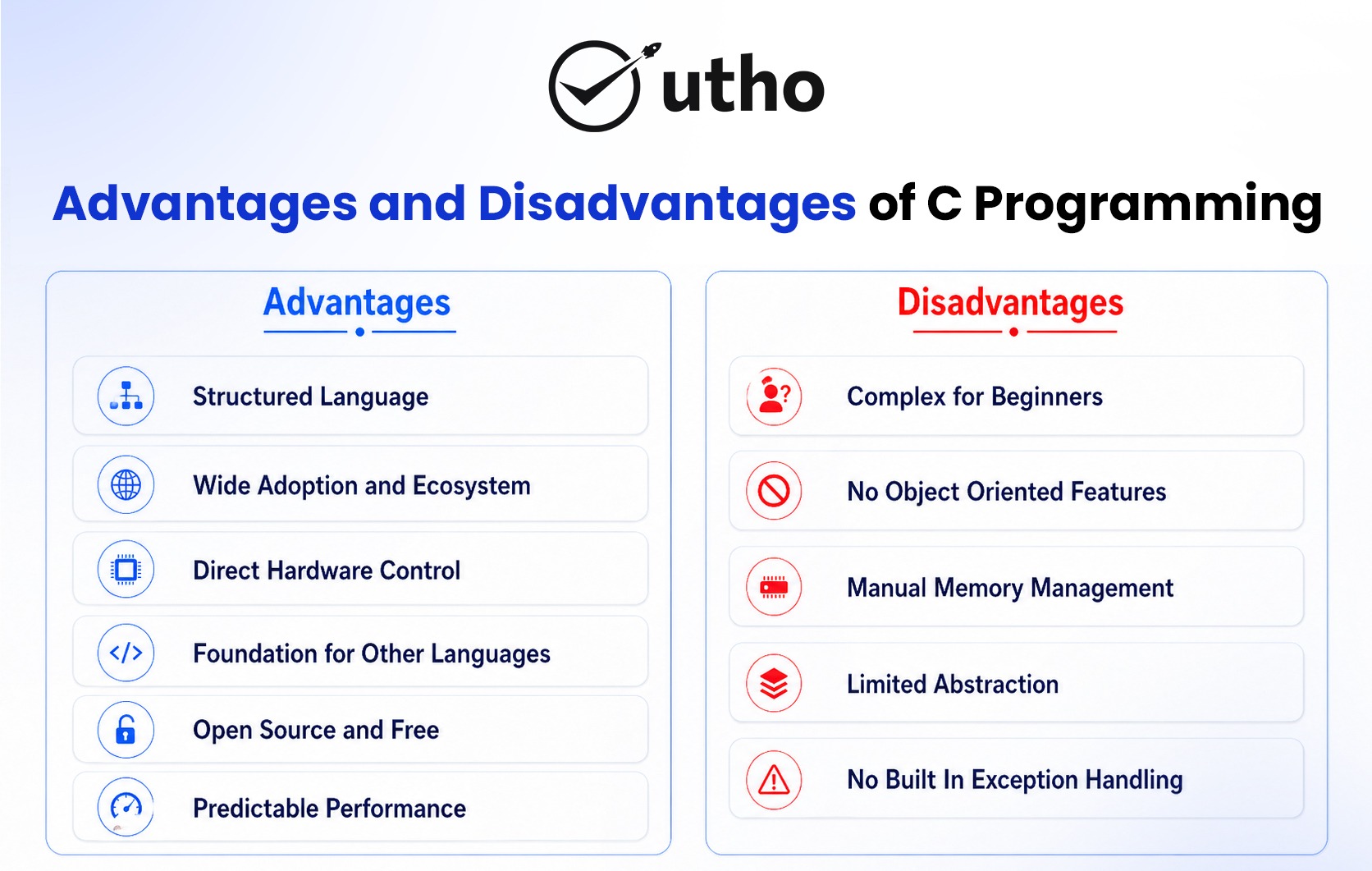
a) Structured Language
C helps you write programs in a clear and organized way using functions. This makes code easier to read and fix. Big programs can be split into small parts which makes them easier to manage.
b) Wide Adoption and Ecosystem
C has been used for many years so it has many tools and support. There are compiler debuggers, libraries and guides available. This makes building and fixing programs easier for developers.
c) Direct Hardware Control
C can directly control computer hardware using pointers and memory access. This is very useful for system software drivers and embedded devices where full control is needed.
d) Foundation for Other Languages
Learning C helps you understand many other languages like C plus Java Python Go and Rust. It builds strong basic knowledge of how programming really works.
e) Open Source and Free
Many C tools and libraries are free to use. Developers and companies can use them without paying money. This makes C accessible for everyone.
f) Predictable Performance
C runs very fast because it converts directly into machine code. There is no extra delay or background processing. This makes it very good for real time systems.
Disadvantages
a) Complex for Beginners
C can be hard for new learners. Small mistakes in code can cause crashes or errors. Things like pointers and memory need careful handling.
b) No Object Oriented Features
C does not have features like classes or objects. So for big applications developers often use other languages like C plus plus.
c) Manual Memory Management
In C you must handle memory yourself. If you make mistakes it can cause memory leaks or crashes.
d) Limited Abstraction
Simple tasks may need more code in C compared to languages like Python. This makes development slower for some applications.
e) No Built In Exception Handling
C does not have automatic error handling. Developers must manually check errors using conditions which can make code longer.
Conclusion
C Programming is a strong and long lasting language. It is used in many important systems like operating systems, embedded devices and network tools. It is fast, efficient and gives full control over hardware.
Learning C helps you understand how computers work from the inside. It teaches memory pointers and system level thinking. These skills help you learn other programming languages more easily.
Even in 2026 C is still very important and widely used in real world systems.